If you look at the monthly cloud bills for most startups in 2025, there are very interesting and staggering insights that come along. At Costimizer, we analyze cloud estates worth millions of dollars every month. What stands out is not aggressive scaling it’s operational inefficiency.
If your Amazon EC2 cost is growing faster than your user base, you're not alone. A simple but powerful metric we use is:
Total monthly compute cost ÷ daily active users
We use this across companies in the same industry, we regularly see a 10× difference
This guide explains exactly why your Amazon EC2 bill keeps increasing and provides a roadmap on how to reduce aws cost with a special focus on:
Let’s start at the foundation.
60-Second Summary
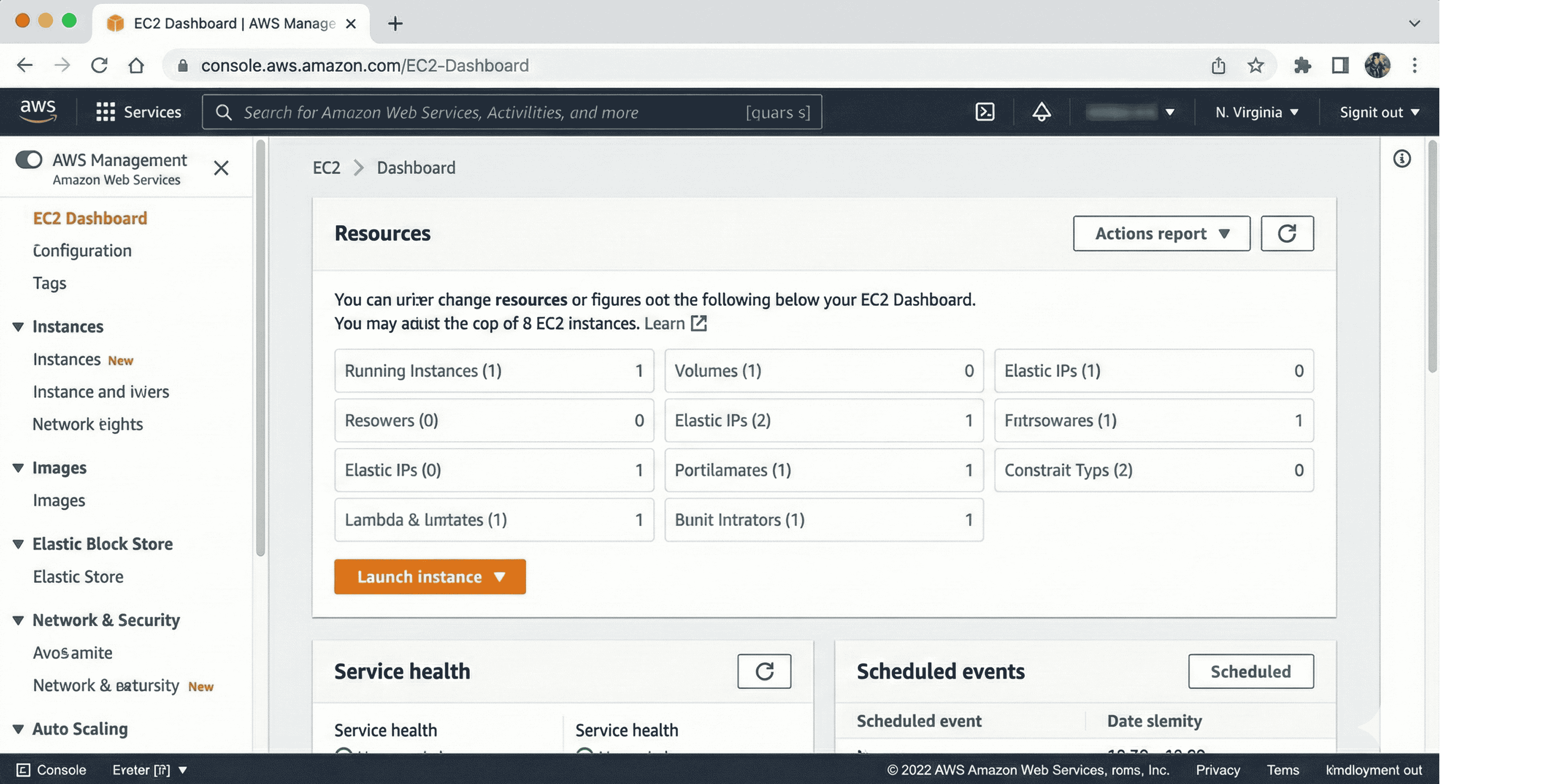
Before we can fix the bill, we need to understand what we are actually paying for. It sounds basic, but 90% of the waste comes from misunderstanding the fundamental building blocks.
Amazon EC2 stands for Amazon Elastic Compute Cloud. It is effectively renting a virtual computer in someone else's data center. But unlike renting a car where you just choose Economy or SUV, EC2 has hundreds of variations.
Instance names like m5.large or c7g.2xlarge look cryptic, but they are not random. Each component describes the hardware you are renting.
Choosing the wrong family is one of the most common and expensive mistakes teams make.
They have a balanced ratio of CPU and Memory.
They have high-performance processors but less memory.
They have massive amounts of RAM.
These are designed for high input/output operations (I/O).
Before we talk about servers, we need to talk about hard drives. Most engineers launch an instance and click Next on the storage tab without thinking. That specific click is costing you thousands of dollars.
Here is the comparison of Amazon EBS (Elastic Block Store) volume types.
Volume Type | Price (GB/Month) | Performance | Verdict |
gp3 (General Purpose v3) | $0.08 | 3,000 IOPS included. Performance is independent of size. | The Default. Use this for everything unless you have a specific reason not to. |
gp2 (General Purpose v2) | $0.10 | Legacy Model. IOPS are tied to size (3 IOPS per GB). | Obsolete. You are paying 20% more for less control. |
io2 / io2 Block Express | $0.125 + IOPS fees | High Performance. For mission-critical databases (SAP, Oracle). | Specialist. Only use for intense DB workloads. Expensive. |
st1 / sc1 (HDD) | $0.045 / $0.015 | Slow. Throughput optimized, but magnetic spinning disks. | Niche. Only for massive log analytics or cold storage. |
Most AWS accounts created before 2021 default to gp2. The problem with gp2 is that performance is tied to size.
breaks this link. You can have a 50 GB volume with 3,000 IOPS.
If you have terabytes of gp2 storage, you are voluntarily donating 20% of your storage bill to Amazon. We recommend using a cloud asset inventory to identify every gp2 volume and upgrade it today.
We have analyzed millions of dollars in cloud spend. Beyond storage, here are the top reasons your bill is bleeding.
This is the most common reason for a high bill. In the transcript of your infrastructure, you likely have unused cloud resources that are running but serving zero traffic.
The most expensive resource in your cloud environment is the one you forgot you provisioned. AWS doesn't charge you for what you use; they charge you for what you provision.
— Corey Quinn, Chief Cloud Economist
This is a relatively new pain point. As of 2024, AWS charges $0.005 per IP per hour for every public IPv4 address, even if it is attached to a running instance.
This doesn't sound like much, but let's look at the math:
Stop giving every instance a public IP. Put them in private subnets and use a NAT Gateway (or better, VPC Endpoints). If you have unused Elastic IPs sitting in your account, release them immediately.
This is a psychological issue. Engineers are terrified of downtime. So, if an application needs 2 vCPUs to run efficiently, they provision 8 vCPUs just in case there is a spike.
This Safety Buffer means you are paying for 75% idle capacity. It is like renting a 50-seater bus to drive two people to work because what if 48 friends show up one day?
If you look at your bill, you might see a line item for NAT Gateway Data Processing.
We don't want to give generic insights here. We want to give you a workflow. Here is how we recommend you tackle this using modern aws cost optimization tools.
You need to be aggressive here.
let's look at what actual engineers face with their AWS cloud bills.
A user shared a story where a junior engineer accidentally provisioned a p3.16xlarge (GPU instance) instead of a t3.micro. It ran for 150 hours before anyone noticed. The bill jumped by nearly $4,500 instantly.
Our Take: This happens because of a lack of virtual tags and budget alerts. If you don't have a guardrail, a simple typo can cost you a month of runway.
A founder shared how they accidentally committed their AWS Access Keys to a public GitHub repo. Bots scraped the keys within minutes and spun up hundreds of GPU instances for crypto mining in a region they never used (Sao Paulo). The bill hit $285,000 in one week.
Our Take: This is why multi-cloud monitoring with security anomaly detection is non-negotiable. You need to know when your usage spikes by 10,000%, not 30 days later.
Here’s the truth: most companies don’t need a massive cloud overhaul to cut costs, they need visibility and a few smart adjustments.
With Amazon Web Services, EC2 and RDS waste usually hides in three places: overprovisioned instances, idle uptime, and misaligned purchasing models.
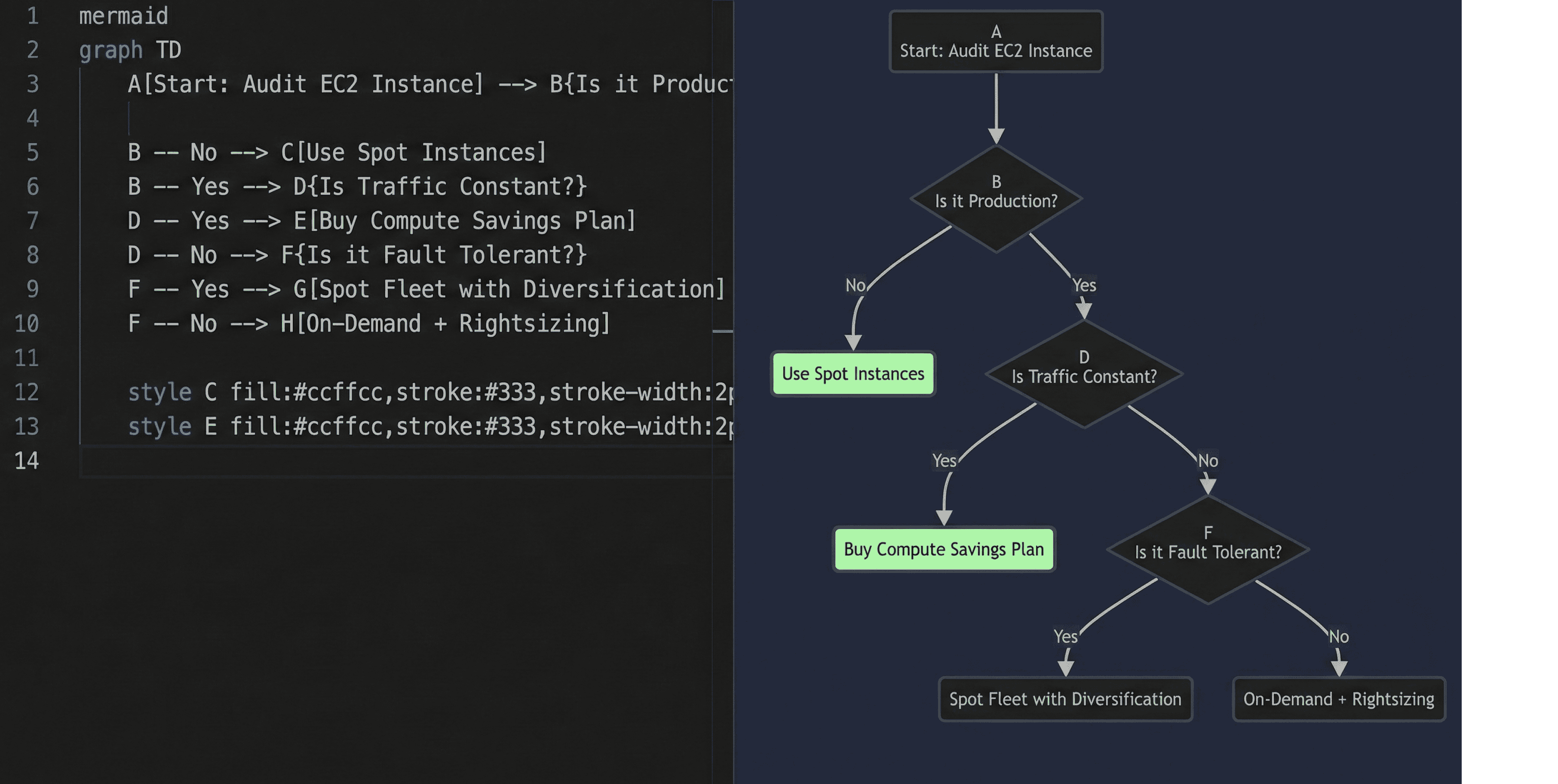
Instead of re-architecting everything, start by asking: Is this workload consistently busy? If yes, lock in Savings Plans or Reserved Instances, that alone can reduce compute costs by up to 30–60% without touching your setup.
Next, look at utilization trends, not peak spikes, but averages. Many EC2 instances run below 40% CPU. Downsizing one instance size often saves more than complex optimization projects.
For RDS, the quiet cost killer is storage and IOPS over-allocation, which makes rds cost optimization critical for controlling database spend. Teams provision for worst-case scenarios that rarely happen. Adjusting storage type or right-sizing provisioned IOPS can create immediate savings.
Another overlooked lever? Scheduling. If non-production environments run 24/7, you’re paying for nights and weekends you don’t use.
The key insight: cost reduction isn’t about complexity, it’s about aligning capacity with actual behavior. Small, targeted adjustments usually unlock the biggest gains.
We have built Costimizer to act as an intelligent aws cost management solution for modern cloud governance. It takes everything we just discussed and automates it.
We realized that managing these Zombie Resources manually is painful. You have to log into 10 different regions and check 50 different dashboards.
Costimizer bridges this gap:
We built Costimizer because we hated the Weeks later conversation where Finance asks why the bill is high, and Engineering has no answer. We wanted to give you the answer.
We’re coming now to the very end of this guide.
The point we are trying to elicit really is the fact that AWS costs scale with your mistakes, not just your success. If you look at the Q1 results for the most efficient companies, they treat cloud cost governance as an engineering discipline, not a finance problem.
Don't be the company that burns $100 to make $10. Be the operational beast that burns $10 to make $100.
If you are struggling with rising costs, we highly recommend checking out our guide on cloud cost-saving mistakes to avoid other common pitfalls.
I hope you learned something new. I'll catch you in the next one.
Yes. This is a common misconception. Savings Plans (SPs) give you a discount on the rate you pay, but rightsizing reduces the usage. If you have a 50% oversized instance and apply a Savings Plan, you are just paying a discounted rate for waste. Rightsize first, then commit to Savings Plans to cover the optimized baseline.
In 99% of cases, no. AWS supports Modify Volume operations while the instance is running. There might be a slight performance impact during the modification, but it is generally safe for production. However, we always recommend taking a snapshot first.
If you haven't enabled Cost Allocation Tags or CloudTrail, it is very difficult. Going forward, use virtual tags to map resources to owners immediately. Without tags, the bill is just a Shared Responsibility where no one takes responsibility.
EC2-Other is the junk drawer of AWS billing. It usually includes:
It depends on the workload and the region. Generally, they are price-competitive. However, Azure offers Hybrid Benefit (bringing Windows licenses), which can make it cheaper for Windows workloads. For Linux, it varies.
Yes. AWS does not charge for public IPv6 addresses.
If you can re-architect your application to be IPv6-native (dual-stack), you can avoid the $0.005/hour IPv4 charge.
This is becoming a standard cloud cost optimization strategy for modern startups.
Implement reduce cloud waste policies:
Spot instances are spare capacity that AWS sells at a steep discount (up to 90%). The catch is that AWS can reclaim them with a 2-minute warning.
Best for: CI/CD pipelines, containerized stateless apps, batch processing.
Worst for: Databases, stateful apps that cannot handle interruption.
See more cloud computing examples to see how companies use Spot effectively.
•
CFO•
Articles