Most cloud cost overruns are not caused by growth. They are caused by teams misunderstanding what they are actually billed for.
Cloud bills are hard to understand because there are simply too many moving parts. AWS, Azure, and GCP do not charge you for just their infrastructure. They charge you for hundreds of small components like compute seconds, storage size, data transfer, idle capacity, snapshots, and managed services. Each of these looks small on its own, but together they create a bill most teams struggle to explain.
The real problem is not that teams are careless. It is that cloud billing is designed for providers, not for businesses. Costs are grouped under unfamiliar service names and SKUs, making it difficult to tell which items are actually driving your cloud bill and whether that spend is helping the product or quietly draining the budget.
In this blog, we break down the most common and expensive cost drivers across AWS, Azure, and GCP in simple terms. We explain what these services do, why they show up on your bill, and show you how your team can gain true visibility with Costimizer.
Our goal is simple. Help you understand what you are paying for, why it is costing you, and where to look first when the numbers stop making sense.
60 Second Summary
Cloud bills become difficult to understand as teams scale across AWS, Azure, and GCP because costs are split across hundreds of services and line items.
In the early days of a startup, the bill is simple. You have a few instances and a database. But as you scale into microservices, multi-region deployments, and Kubernetes, the cloud bill starts to become more and more tough to understand .
We recently spoke with a CTO who discovered
They said “We were spending $12,000 a month on NAT Gateways alone. We weren't even aware NAT Gateway was a major line item; it was buried under Network & Content Delivery.”
They were paying for the privilege of their private instances talking to the internet.
This is the reality of modern cloud: you aren't just paying for what you build; you are paying for the infrastructure that keeps it running.
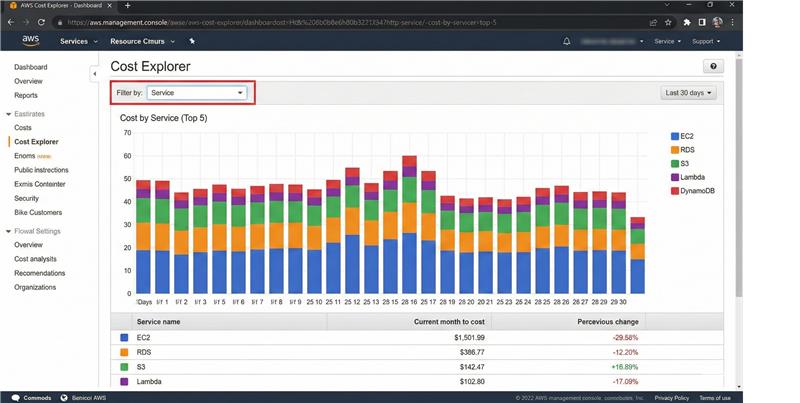
Amazon Web Services offers the most granular billing in the industry, which is a double-edged sword. While you can see every cent, those cents are scattered across thousands of SKUs.
For most AWS-heavy teams, the biggest surprise isn't the EC2 bill, it’s the networking.
The problem: If your architecture is chatty across Availability Zones (AZs), you are being taxed for every byte that crosses those boundaries.
The Reality: Many teams use NAT Gateways to allow private subnets to reach the internet. AWS charges for the gateway per hour plus a per-GB processing fee. If your backup scripts or container image pulls are running through a NAT Gateway, your bill will skyrocket without a single new customer being added.
Engineering teams often pick an instance size and let the storage default to a General Purpose (gp3) volume.
The problem: You pay for the size of the volume, not how much data is in it. If you provision a 1TB volume but only use 100GB, you are paying for 900GB of empty space.
The Fix: Identifying unused cloud resources in your storage tier is the fastest way to reduce AWS cost.
We see it in every audit: thousands of EBS snapshots created by automated scripts three years ago for a project that died two years ago. AWS doesn't stop charging you just because the associated instance was terminated.
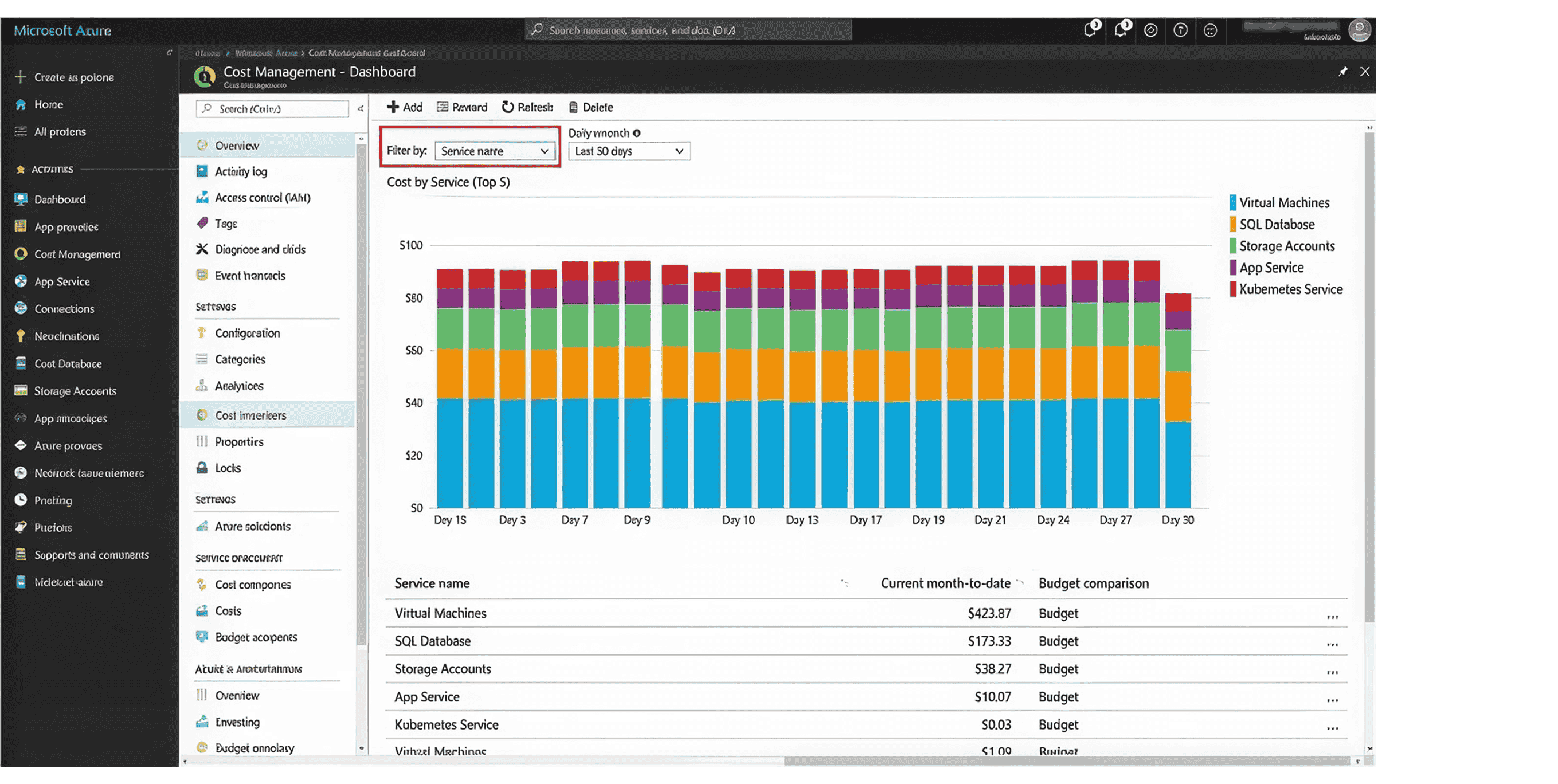
Azure billing is heavily influenced by how you handle enterprise agreements and licensing. For teams moving from on-prem, the license mobility rules can make or break the budget.
Azure makes it very easy to pick Premium SSD for production workloads.
Azure SQL Database has two billing models. The DTU model is a bundled all-you-can-eat approach for CPU and memory.
Azure is aggressive with egress charges. If you are replicating data between Northern Europe and East US for disaster recovery, that bandwidth line item will quickly become your third largest expense.
Google Cloud (GCP) is often praised for its sustained use discounts, but those discounts can mask deep inefficiencies in how you use their unique services.
BigQuery is a marvel of engineering, but its serverless nature is a billing trap.
GCP makes it incredibly easy to move data between Coldline and Standard storage.
Google Kubernetes Engine (GKE) is excellent, but if your pods aren't tightly packed (bin-packing), you are paying for the full RAM/CPU of the underlying VM even if your containers are only using 10% of it.
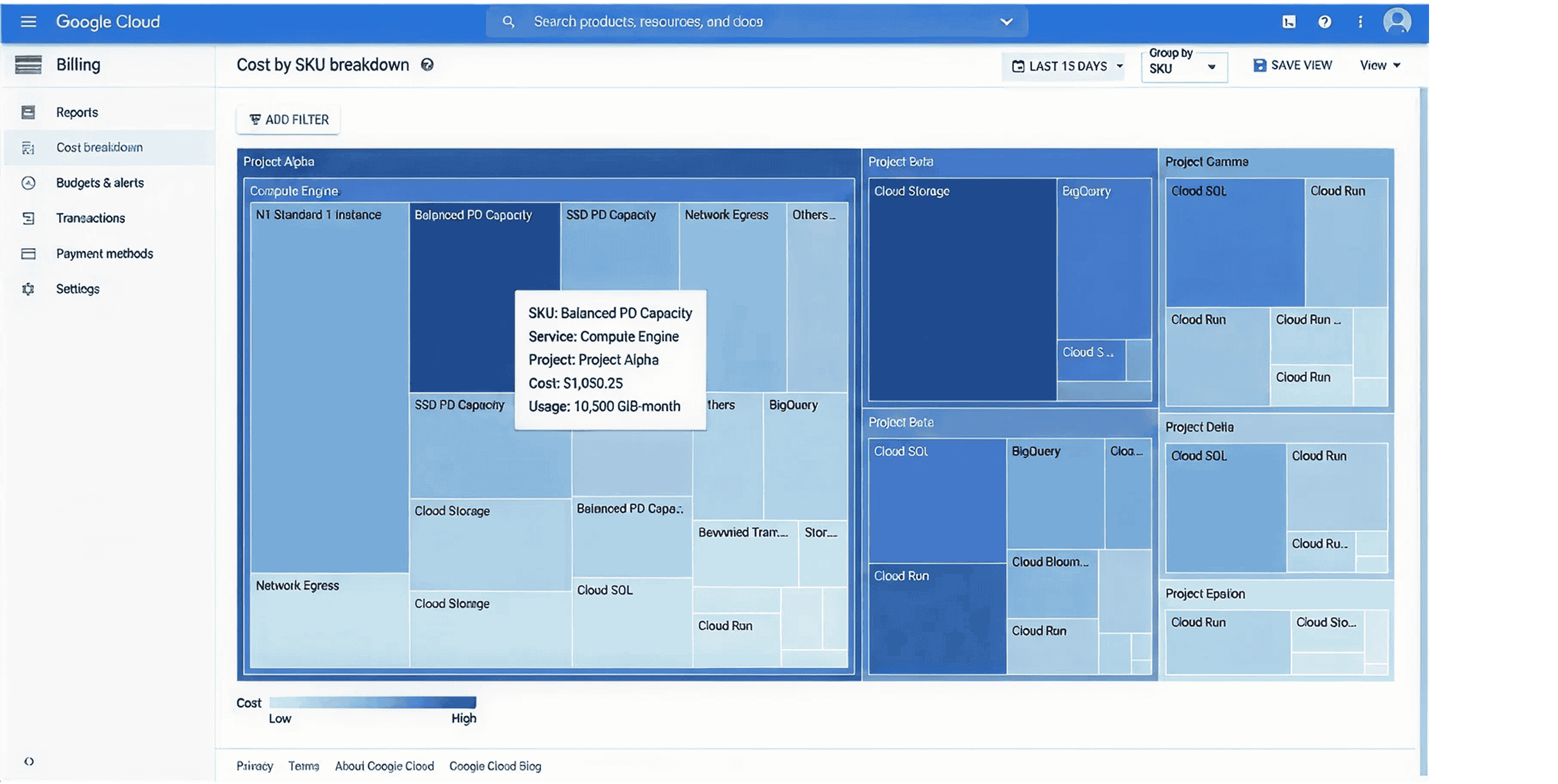
Every cloud provider has a native tool (AWS Cost Explorer, Azure Cost Management, GCP Billing). They are fine for a single person managing a single account. But for a growing business, they have three fatal flaws:
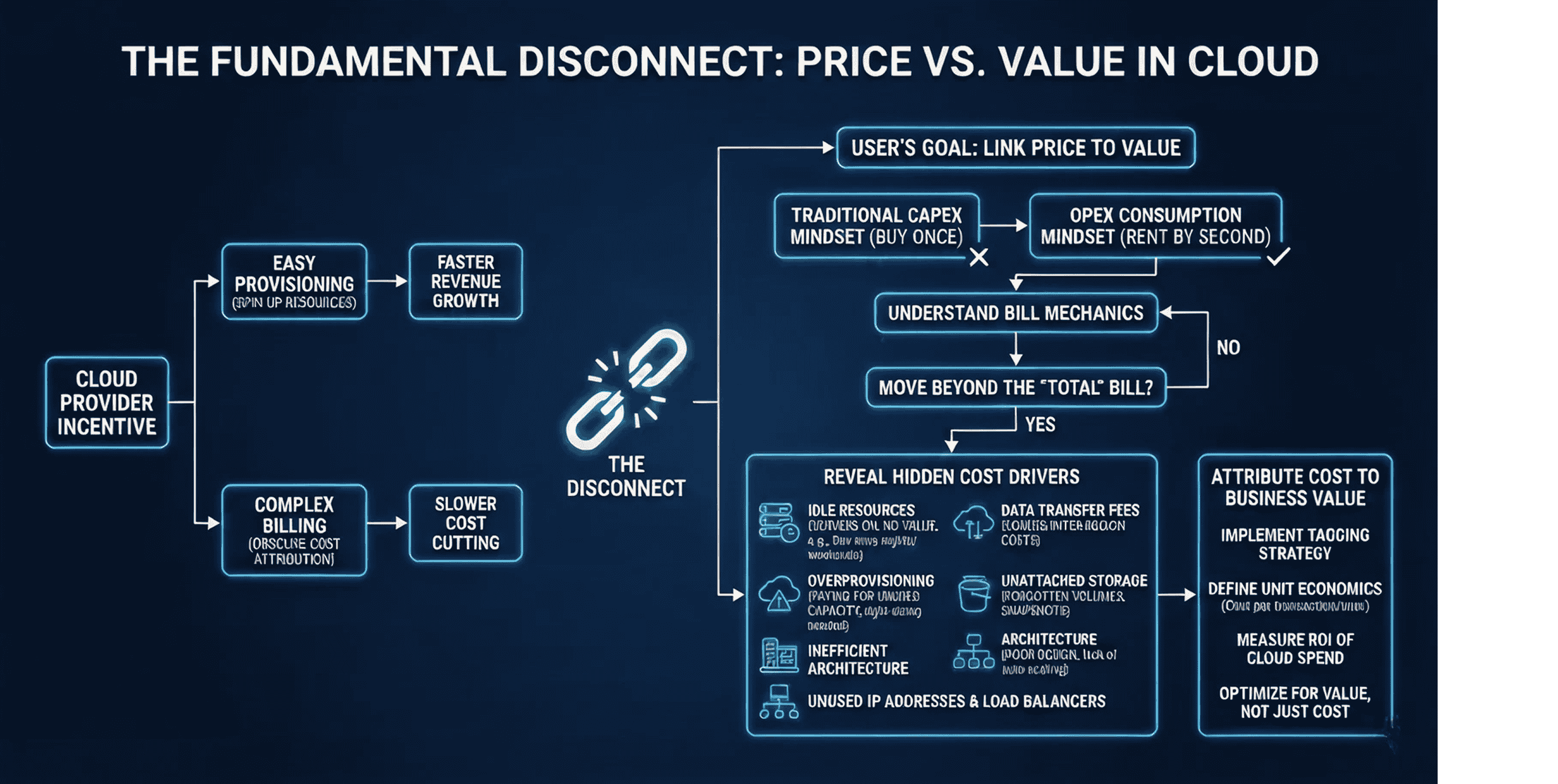
Cloud providers are incentivized to make provisioning easy and billing complex. The easier it is to spin up resources, the faster their revenue grows. The harder it is to attribute that cost back to the business, the slower you are to cut it.
The complexity stems from the decoupling of price and value.
A line item on your bill for $5,000 of EC2 or Azure VM spend does not tell you if that money generated $50,000 in revenue or $0. It just confirms the servers were powered on.
Understanding your bill requires shifting your mindset from traditional CapEx purchasing (buying a server once) to OpEx consumption (renting capacity by the second). To bridge this gap, you must stop looking at the Total at the bottom of the PDF and start looking at the mechanics driving the cost.
Start by understanding the hidden cost drivers.
Understanding the bill is a tactical task; optimizing it is a strategic one. Costimizer was built to turn cloud billing into business intelligence.
Costimizer provides a single multi-cloud monitoring interface. We normalize the data so that Egress in Azure and Data Transfer in AWS are treated as the same thing, giving you a holistic view of your infrastructure.
Native tools stop at the node. We go deeper. Costimizer analyzes the actual resource consumption of your pods within EKS, AKS, or GKE. We can tell you exactly how much your Search Service cost vs. your Payment Gateway, even if they share the same hardware.
In a perfect world, everything is tagged. In reality, it isn't. Costimizer’s virtual tags allow you to group costs by project or team using logic (e.g., If Name contains 'Dev-Test', assign to QA Department) without needing a developer to redeploy the resource.
We don't wait 24 hours. Costimizer’s cloud analytics platform identifies spikes as they happen. If a developer accidentally launches a p4d.24xlarge instance (which costs ~$32/hour), you’ll know in minutes, not days.
The cloud bill shouldn't be a mystery you solve at the end of the month. It should be a predictable metric that tracks your company's growth.
When you move from native reporting to a proactive cloud cost optimization strategy, you stop saving money and start investing efficiently. You gain the margins back that allow you to hire more engineers and build more features.
Stop guessing what drives your cloud bill. Schedule a demo with Costimizer today and get the granular, real-time visibility your engineering team deserves.
EC2-Other includes almost everything that isn't the raw server time. This means EBS volumes, snapshots, NAT Gateway processing, and Elastic IP addresses. It is usually the most significant area for AWS cost reduction.
Savings Plans are generally more flexible as they apply across instance families and regions, whereas RIs are more rigid. However, the best approach is a layered one. Use a cloud asset inventory to find your baseline usage and cover that with commitments.
In AWS and Azure, you can use Private Links or ensure your service discovery is AZ-aware, so that services always try to talk to other services in the same physical data center first.
Absolutely. Costimizer identifies resources with zero or near-zero utilization over a 30-day period and flags them for deletion. This is a core part of our reduce cloud waste feature set.
Most teams see their first quick win (like unattached volumes or idle load balancers) within the first 24 hours of connecting their accounts. Strategic architectural shifts usually follow within the first 30 days.
•
CTO•
Articles