Costimizer is 100% free. We help you save on cloud like the big tech!Book A Demo
Cloud Service Lifecycle Management

Our cloud service lifecycle feature brings a systematic approach to managing your cloud resources, from provisioning to decommissioning. You can manage your cloud resources by establishing automated policies to ensure they get retired when not needed. One dashboard to set budgets, enforce limits, and eliminate waste

Start With GCPStart With AzureStart with AWS
Reach out to us! 👍
G2 Reviews
G2 Reviews
4.5/5 | 18k+ Happy reviews
G2 Reviews
G2 Reviews
4.5/5 | 18k+ Happy reviews

$100M+
Cloud Spend Managed
$100M+
Cloud Spend Managed

Up to 30%
Savings Uncovered for Teams
Up to 30%
Savings Uncovered for Teams

Trusted by FinOps
CTOs & Cloud Leaders Across 12+ Countries
Trusted by FinOps
CTOs & Cloud Leaders Across 12+ Countries
G2 Reviews
G2 Reviews
4.5/5 | 18k+ Happy reviews
G2 Reviews
G2 Reviews
4.5/5 | 18k+ Happy reviews

$100M+
Cloud Spend Managed
$100M+
Cloud Spend Managed


Up to 30%
Savings Uncovered for Teams
Up to 30%
Savings Uncovered for Teams

Trusted by FinOps
CTOs & Cloud Leaders Across 12+ Countries
Trusted by FinOps
CTOs & Cloud Leaders Across 12+ Countries

Get started with Costimizer todayintegrates with AWS, GCP, and Azure. Our setup connects accounts quickly. Once connected, our platform monitors cloud usage and expenses.
Read Documentation
documentation
Unlock More Ways To Save

This is how you finally control your cloud bill.

Costimizer gives you clear visibility and smart automation, but that’s just the start. Take a look at all the ways it can put money back in your budget.

All Features
Stop Runaway Costs by Resource-Level Limits.

Prevent one poorly set-up resource from blowing your budget- one of the most effective ways to understand how to reduce AWS cost before it escalates. Place certain cost or usage limits on individual VMs, databases, or services to avoid unforeseen spikes and receive instant notifications when a limit is exceeded.
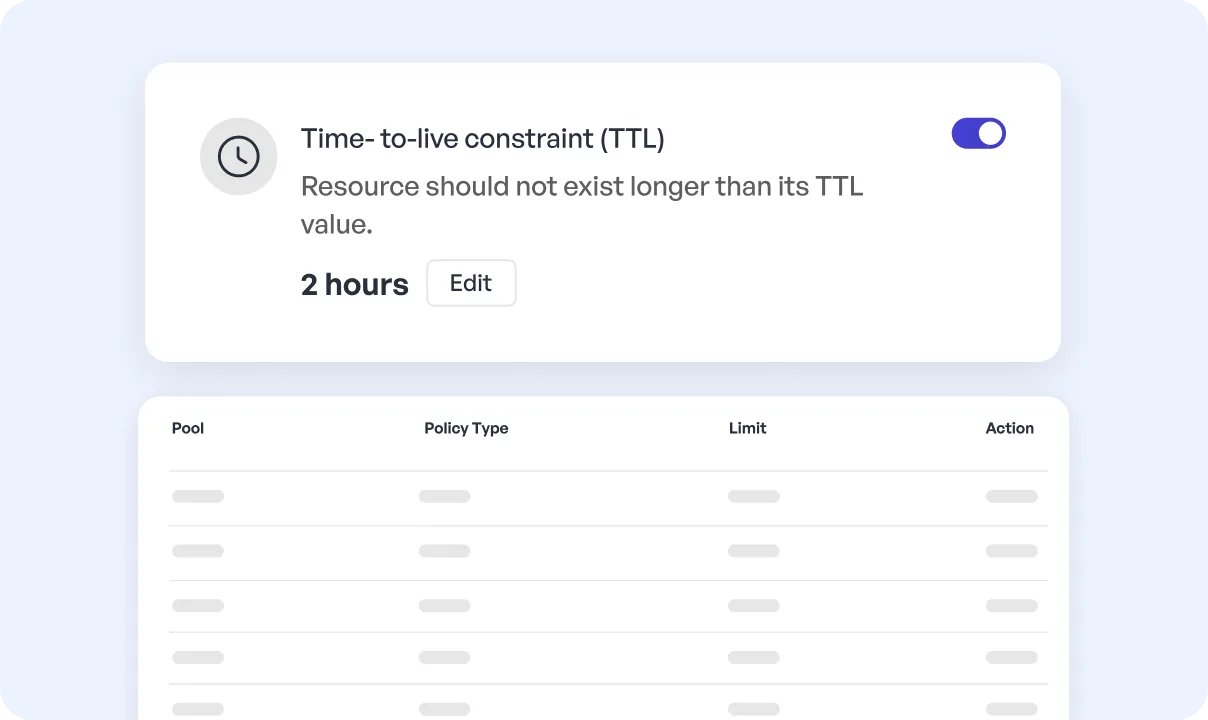
Limit the amount of money that is spent on a particular resource daily (e.g., spend no more than $50/day).
Establish a Time to Live (TTL) policy that will automatically decommission temporary assets.
Send immediate notifications or automatic cleanup measures in case a resource surpasses its limit.
Stop Runaway Costs by Resource-Level Limits

Implement Team Budgets with Common Pool Limitations.

Give teams financial independence and central control. Divide the resources of a group by team, project, or department into cost allocation and impose a common budget limit so that there is collective responsibility and no department can spend excessively.
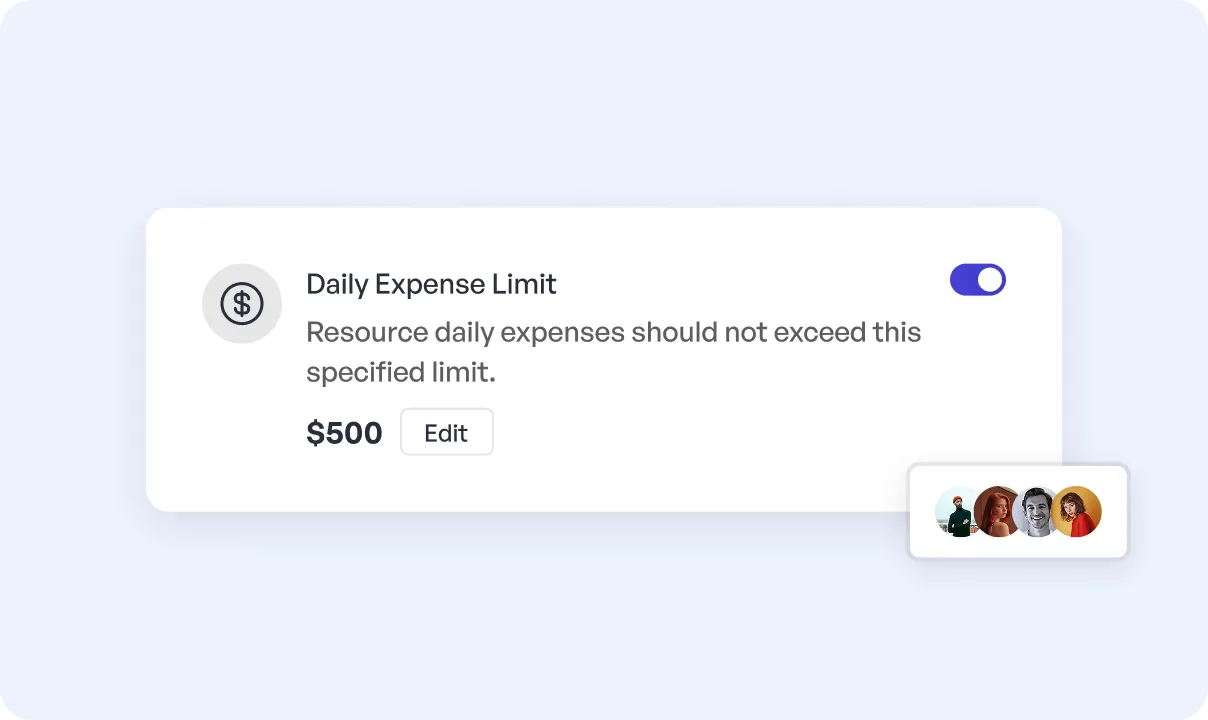
    Allocate a monthly budget (e.g.,$2,0000/month) to a resource pool of a QA team.
    Monitor financial health by tracking real-time spend against the budget of the pool.
    Make team leads visible to their consumption and create a culture of ownership that supports long-term cloud cost optimization.

Implement Team Budgets with Common Pool Limitations

Automate Clean and Get Rid of Cloud Waste.

It is not possible to scale up and find and delete unused resources manually. Our lifecycle policies automate the whole process, including the process of identifying idle assets to decommissioning obsolete environments, allowing you to cease paying to use infrastructure that you do not require.
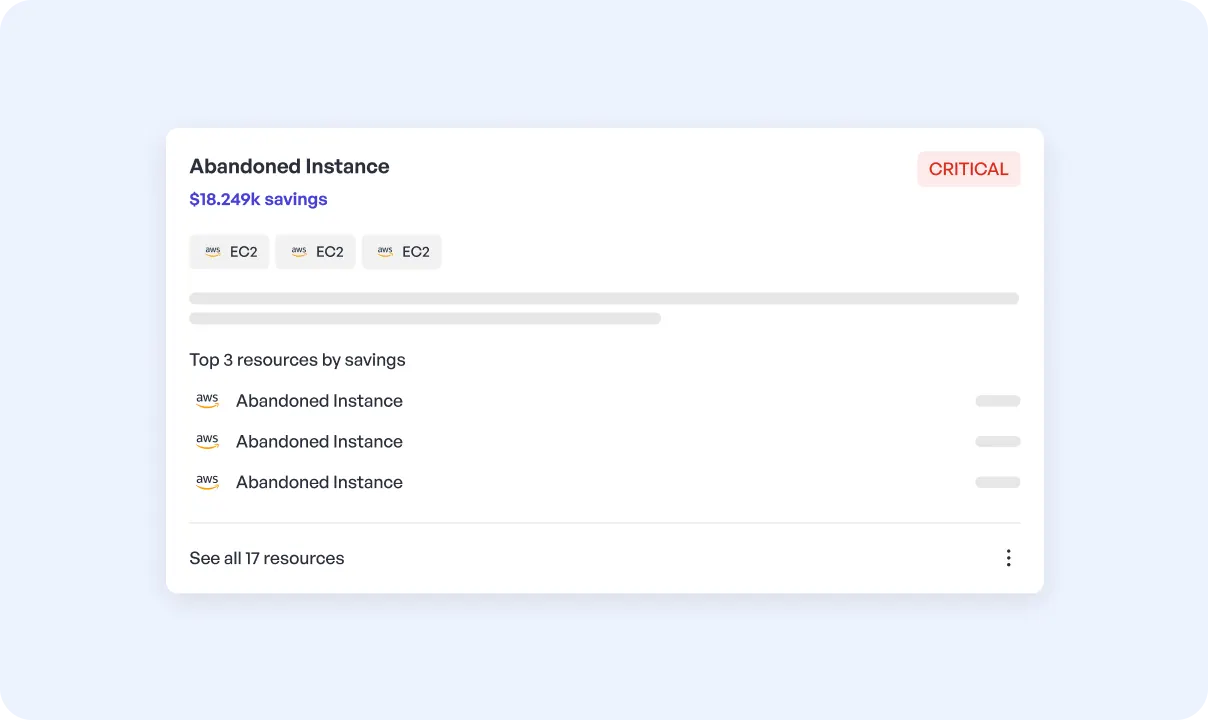
    Automatically decommission QA and staging environments on completion of a release cycle.
    Conduct a regular audit of unused cloud resources, underutilized assets, or zombie infrastructure.
    Recycle the materials of completed marketing campaigns or R&D projects to avoid residual costs.

Automate Clean and Get Rid of Cloud Waste

Control Everything in one Dashboard.

All your policies, pools, and limits are managed through our cloud analytics platform, giving you a unified view of cloud bills and eliminating provider-level blind spots.. This is where you execute Cloud Cost Governance Automation with ease.
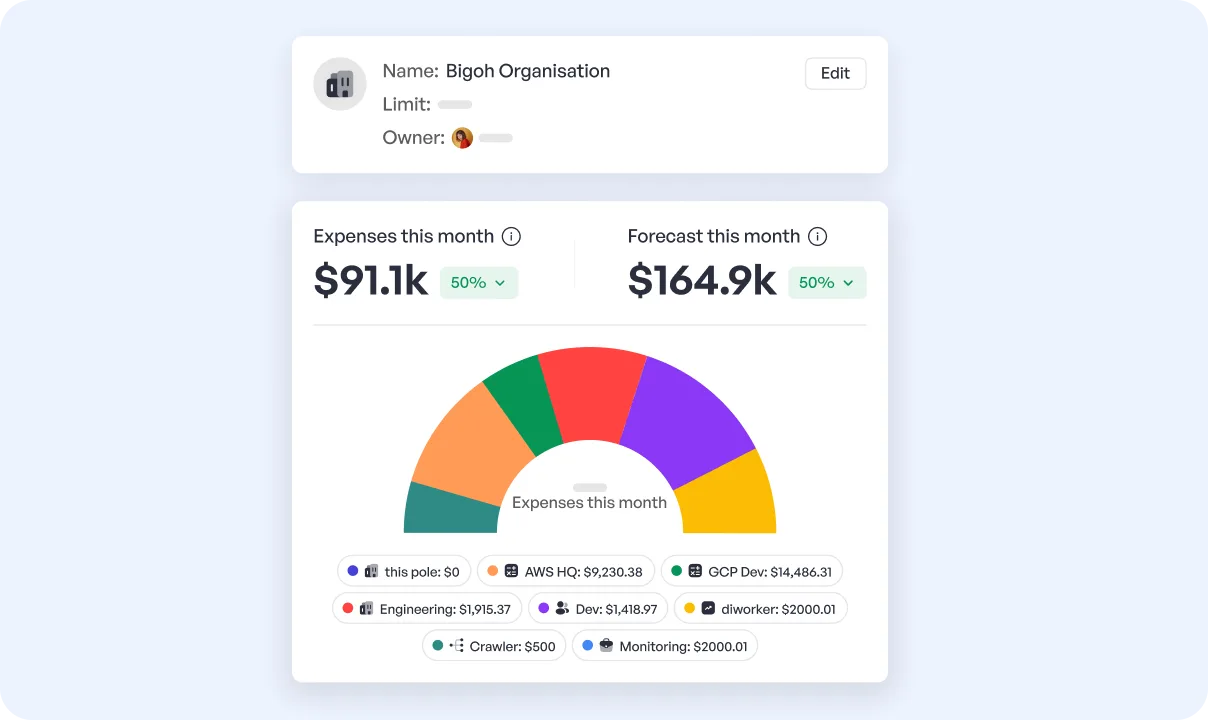
Find your way through all your resource pools and sub-pools with a simple hierarchy.
Monitor costs and see cost projections on both pool and resource levels.
Ask each pool to have owners promote accountability and facilitate communication.
Control Everything in one Dashboard

Most viewed article

Cloud Cost Optimization in 2026: 15+ Strategies to Reduce Your AWS, Azure, GCP Bills
Cloud Cost Optimization

Cloud Cost Optimization in 2026: 15+ Strategies to Reduce Your AWS, Azure, GCP Bills

Chandra
Chandra
15 Minutes Read • Dec 29, 2025
Azure Cost Management & Optimization: The Complete Guide
Azure

Azure Cost Management & Optimization: The Complete Guide

Sourabh Kapoor
Sourabh Kapoor
12 Minutes Read • 08/10/2025
Cut AWS Costs in 2026: Pricing, Tools & Best Practices Explained
AWS

Cut AWS Costs in 2026: Pricing, Tools & Best Practices Explained

Mohd. Saim- Devops Engineer
Mohd.Saim
14 Minutes Read • Jan 23, 2026
INTEGRATIONS

Costimizer works with the tools you use

From high-growth startups to global enterprises, leaders choose Costimizer to turn their cloud operations into a source of efficiency and innovation.


Explore All Integrations
github
gitlab
Bi
slack
jenkis
jira
calander
github
gitlab
Bi
slack
jenkis
jira
calander
github
gitlab
Bi
slack
jenkis
jira
calander
github
gitlab
Bi
slack
jenkis
jira
calander

Advertisment Banner

Kick Start Your Multicloud Cost Optimization

Leverage the Power of AI to save 30% on your cloud bills ☁️
CONNECT YOUR CLOUD ACCOUNT

Connect Now
AWS
Uncover hidden waste across all your AWS services. Connect in 60 seconds to see your personalized savings.Start with AWS
GCP
Azure
FAQ

Frequently Asked Questions (FAQs)

How do you define which resources belong to which pool?

You simply tell the system how to sort your resources automatically:
  1. Let's say your engineers add descriptive labels (tags) like team:qa to each cloud resource.
  2. You set a rule that says, "any resource tagged team:qa belongs in the QA Pool."
  3. The system then automatically groups them for you, ensuring costs are always tracked correctly


When a resource or pool is exhausted, what happens?

You decide. The system may be set up to alert the owner and stakeholders immediately and automatically terminate or halt the resource or run a custom cleanup script through a webhook.

is ths feature hard to put this into practice?

Not at all. It is very simple: you tag your resources consistently, set your budgets and rules in our platform, and the automation does the monitoring and enforcement. You can begin with one team and build up.

Is it possible to establish various policies for different teams?

Yes. Policies can be tailored to the fullest. A QA team may have short-term policies of Time to Live for test environments, an R&D team may have a bigger monthly budget for experimentation, and production pools may have alerting-only policies. This ability to set and enforce rules by group is the key benefit of Cloud Cost Governance Automation.
CONTACT US

Learn how Costimizer can help you save millions of dollars on your cloud bills

Having delivered value from Day 1, customers have literally texted us that we could charge them, but Costimizer continues to be a free product for our customers


costimizer-logo
Features
Cloud Cost Management
Pools (Cost Allocation)
Cloud Reporting
Kubernetes Cost Optimization
Cloud Tag Management
View All

Contact Info
img
IndiaA 80, A Block, Sector 2, Noida, Uttar Pradesh 201301
img
For Business Inquiriessales@costimizer.ai
img
USA
5637 Melodia Circle,Dublin, CA 94568
img
For Support Inquiriescontact@costimizer.ai

© 2025 Costimizer | All Rights Reserved
Back To Top