


Is your cloud bill becoming more difficult to comprehend? You’re seeing too many line items, too many surprises, lack of integration between cost and usage data.
Every Enterprise has been there. You go to the cloud to be fast, but you find yourself with complicated pricing, unreliable billing, and many confusing dashboards that do not tell you exactly what to do.
Your bill is continuously rising, and your engineering team is wasting more time on “which team spent what on cloud” than building new features.
And while it’s impossible to stop time or clone your FinOps team, you can turn to Costimizer, a cloud cost optimization tool to hack your spending and get control back.
But we get it. There are many platforms out there, and it is easy to get lost when trying to find the one that suits you. Whether you’re looking to manage Kubernetes costs, automate savings, or just get clear visibility, there’s definitely a tool for that, including specialized aws cost optimization tools for teams heavily invested in AWS environments.
So, to save you the research, we did the digging and narrowed it down to the 19 best ai cloud cost optimization tools for 2026. From autonomous AI platforms to granular reporting dashboards, you’ll find what you're looking for right here.
Feature | Legacy Reporting Tools | Cloud Native Tools (AWS/GCP) | Costimizer (Agentic FinOps) |
Primary Goal | Cost Visibility | Basic Recommendations | Autonomous Cost Reduction |
Cloud Support | Often Single-Cloud/AWS | Vendor Locked | Multi-Cloud (AWS, Azure, GCP, Alibaba, K8s) |
Detection Speed | Hourly/Daily | Up to 48-hour delay | Real-time (Within 5 Minutes) |
Forecasting | Simple Averages | Basic Trend Lines | ML-Driven (Prophet/LGBM) Seasonality Aware |
Actionability | Manual Review Required | Manual Execution | Agentic "One-Click" or Auto-Remediation |
Anomaly Engine | Threshold-based (Rigid) | Statistical Baselines | Predictive Anomaly Forecasting |
Ecosystem | Siloed Dashboards | Console-based | Full Integration (Jira, Slack, GitHub, Teams) |
Decision Support | Raw Data Lists | Conflicting Suggestions | Unified, Ranked & Trusted Reco Engine |
The tools are so numerous, and not all of them are created equal. Others are reportable, others are automatable, and others are hyper-specialized (such as Kubernetes). If you want a quick way to compare cloud cost optimization tools by use case, pricing model, and automation level, you can also explore curated FinOps tool listings on Toolpilot.ai and review holori alternatives to find the right fit for your team.
We will have a look at the most effective ones to enable you to maximize your productivity and reduce your cloud bill.

Best in: Autonomous, Agentic AI-based optimization and proactive governance.
First up is Costimizer. This isn't just another reporting tool, Costimizer is the most reliable cloud cost optimization tool out there. Its a next-gen platform that uses Agentic AI to actively manage your cloud spend, backed by a hands-on, expert team.
It’s built for teams who want to move from recommendations to automation. The AI gives you personalized recommendations that show clear trade-offs, like "Option A saves 30% with zero performance risk. Option B saves 50% but may increase read times by 5%." You set the rules.
Plus, you're not alone. Costimizer provides incredible, collaborative team support (think shared Slack channels, not just tickets). You can even get a dedicated FinOps team assigned to your account, acting as an extension of your own staff to proactively manage your spending.
We hear one pain point from teams all the time, especially when their cloud footprint grows without guardrails.
Our cloud bill is a black box. is there an ai finops tool that can proactively identify and automatically downsize idle resources across aws and gcp?
”Because Costimizer has agentic resource optimization actively cleans up your cloud environment. It downsizes underutilized instances, shuts down abandoned ones, removes obsolete images, clears duplicate storage, and flags idle resources without waiting for manual review. Everything you see in that dashboard is automatically taken care of by its agent.
Being a relatively new and high-tech platform, it may not yet cover some advanced use cases. However, they have a dedicated team to onboard you, offer a completely free trial, and rapidly roll out advanced features that only a few customers typically require.
Trial Plan: Includes cost visibility and resource inventory for up to $10,000 in monthly spend.
Pro Plan: Starts at 2.5% of your monthly cloud spend. Includes all optimization and automation features.
Enterprise Plan: Custom pricing for large-scale deployments, premium support, bespoke agent configuration, and the dedicated FinOps team option.
Best use: Granular cost per unit intelligence.
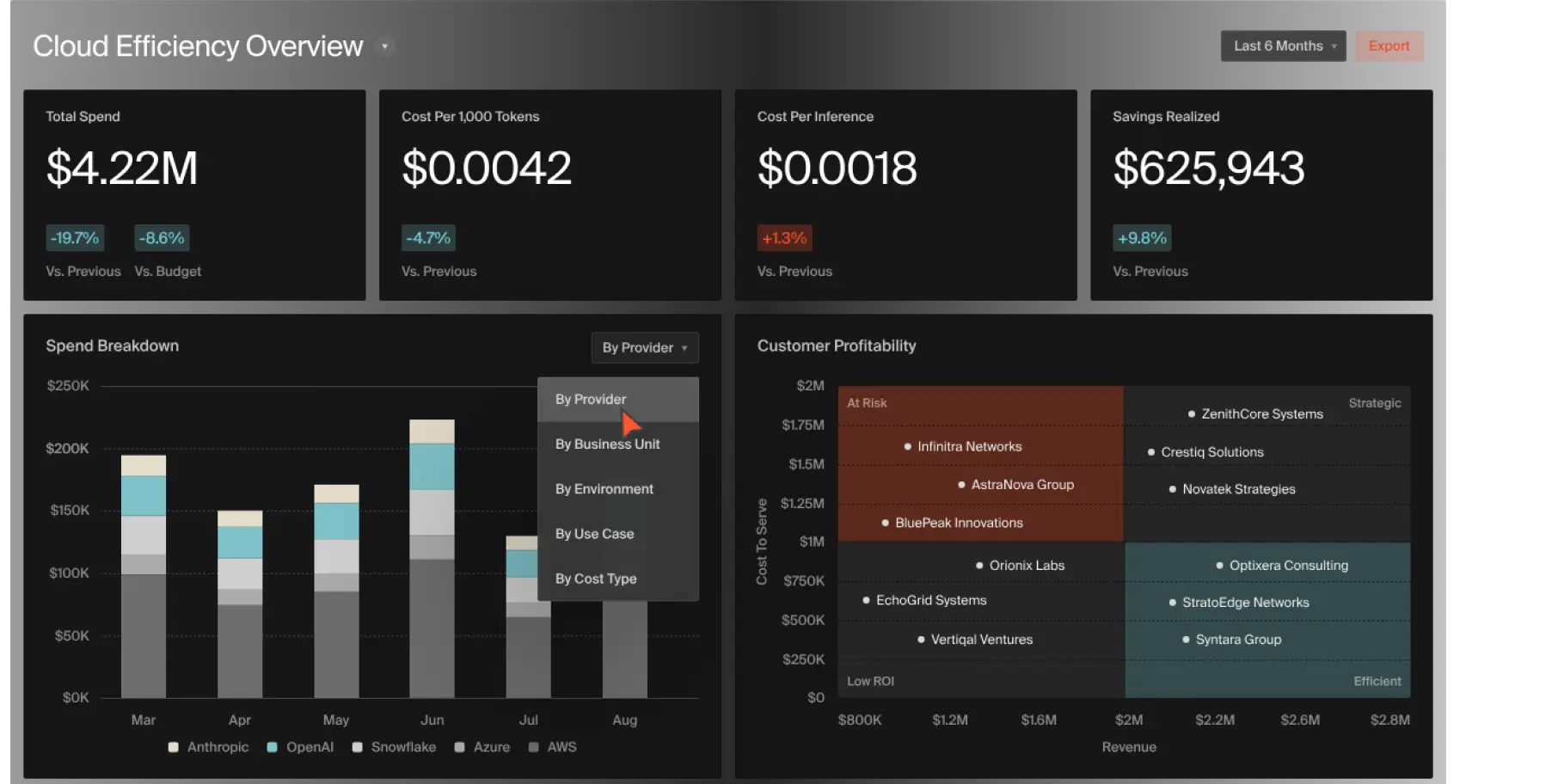
CloudZero is not an ordinary cost tool. It functions as a context-obsessed Cloud analytics platform that goes beyond merely displaying expenditure to reveal the 'why' behind your spend. It goes beyond merely displaying your expenditure and delves into displaying your reasons, without necessarily being able to tag them perfectly and indefinitely by hand.
It is created to provide engineers and finance groups with a common language. It supports aggregation of data across AWS, Azure, GCP, and even such platforms as Snowflake, Datadog, and Kubernetes. Its super power is that it disaggregates costs into actionable, business-relevant measures such as Cost per Customer, Cost per Feature, or Cost per Team. This allows engineers to view the actual cost of their deployments in real-time and enables finance to know the profitability at a fine-grained level.
It is a high-quality platform that is concerned with Advanced intelligence, and thus, it might be more than a small team (with a simple bill) requires.
It is powerful in multi-service, complex environments; its value may not be so apparent in a simple, single application.
CloudZero has tailored prices depending on your annual expenditure on the cloud. Contact them to receive a quote.
Customer ratings and reviews
G2: 4.6 out of 5
Capterra: 4.5 out of 5

Best use: Automated cost reduction of Kubernetes.
Cast AI is a robust platform that is concentrated on one primary objective, which is to optimize Kubernetes. It provides a robust platform for kubernetes cost optimization through automated resource analysis, monitoring, and tuning. The most significant of its strengths are practical automation capabilities, including node rightsizing, automated instance selection, intelligent autoscaling, and Spot Instance management.
The platform separates cloud charges at the project, cluster, namespace, and deployment levels, making it easy to monitor the costs of every microservice.
Kubernetes-only: Cast AI is developed to run in cloud-native Kubernetes. It may not be beneficial to organizations that have legacy systems or non-containerized workloads.
Cast AI has a free plan for Cost Monitoring. Paid plans (Growth, Enterprise) are based on the quantity of vCPUs and have sophisticated automation capabilities.
Ratings and reviews of customers
G2: 4.8 out of 5
Capterra: 4.7 out of 5

Best in: Spot Instance savings maximization.
Spot by NetApp (previously Spot.io) is a cloud-optimization service that is good at automated resource provisioning, performance tuning, and cost reduction of infrastructure by intelligent use of Spot Instances.
In addition to Spot, the platform has an Eco feature that automatically manages Reserved Instances and Savings Plans to form a fully automated commitment portfolio. It offers a full-fledged solution to compute spend management, both risk-averse Spot and long-term commitments.
Compute-heavy focus: The primary savings levers offered by the platform are compute-based (Spot, RIs, Savings Plans). It can miss the opportunities for storage, data transfer, or PaaS services.
Spot is a pay-as-you-go service, which usually costs a small percentage of your savings or a charge per resource.
Reviews and ratings by customers.
G2: 4.8 out of 5
Capterra: 4.8 out of 5

Best use: Adding cost management to your pipeline of CI/CD.
Harness is a high-quality Continuous Delivery (CI/CD) platform. Its Cloud Cost Optimization (CCM) module builds on this by offering cost visibility directly in the development process. It provides the answer to the question, Did my last deployment increase our cloud bill?
Harness provides a detailed view of Kubernetes and cloud expenditure, including used, idle, and unused resources per workload. One of the most emphasized features is the AutoStopping, which acts as an automated cloud power schedule to turn off non-production resources when there is no activity, removing waste
Low automation: Although AutoStopping is automated, many of the other optimization capabilities are only suggestions. The engineers are still forced to implement changes manually.
Harness CCM has a free plan for simple cost monitoring. Premium levels are calculated on your monthly cloud usage.
Customer ratings and reviews
G2: 4.6 out of 5
Capterra: 4.8 out of 5
Best: Security, compliance, and cost on a single platform.
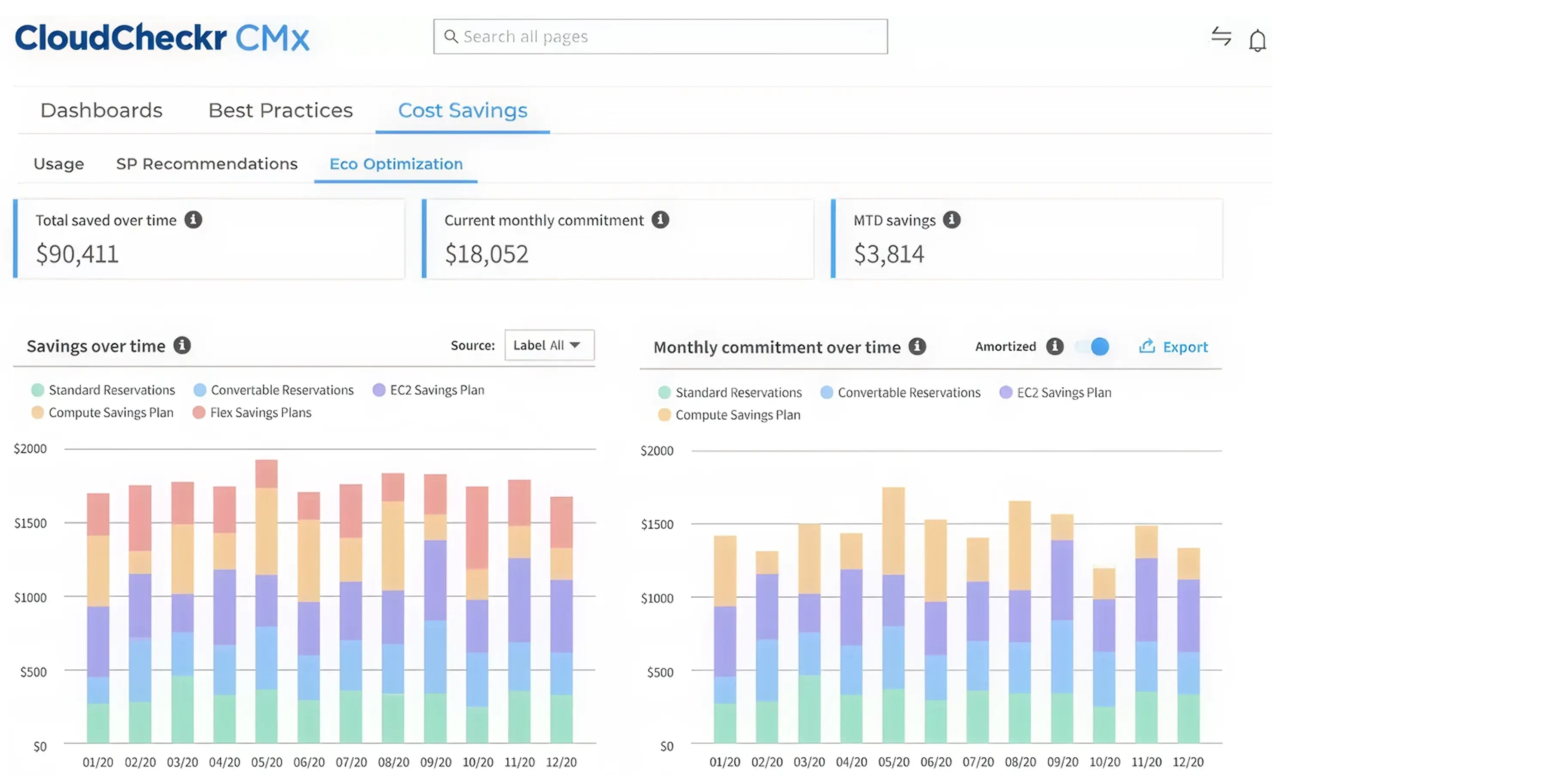
Cloudcheckr (NetApp acquired it) is a full-fledged cloud management tool that began as a cloud security tool. This DNA remains conspicuous, as it is outstanding integrating cost management, security, and compliance. It is an excellent option for an organization, particularly in a regulated industry, that requires all three pillars to be housed in a single location.
The platform provides a comprehensive overview of cost allocation data and shows cloud costs as time goes by. It does hundreds of checks on idle resources, unused instances, and Reserved Instances mismatches. It assists in imposing governance through automated tag-or-terminate policies as well.
Complete Visibility: Integrates cost, security, and compliance on one platform.
Policy-Based Automation: Automatically implements tag-or-terminate policies to gain more control over infrastructure and allocate costs.
In-Depth Checks: Checks more than 600 idle resources, security-group vulnerabilities, and compliance gaps.
RI/Savings Plan Management: Gives recommendations on purchasing and assists in re-allocating and adjusting the Reserved Instances to optimize their utilization.
Weak Optimization Automation: It is excellent at identifying problems and implementing policies, but its automated optimization capabilities (such as automatic rightsizing) are less powerful, and may need engineering work to act on the suggestions.
The pricing of Cloudcheckr is customized and usually depends on the amount of money you spend on the cloud.
Customer rating and reviews
G2: 4.1 out of 5
Capterra: 5 out of 5

Best use: Granular Kubernetes cost monitoring and allocation.
Another significant Kubernetes player is called Kubecost, and it pursues a slightly different direction compared to Cast AI. Cast AWeis was concerned with automated optimization, whereas Kubecost is obsessed with cost monitoring and allocation. It is the open-source standard of choice to know precisely what is going on in your clusters.
The platform provides insightful information on Kubernetes cost allocation, enabling you to break down costs by namespace, deployment, service, label and so on. This is necessary to have proper showbacks and chargebacks.
One of its most important characteristics is that it can connect in-cluster costs (such as CPU and memory) with out-of-cluster costs of cloud services (such as tagged S3 buckets or RDS databases). This provides you with the entire cost of your application.
Monitoring, Not Optimizing: Kubecost is an excellent tool for telling you how your money is being spent. It is not a platform of automation. You will have to extract its Advanced knowledge and make the changes, or combine it with another tool manually.
Kubecost has a free-forever plan in one cluster.
Paid plans are priced depending on the number of clusters and provide such features as extended data retention and enterprise support.
G2: 5 out of 5
Best Use: AWS Reservations and Savings Plans.
Zesty is an ingenious application that addresses a highly narrow, highly costly issue: Reserved Instances (RIs) and Savings Plans. These are the cloud provider buy-in-bulk discount plans. The problem is, they are rigid. You commit to utilize a specific amount over 1-3 years, and in case you require more or less, you will be paying to use capacity that you are not using.
This commitment is made dynamic by Zesty. It automatically trades RIs on the AWS marketplace in real-time to purchase and sell AWeto to fit your real-time usage. Your cloud commitments have a stockbroker. It also provides Zesty Disk that dynamically reduces and increases disk space according to real-time requirements.
Very Niche Focus: Zesty is a genius at its work, yet it is only applicable to AWS commitments and storage. It does not do rightsizing, multi-cloud, or K8S. It is not a Swiss Army knife, but a scalpel.
The prices of zesty are usually a percentage of the savings that it brings to you.
G2: 4.8 out of 5
Capterra: 4.6 out of 5

Best use: FinOps and business reporting at the enterprise level.
One of the first and oldest FinOps tools available is Cloudability, which is currently owned by Apptio (acquired by IBM). It is designed to support large organizations that require tracing the complex cloud expenses to individual business units, products, and cost centres.
It does not have the power of real-time automation, but it has a robust reporting and cost allocation. It is an excellent way to consume data in all your clouds (AWS, Azure, GCP) and other tools (such as New Relic or Datadog) and build one cohesive financial model. It enables you to create personalized dashboards and reports to all stakeholders, including an engineer and the CFO.
Reporting, Not Automation: This is not an engineering automation tool, but a financial management tool. It also offers suggestions but does not necessarily implement changes.
Complexity: It is an enterprise-grade tool, and as such, it is complex. It may require a lot of effort to configure and establish your data models and tagging.
Pricing is available by quote and is aimed at enterprise customers.
G2: 4.2 out of 5
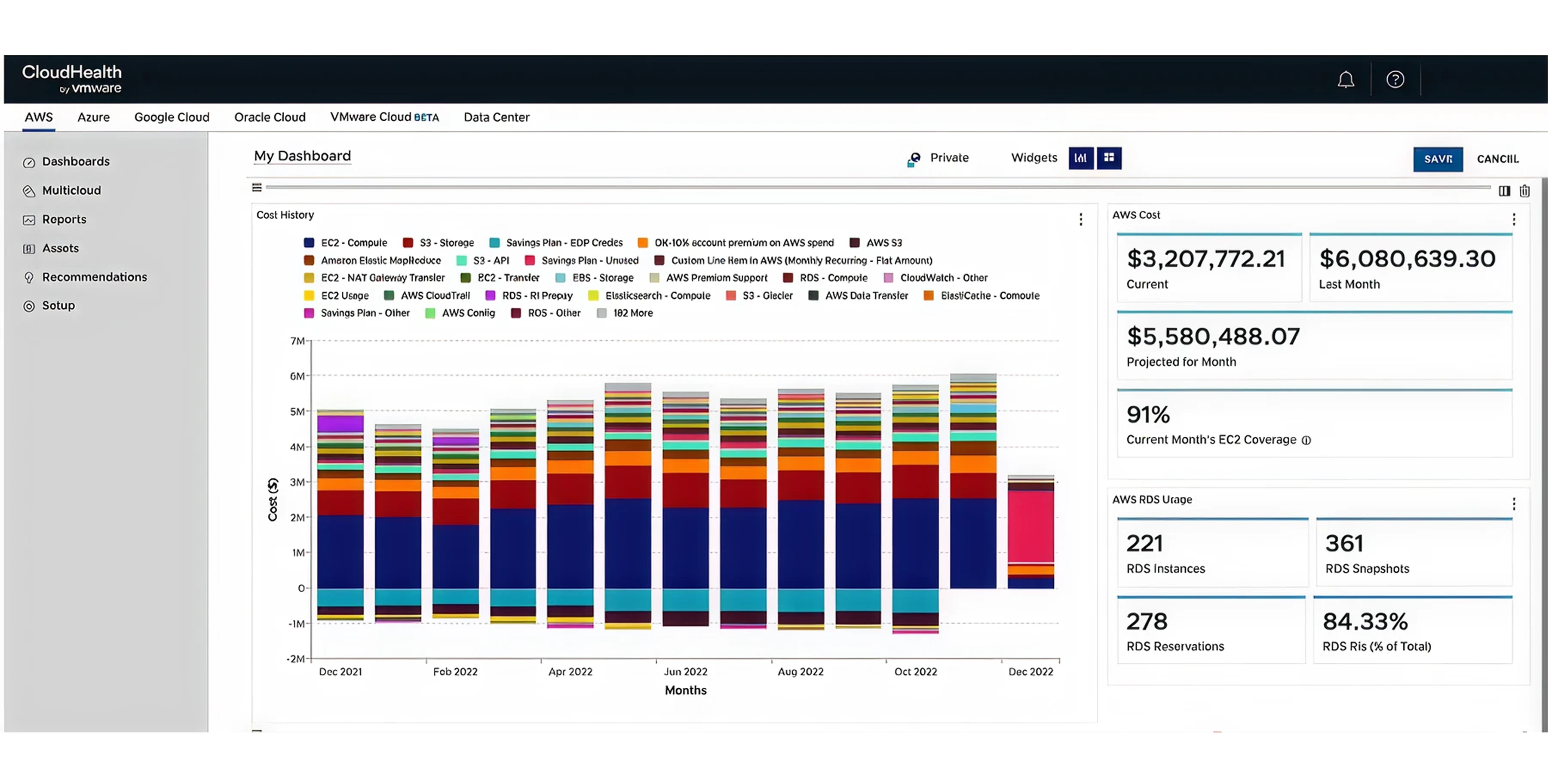
Best for: Multi-cloud policy and governance at scale.
CloudHealth, from VMware, is another heavyweight in the enterprise cloud management space. Like Cloudability, it's a mature platform designed for large, complex organizations. Its particular strength lies in managing hybrid (on-prem + public cloud) environments and enforcing governance.
If you're a large company with a significant VMware on-prem footprint, CloudHealth is a natural choice. It can give you a single view of your on-prem vSphere costs right alongside your AWS, Azure, and GCP spend.
It's powerful on policy. You can create perspectives (custom business-level views) and then set policies for cost, security, or compliance based on them.
Enterprise-Scale & Price: This is a big, complex tool for big, complex companies. It can be expensive and overkill for smaller, cloud-native startups.
Less Focus on Automation: Like Cloudability, it's more of a reporting, analysis, and policy platform than a hands-on, automated optimization engine.
Pricing is available by quote from VMware.
Not Available, you can check their customer testimonials on their website.

Best for: Holistic IT asset management and cloud optimization.
Flexera comes from the world of traditional IT Asset Management (ITAM) and software-license management. This gives it a unique perspective. Its cloud management platform is excellent at not just cloud cost, but your entire IT portfolio.
It's an excellent choice for large enterprises that are in the middle of a complex cloud migration or are managing a sprawling portfolio of software licenses. It can help you plan migrations by analyzing your on-prem setup, and then manage the cost and assets once they're in the cloud.
May Be Too Broad: If your only problem is public cloud cost, Flexera might be a too broad tool. Its breadth is its strength, but it can also be a source of complexity.
Traditional IT Focus: Its DNA is in traditional ITAM, so that the user experience may feel less cloud-native than tools like Costimizer or Cast AI.
Flexera offers customized pricing based on the modules and scale you need.
G2: 4.3 out of 5

Best for: Advanced, predictive VM rightsizing analysis.
Densify is a highly specialized tool that is obsessed with rightsizing. It uses machine-learning-based predictive analytics to provide highly granular recommendations for your virtual machines and containers.
While other tools might say this VM is oversized, Densify's engine will tell you, based on its 60-day workload pattern, this VM should be an m5.large, which will save you $42.50/month and will still have a 25% performance buffer for your month-end peak. It's that specific. It's great for teams that are scared of rightsizing because they're afraid of breaking things.
Niche Focus: It is almost entirely focused on rightsizing. It doesn't provide a broad, FinOps-style dashboard for cost allocation or budget management.
Analysis Engine: It's primarily an analysis engine. While it can integrate to push its recommendations to automation tools, it's not an all-in-one platform.
Pricing is available upon request.
G2: 4.5 out of 5
Capterra: 4.6 out of 5

Best for: Managing hybrid cloud performance and cost.
Virtana is another tool that shines in complex hybrid environments. It's a Global IT Observability platform that links application performance, infrastructure, and cost. It's excellent at helping you understand the relationship between performance and price.
Virtana can help you de-risk your cloud migrations by giving you a baseline of your on-prem application performance before you move. Its cost optimization features are performance-aware. It won't recommend a smaller VM if it knows that the VM is already running hot and supporting a critical application.
Performance-First: It's a performance monitoring tool first and a cost tool second. Its cost features may not be as Advanced as a dedicated FinOps platform.
Virtana's pricing is customized and available by quote.
G2: 4.3 out of 5
Capterra: 4.4 out of 5
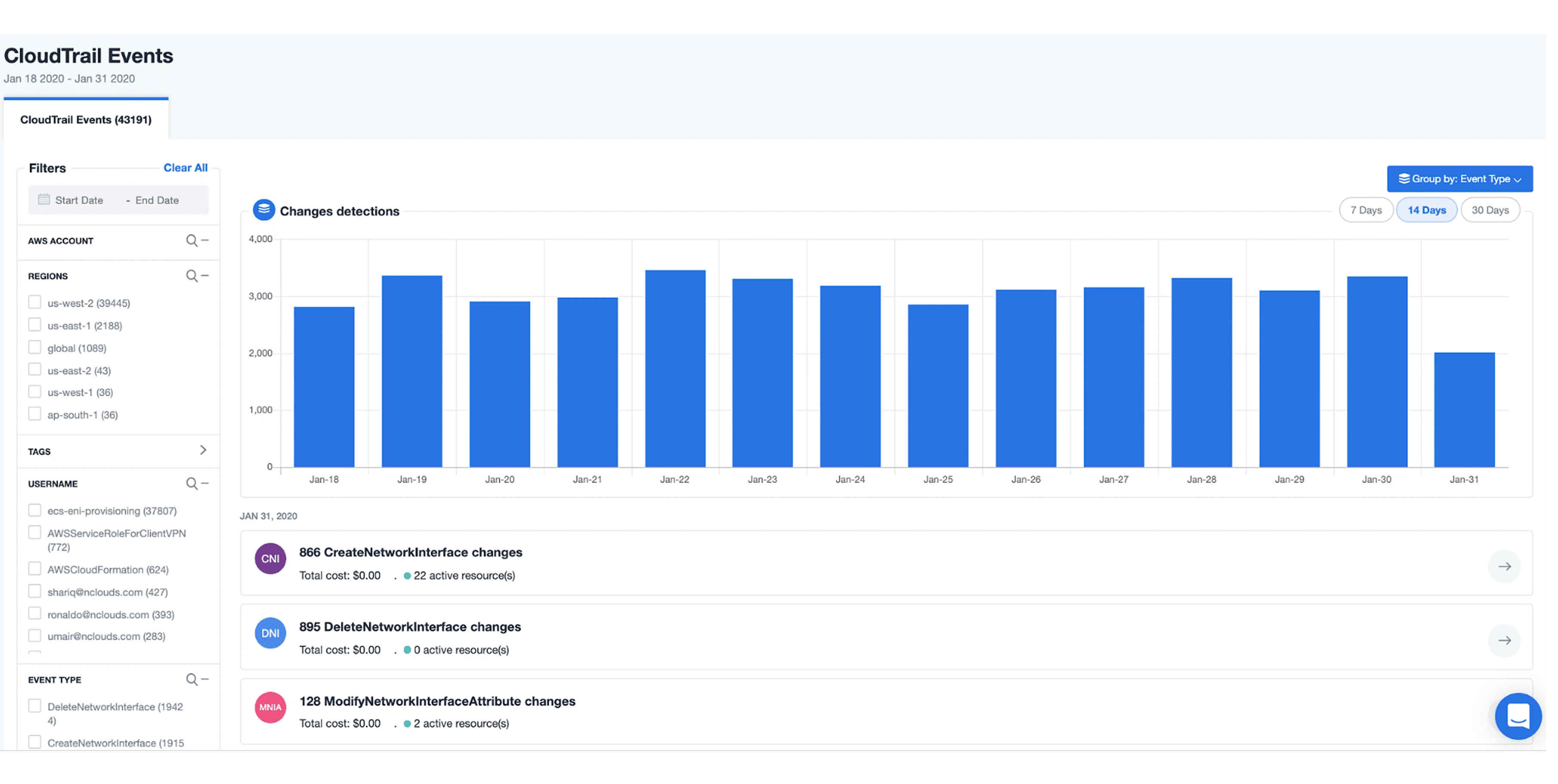
Best for: Automated AWS Well-Architected alignment.
nOps is an AWS-focused platform that helps you continuously align with the AWS Well-Architected Framework. This means it doesn't just look at cost; it looks at cost in the context of security, reliability, performance, and operations.
It uses machine learning to learn your usage patterns and then automates optimizations. It can detect idle resources, manage reservations, and help you run workloads on Spot Instances. It's a great all-in-one automation tool for teams that live and breathe AWS.
Well-Architected Alignment: Constantly assesses your infrastructure against AWS best practices.
AWS-Only: It is laser-focused on AWS and does not support other clouds.
nOps offers a free trial and tiered pricing based on your AWS spend.
G2: 4.8 out of 5
Capterra: 4.6 out of 5
Also Read: Best nOps Alternatives & Competitors 2026
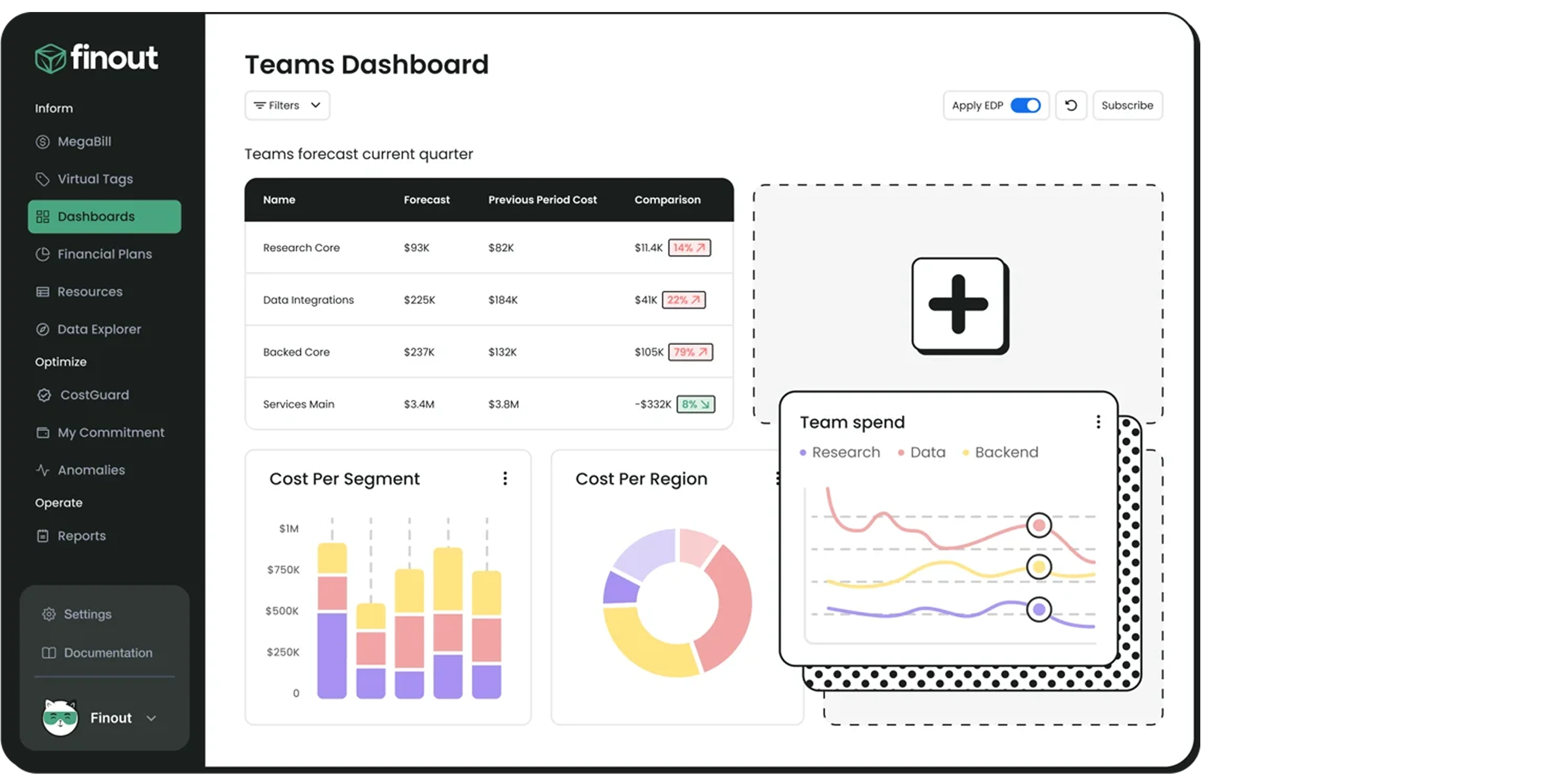
Best for: Business-context-aware cost analysis and reporting.
Finout is another cost intelligence platform that excels at adding business context to your cloud bill. It's designed to give you a unified view of costs across your major cloud providers (AWS, GCP) and services like Kubernetes, Snowflake, and Databricks.
Its real power is in its flexible analysis and customizable dashboards. You can easily analyze usage-based costs and see them broken down by cost center, namespace, or any other business metric you care about. It's excellent at helping you see your cost per anything.
It's a newer player, so its automation capabilities are less developed than some of the optimization-focused platforms.
Finout offers a free plan, a pro plan, and custom enterprise pricing.
G2: 4.5 out of 5

Best for: Combining cost metrics with performance monitoring.
You probably know Datadog as a leader in application performance monitoring (APM) and observability. They've extended this platform to include cost management, which is a brilliant and natural fit.
Datadog lets you see your cloud costs as a metric right alongside your CPU, memory, and application-level data. This enables you to correlate a code deployment with a performance and cost change. You can track costs at the resource level (per pod, cluster, or node) and allocate them using tags.
Monitoring, Not Optimizing: It's an observability tool. It will show you the cost, but it won't provide automated optimization recommendations or manage RIs for you.
Cost: Datadog is a compelling platform, but it's not known for being cheap.
Datadog's pricing is complex and based on the products you use, hosts, and data volume. Cost monitoring is an add-on.
G2: 4.6 out of 5
Capterra: 4.6 out of 5

Best for: Enterprise-scale cost allocation and forecasting.
Yotascale is an enterprise-grade platform built to handle the complexity of large, multi-cloud environments. Its strengths are in its powerful cost allocation (even with messy tags) and its predictive forecasting.
It's excellent at identifying untagged resources and helping you attribute them correctly. It also offers optimization recommendations, real-time anomaly detection, and budgeting. It's a solid, all-around FinOps tool for large organizations.
Its focus is on enterprise-level reporting and allocation, less so on Advanced, automated engineering optimizations.
Pricing is available upon request for enterprise customers.
G2: 4.6 out of 5
Capterra: 5 out of 5

Best for: Free, native cost reporting for AWS environments.
You can't have a list of cost tools without mentioning the ones built by the cloud providers themselves. AWS Cost Explorer is the free, built-in tool for understanding your AWS bill.
It's a great starting point. It allows you to visualize and analyze your spending over time, filter by things like service (EC2, S3), region, or tags, and get a fundamental forecast.
AWS-Only: Obviously, you can also only use it for AWS. But even then you can’t fully optimize your savings, to find out how you can reduce your AWS bill upto 30% you need better strategy.
Reactive, Not Proactive: It tells you what you spent, but it does little to prevent you from spending it.
Weak Recommendations: Its rightsizing and recommendations are notoriously conservative.
Free.
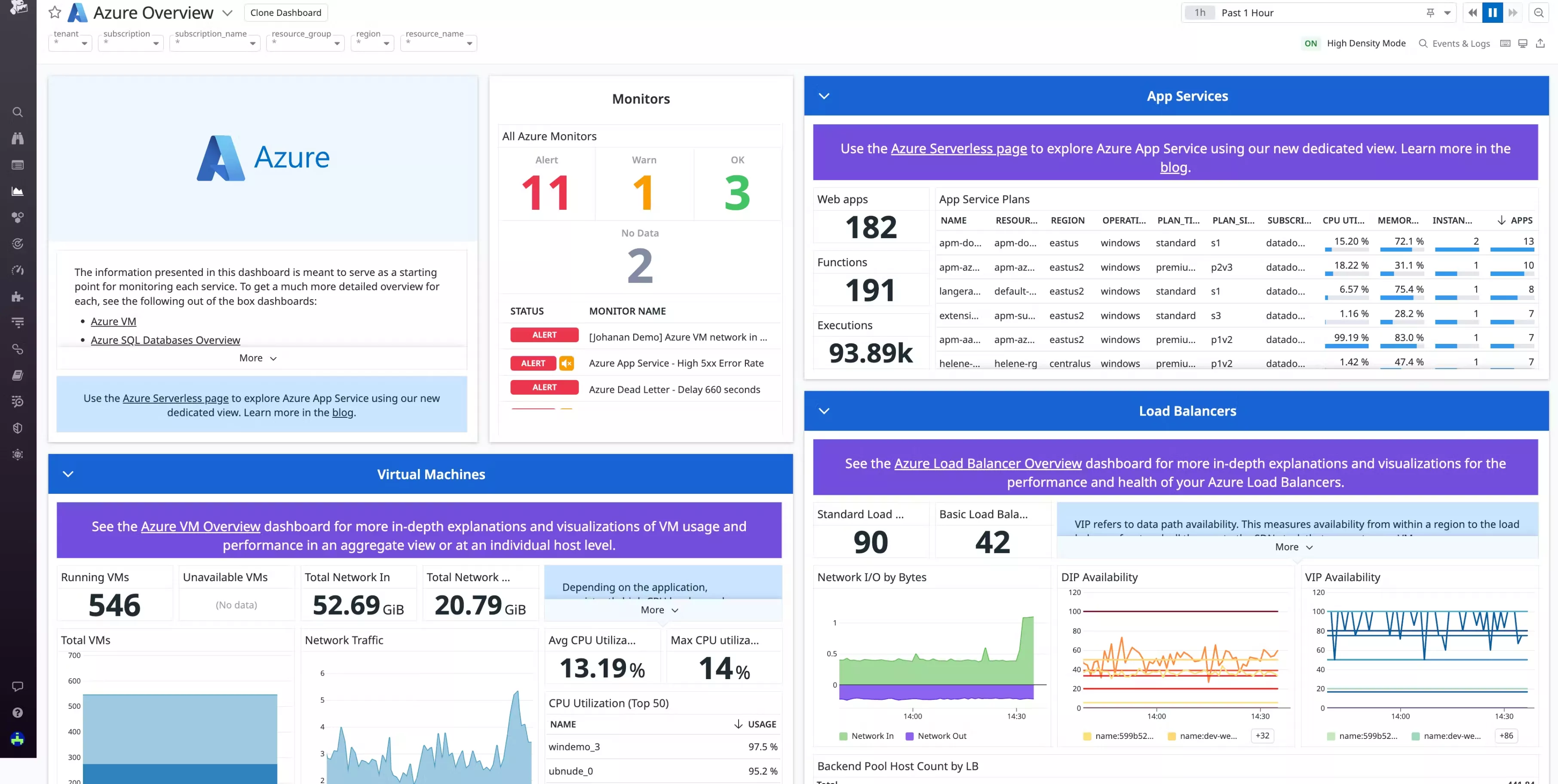
Best for: Free, native cost reporting for Azure environments.
Like AWS Cost Explorer, Azure Cost Management is Microsoft's free, built-in tool. It's integrated directly into the Azure portal and provides a similar set of features.
You can analyze your costs, create budgets and alerts, and get recommendations for optimizing your resources with insights similar to an enterprise azure cost optimization guide. It's a solid, fundamental tool for anyone running workloads on Azure.
Azure-Only: No multi-cloud view (though it has a limited AWS connector).
Complex UI: The Azure portal can be overwhelming, and finding the exact report you need can be a challenge.
Free.

Best for: Free, native cost reporting for GCP environments.
Rounding out the big three native tools is Google's Cloud Cost Management. This is a suite of tools built into the GCP console that helps you report on, understand, and control your costs.
GCP's billing is arguably the most customer-friendly... providing automatic sustained use discounts and flexible committed use discounts that reflect in their clean reporting tools
It's Free: Part of the GCP console.
Clean & Simple: The interface is generally clean and easier to navigate than its competitors.
Quotas: GCP's concept of quotas is a powerful (if blunt) cost-control tool.
GCP-Only: Only for your Google Cloud spend.
Lacks Depth: While simple, it lacks the Advanced, business-focused reporting of a FinOps tool.
Free.
Selecting a tool from a list of 19 can be overwhelming. To find the right fit for your infrastructure, evaluate your options based on these four critical pillars:
Most traditional tools provide "read-only" visibility—they tell you that you are overspending but leave the manual labor of fixing it to your DevOps team.
The Choice: If your team is already stretched thin, look for Agentic FinOps platforms that offer autonomous remediation (e.g., auto-stopping idle instances or rightsizing based on ML-driven policies).
If you operate on AWS, Azure, and GCP, a vendor-locked tool (like AWS Cost Explorer) will create data silos.
The Choice: Ensure the tool uses high-frequency ingestion (such as RabbitMQ or event-driven architectures) to normalize data across all providers into a single "Source of Truth."
Basic tools use "Linear Averaging," which fails to account for seasonality (e.g., Black Friday spikes or weekend dips).
The Choice: By leveraging automated anomaly detection built on MLOps foundations, you reduce 'alert fatigue' and ensure you only get notified of true spending spikes, not routine cycles
A FinOps tool is only effective if your engineers use it.
The Choice: Choose a platform that pushes recommendations directly into the tools your team already uses, such as Slack, Jira, or GitHub webhooks, rather than requiring them to log into a separate dashboard.
Instead of looking at "Startup" and "Enterprise" features separately, it is more effective to view them as a Maturity Model. Whether you are a 5-person team or a global corporation, the goal remains the same: maximizing unit economics.
Business Stage | Core Need | Strategy |
Growth Startups | Runway Preservation | Focus on "Low-Hanging Fruit": Identifying idle volumes and implementing automated power schedules for non-prod environments. |
Scale-ups | Architectural Efficiency | Transition to Rightsizing and Spot Instance orchestration to lower the baseline cost of scaling. |
Enterprises | Governance & Guardrails | Implementing Tag Governance and Autonomous Policy Enforcement to manage thousands of resources across global regions. |
Scaling cloud resources is easy. That's the problem. It's so easy that many teams lose control over their spending. A missed bug, a test environment left running, or a simple architecture oversight can quickly snowball into a massive, shocking bill at the end of the month.
That's why you need a cloud cost monitoring and optimization toolkit. You need a platform that provides detailed visibility, exhaustive reporting, and, ideally,automated optimization capable of handling the fast-changing requirements of modern, cloud-native applications.
While native tools are a great place to start, they'll only get you so far. The real, game-changing savings come from specialized tools that move beyond simple reporting and into a world of proactive, intelligent automation.
And in that new world, autonomous platforms like Costimizer are leading the charge. With its Agentic AI, it's one of the only platforms that doesn't just add to your to-do list with more recommendations. It does the work for you, 24/7.
It’s time to unlock the best FinOps platform for you. Bring all your cloud costs and resources into one place and finally get control of your bill.
You absolutely should start with them. They are the source of truth for your bill. But they are limited. They are reactive (tell you what you spent last month), can't show you the real cost of a single feature or customer, and frankly, they are designed to be complicated, to get the most money out of you. Third-party tools are for when your cloud bill becomes too large and complex for a simple report.
Tagging. Implement a mandatory and consistent tagging strategy (e.g., team, project, environment). Without tags, all your costs are a mystery. You can't optimize what you can't measure, and you can't measure what you can't allocate.
Reporting tools are excellent for FinOps and finance. They tell you who spent what. Optimization tools (like Costimizer) are suitable for enterprises. They do something to lower the bill, like automatically rightsizing a VM or shutting down an idle resource.
You need a K8s-specific tool. Start with an open-source tool like Kubecost to see your costs. It will show you which namespace, deployment, or pod is costing you money. Once you know what is expensive, you can use an automation tool like Cast AI to fix it by rightsizing, bin-packing, and using Spot Instances.
Idle, non-production resources. These are the dev, staging, test, and qa environments that engineers spun up for a project and forgot to turn off. A tool with an auto-stop feature can pay for itself in a single weekend by just shutting these down.
You can't. Not really. But you can make the cost visible to them in their workflow. Costimizer (in the pull request) or Harness (in the CI/CD pipeline) show engineers the cost before they even merge their code. When they see that your change will add $5,000/month to the bill, they suddenly start to care.
This is a valid fear. The best automation tools are not black boxes. They are performance-aware and will not make a change if it risks an outage. The very best (like Costimizer) use AI to understand the intent and have safeguards, starting with recommendations first, then moving to full automation once you build trust.
Your choices narrow, but they are powerful. Costimizer is an enterprise-grade platform that is built for this. It is designed to give you a single pane of glass over both your data centre and your public cloud spend.
Costimizer delivers automated, AI-driven optimization and continuous cost savings with minimal manual FinOps effort.
Costimizer is exactly the tool, you need to understand granular per-customer cost breakdowns with AI-driven insights and automated optimization, making spend directly traceable to business outcomes.
•
CFO•
Articles




















