Your Google Cloud bill is too high. You pay the invoice every month, but you do not know exactly what drives the cost. You pay for digital servers that sit idle. You pay for storage you do not use. This waste hurts your profit margins. Honestly, you need a system for better GCP cost management to stop this financial leak.
In this blog, you will get a clear breakdown of the 13 best Google Cloud cost optimization tools available today. You will learn exactly how these platforms locate hidden expenses. You will see how they automate savings and safely reduce your monthly cloud spend.
60-Second Summary:
GCP Natives:
How to Pick the Right Tool: Evaluate your team's bandwidth, multi-cloud footprint, and Kubernetes usage to decide between basic native reporting and advanced third-party automation. We recommend choosing an agentic platform that automatically fixes cloud waste in the background, rather than just giving your team another dashboard to monitor manually.
Before you choose a tool, it helps to know where the money usually disappears. The biggest leaks are idle Compute Engine VMs, BigQuery slot inefficiency, GKE node over-provisioning, missing Committed Use Discounts, and orphaned persistent disks. GKE Cost Optimization matters here because unused nodes can hide inside clusters that still look healthy on the surface.
BigQuery spend often rises because teams leave queries unpartitioned, use on-demand pricing when slot commitments would be cheaper, or lose track of which team triggered the workload. Partitioned tables help reduce scan costs, while slot commitments make more sense when usage is steady and predictable. Finout and CloudZero are useful here because they help allocate BigQuery spend back to products, teams, and customers. Pairing that visibility with GCP cost anomaly detection makes it easier to spot sudden query spikes before they become an expensive surprise.
As a FinOps practitioner, you are at the difficult intersection of finance and engineering. At the end of the month, you get a GCP invoice. The problem here is that GCP billing exports can be incredibly granular. Which lack the business context.
You see the raw spend, but untagged resources, missing labels, and unallocated costs that make it nearly impossible to see which department or project actually spent the money.
Finance wants to cut the budget, while engineering wants more resources to ensure system uptime.
You are caught in the middle. To stop the waste, you need a way to map cloud spend directly to business value, as outlined in a comprehensive GCP cost management guide.
Cloud waste happens when you pay for computing power you do not use, especially from unused cloud resources. Take the case of idle Virtual Machines (VMs). A developer spins up a Compute Engine instance to test new code, runs the test, but forgets to tear down the environment. Google Cloud charges you for that VM every single minute it stays running.
Another major issue is over-provisioning. You allocate massive compute resources because you expect heavy traffic that never materializes. You still pay the premium for that high-capacity infrastructure, bleeding the budget every day it remains oversized.
Finance teams measure success in dollars and ROI, while engineering teams measure success in system reliability and uptime.
To align these groups, FinOps teams rely on chargeback or showback models.
A chargeback model assigns a specific dollar amount directly to a team's budget, so when the data team executes heavy analytical workloads in BigQuery, they absorb the exact cost of those queries. A showback model is similar but simply highlights the team's spend without formally moving the money.
When you implement these models, teams take ownership of their infrastructure costs. They stop leaving unused instances running and start actively participating in cloud optimization.
Doing this manually, however, is impossible at scale. You cannot expect engineers to parse through raw billing exports every week.
This is where modern Google Cloud expense management tools help.
While software alone wouldn’t do the job, it requires establishing a strict tagging taxonomy and driving a cultural shift across engineering, and the right tool automates the tracking, translates technical usage into business language, and successfully bridges the gap between finance and engineering.
Let's see the best options.
We will look at the top GCP cloud cost management tools for controlling your Google Cloud spending. We divide this list into two groups. The first group includes third-party platforms. The second group covers the native tools built directly into Google Cloud.
Third-Party & FinOps Platforms
Third-party tools connect to your Google Cloud account. They read your billing data. They provide specific dashboards and automatic fixes that Google does not offer natively.
Costimizer is an automated cost control platform. Most tools simply show you a graph of your spending. Costimizer actively fixes the problem. It uses an AI agent to monitor your Google Cloud resources 24 hours a day.
If Costimizer finds a server that is too large for its workload, it downsizes that server. If it finds idle testing environments, it safely turns them off. It also handles multi-cloud setups. You can see your AWS, Azure, and Google Cloud spending in one single dashboard.
You set the rules. You tell the system what it is allowed to change. Costimizer handles the execution. You save hours of manual engineering work. You see a direct drop in your monthly bill.
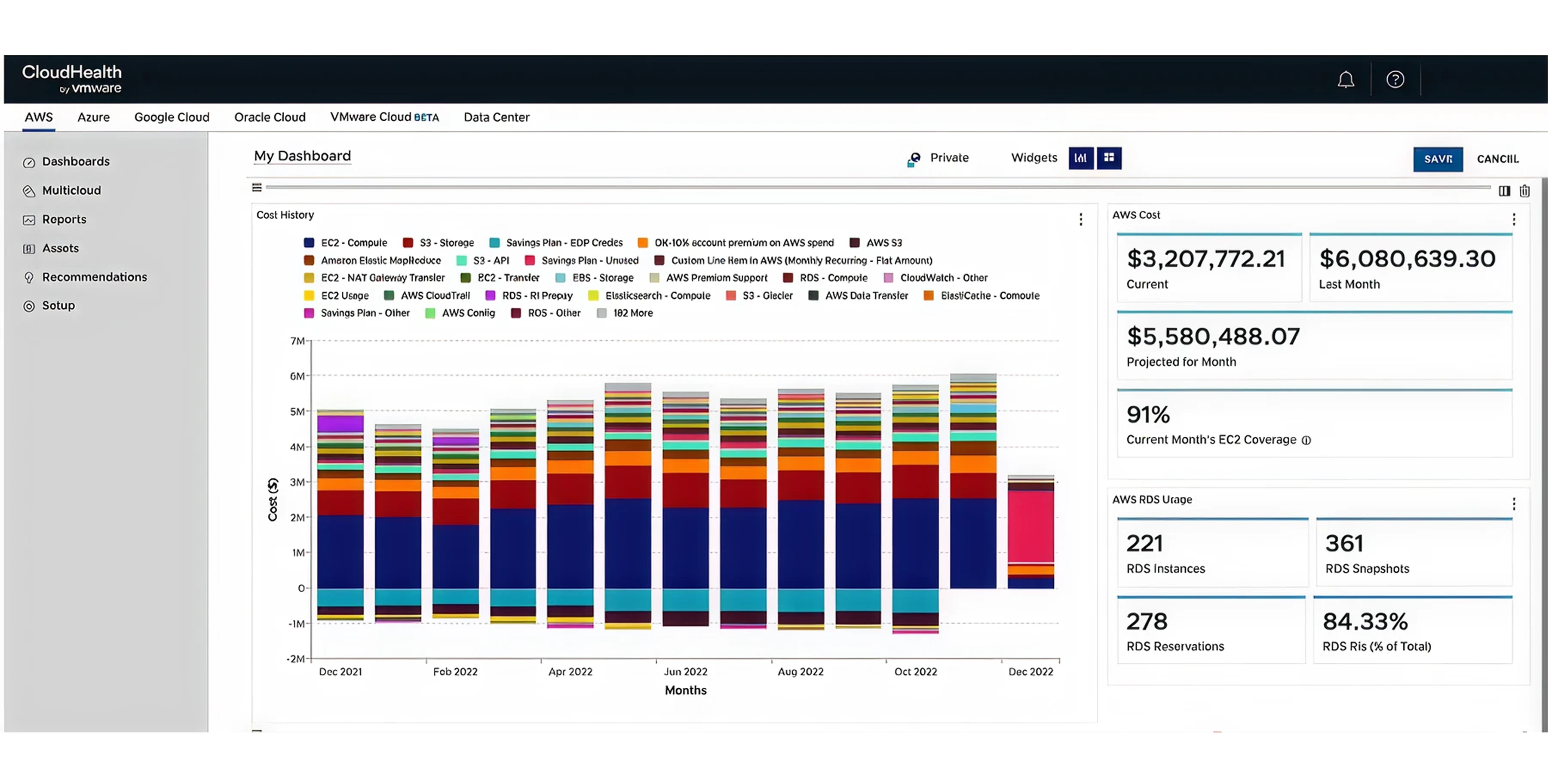
VMware Tanzu CloudHealth is a financial management platform built for large enterprises. Large companies usually have highly complex billing structures. They operate across many different cloud providers. CloudHealth gathers all this scattered data.
The platform allows you to build custom financial reports. You can group your spending by business unit. You can group it by application. You can group it by project.
CloudHealth works well if you have a dedicated finance team that needs heavy reporting. It requires a significant setup period. Once running, it gives finance leaders total visibility into where the money goes.
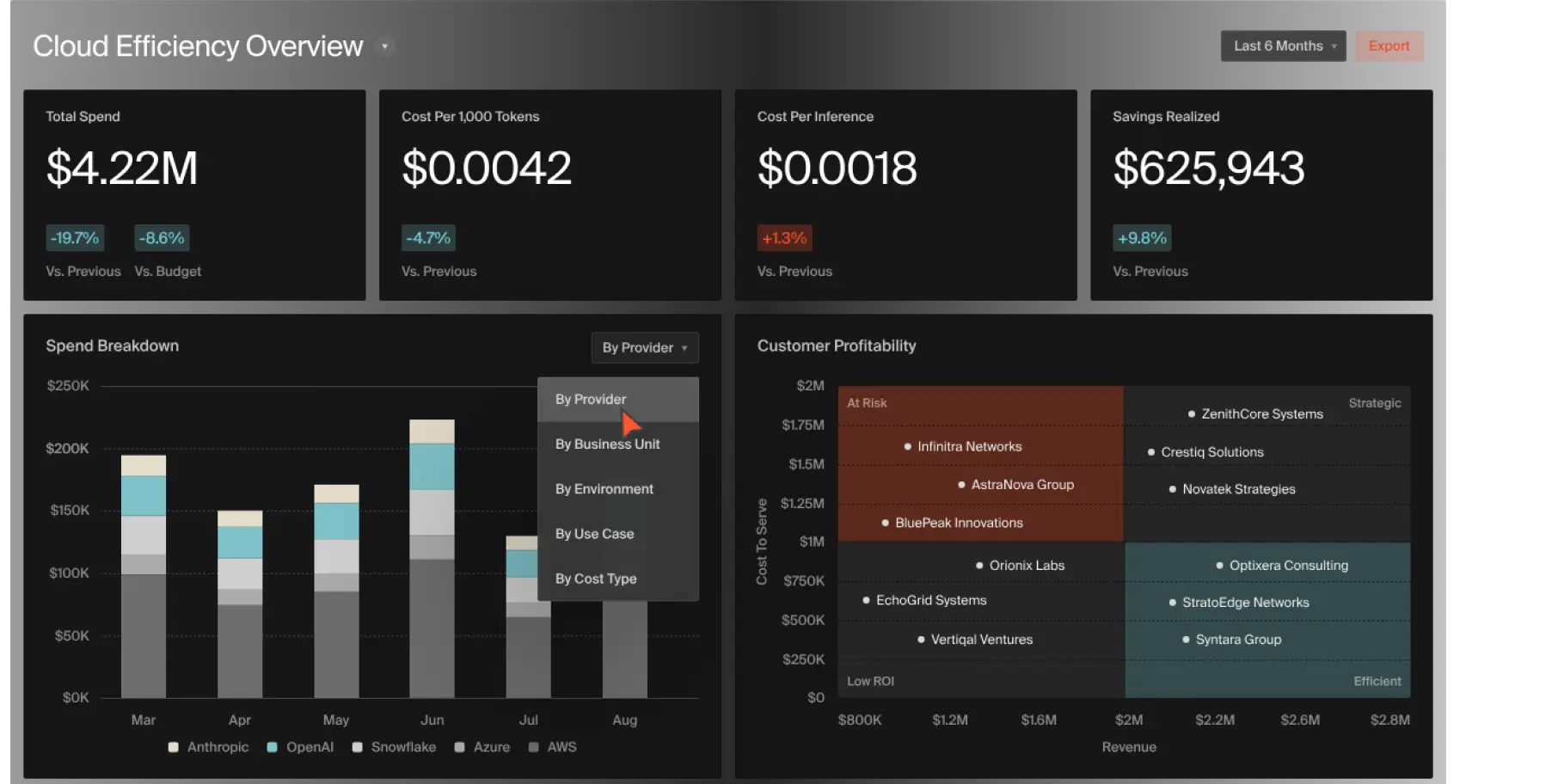
CloudZero focuses on unit economics. Unit economics means understanding exactly how much it costs to serve one single customer.
Standard billing tools tell you that you spent $10,000 on Google Cloud last month. CloudZero connects your cloud costs to your business metrics. It tells you that Customer A costs you $50 a month in server fees. It tells you that Customer B costs you $500 a month.
This visibility is highly valuable for software companies. When you know your exact per-customer costs, you can set your product pricing correctly. CloudZero also alerts your engineering team via Slack when a new code release causes a sudden spike in costs.

Kubecost is a highly specific tool. It tracks spending inside Kubernetes environments. Kubernetes is a system that manages software containers. Google Kubernetes Engine (GKE) is very popular. It is also very difficult to track financially.
Google Cloud bills you for the underlying servers running your GKE clusters. It does not tell you which specific application inside the cluster spent the money. Kubecost solves this exact problem.
It breaks down your GKE costs by namespace. It breaks them down by pod. It breaks them down by deployment. If one specific microservice starts using too much memory, Kubecost identifies it. You can then adjust the resource requests safely.

Spot by NetApp focuses heavily on purchasing optimization. Google Cloud offers discounted pricing models. GCP Spot VMs are highly discounted servers. Google can turn them off with very little warning. Committed Use Discounts (CUDs) offer lower prices when you agree to use a certain amount of power for one year or three years.
Managing these discounts manually is difficult. Spot by NetApp automates the process.
The tool automatically shifts your workloads to Spot VMs when they are available. If Google reclaims the Spot VM, the tool safely moves your application back to a standard server. It also manages your CUD purchases to ensure you never over-commit. You get the lowest possible price without risking application downtime.

CAST AI is another platform focused deeply on Kubernetes. While Kubecost focuses primarily on visibility, CAST AI focuses on automated action.
When you run a Kubernetes cluster, you often provision too many server nodes. You do this to prevent crashes. This results in heavy cloud waste. CAST AI constantly monitors the actual demands of your software.
The platform automatically adds server nodes as traffic increases. It automatically removes server nodes when traffic goes down. It picks the cheapest available server type that meets your exact needs. The entire process happens instantly. You stop paying for empty space inside your Kubernetes clusters.

Harness Cloud Cost Management (CCM) targets the engineering release process. Developers write code. They push the code to production using Continuous Integration and Continuous Deployment (CI/CD) pipelines.
Often, new code requires more computing power. The finance team only finds out about the cost increase weeks later. Harness CCM puts cost visibility directly into the developer's workflow.
Before a developer deploys a change, the system estimates the financial impact. If the change violates a company budget rule, the system can block the deployment. This forces developers to treat financial efficiency with the same importance as software security.
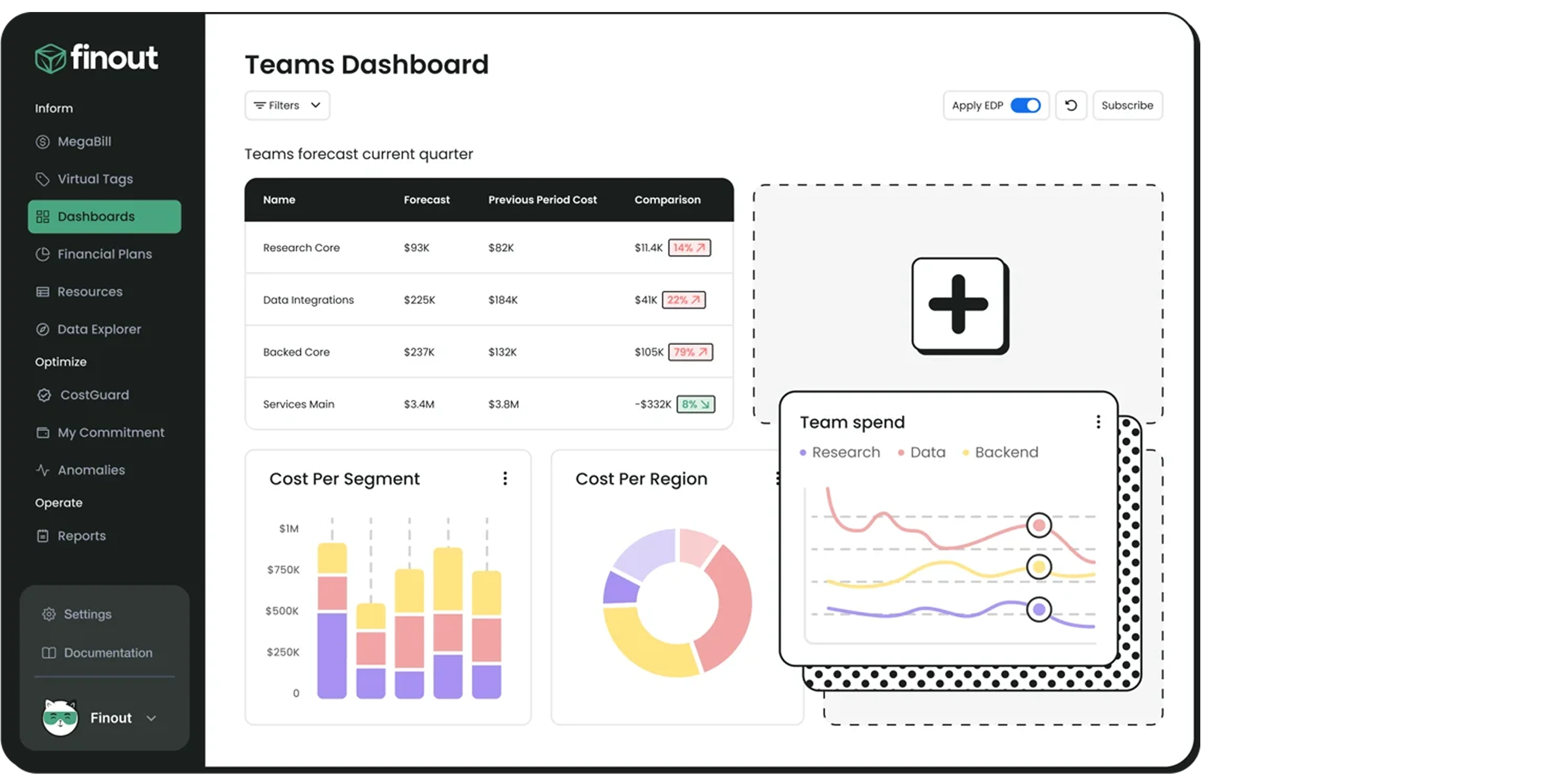
Finout introduces the concept of the MegaBill. Modern companies do not just spend money on Google Cloud. They also pay for external data services, such as Snowflake. They pay for monitoring tools like Datadog.
Tracking these different invoices is frustrating. Finout combines all of these usage-based costs into one single dashboard.
You can allocate your Google Cloud costs alongside your database costs. You can filter the data by team. You can build virtual tags. A virtual tag allows you to group resources together inside Finout without changing the actual tags inside your Google Cloud console. This saves your engineering team hours of manual tagging work.
Google Cloud provides its own tools to help you manage your bills. These native tools are built directly into your Google Cloud Console. They are free to use. You should set these up before you buy any third-party software.
The Cloud Billing console is your starting point. It provides built-in reports that visualize your spending over time.
You can filter these reports easily. You can view costs by project. You can view costs for specific Google services, such as Compute Engine or Cloud Storage. You can view costs by location. The Cost Table provides a flat, detailed ledger of your exact invoice line items.
This tool is highly useful for high-level reviews. It allows a business owner to quickly see if total spending went up or down compared to last month.
You must protect yourself from sudden billing spikes. A developer might accidentally leave a massive database running. Hackers might compromise your account and mine cryptocurrency.
Billing budgets allow you to set a hard limit on your expected monthly spend. You can set a budget for the entire company. You can set a separate budget for a specific project.
When your spending hits a certain percentage of that budget, Google budget alerts send an email notification so your team can fix the issue before costs spiral further.
You can receive alerts at 50%, 90%, and 100% of your budget. You catch the spending mistake early. You fix it before the invoice becomes unmanageable.
The standard Cloud Billing reports have limitations. They only store data for a limited time. They do not allow highly complex custom searches.
Google solves this by letting you export your raw billing data directly into BigQuery. BigQuery is Google's powerful data warehouse. Once your billing data flows into BigQuery, it stays there forever.
Your team can write custom SQL queries. They can ask exact questions. They can connect BigQuery to Looker Studio. Looker Studio builds custom, sharing-friendly visual dashboards. This setup is mandatory if you want deep, historical analysis of your cloud costs.
Google Cloud actively monitors your usage. It uses a system called Active Assist to suggest improvements.
The Recommender tool analyzes your virtual machines. If it sees a machine running at 10% capacity for a week, it suggests downsizing that machine. It tells you exactly how much money you will save by taking action.
The tool also looks at your storage. It suggests moving old, untouched files to a cheaper storage class. It analyzes your baseline compute usage. It suggests purchasing specific Committed Use Discounts (CUDs) to lower your hourly rates. You simply review the suggestions and click to apply them.
You cannot manage what you do not measure. You must know who owns every server. Google Cloud allows you to apply labels to your resources.
A label is a simple key-value pair. You might create a label where the key is "Environment," and the value is "Production." You might create another label where the key is "Team," and the value is "Marketing."
Google also offers a Cost Attribution Solution.
This helps you structure your resource hierarchy properly. When every server has a correct label, your billing reports become highly accurate. You can instantly filter your BigQuery data to see exactly what the marketing team spent on production servers last Tuesday.
These tools are worth a look if your team wants deeper FinOps reporting, commitment management, or broader cost visibility across more than one cloud.
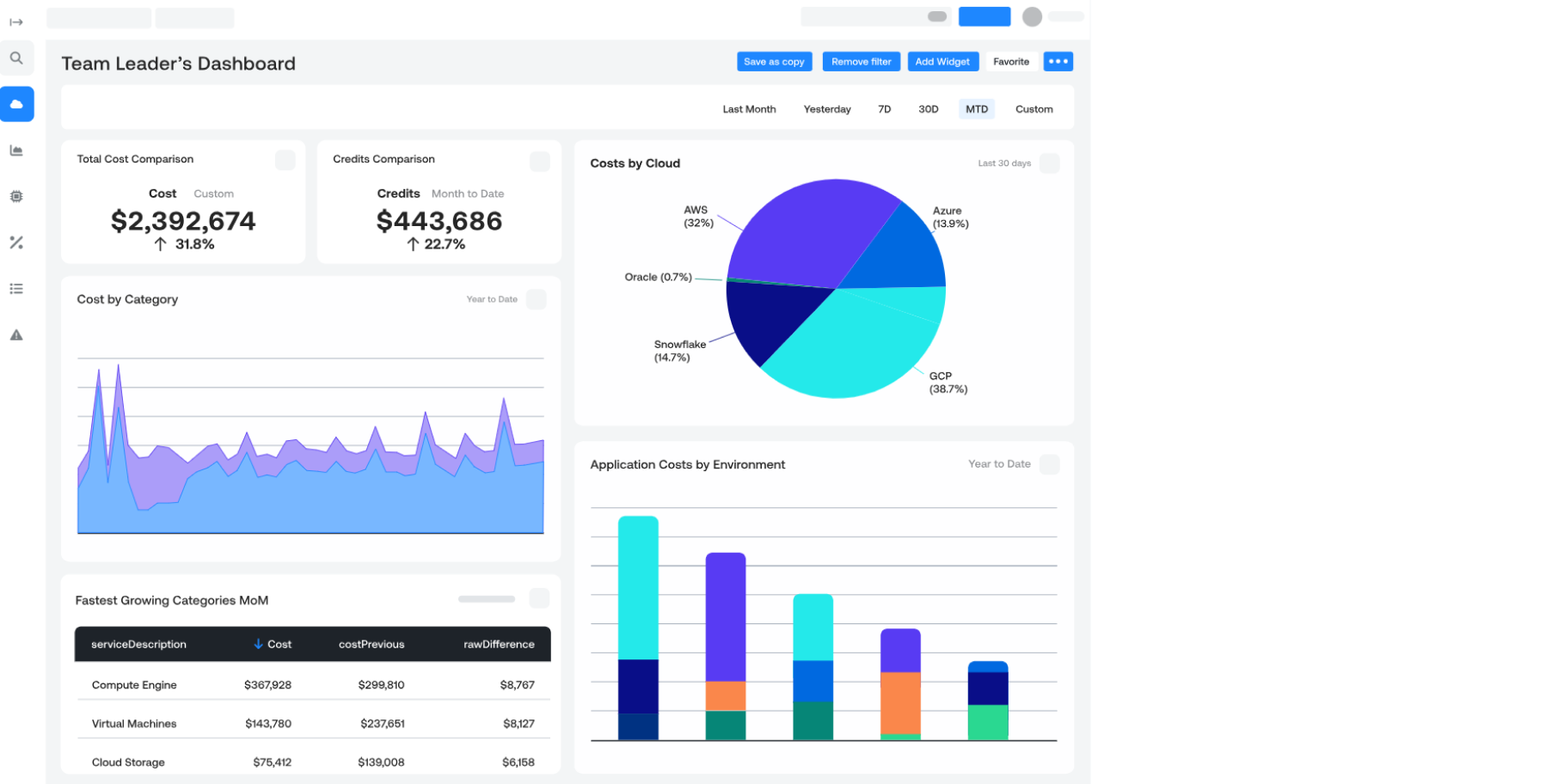
A solid fit for teams that want cloud cost allocation, budgeting, and reporting without building everything from scratch.
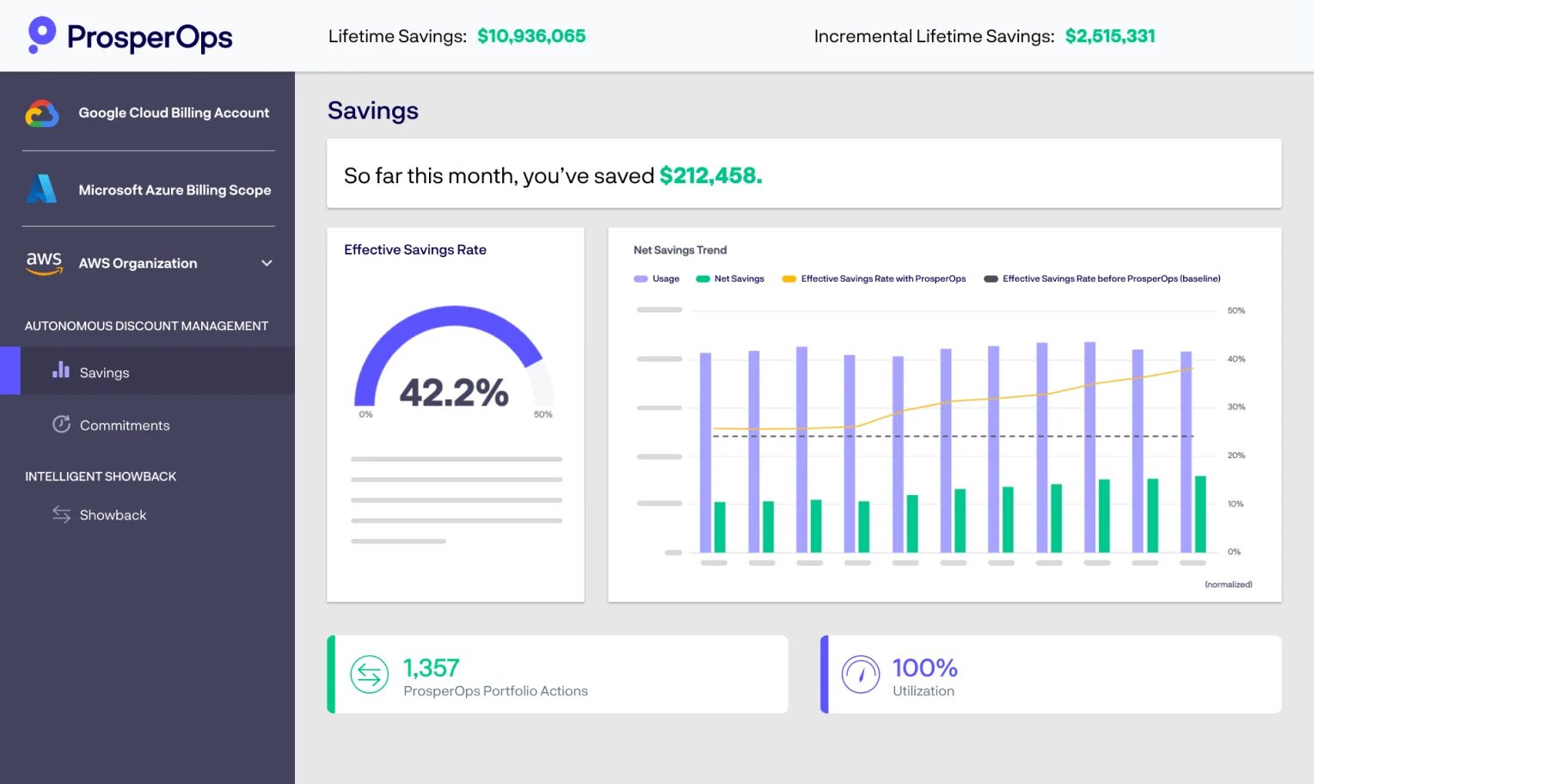
Best for automating commitment and discount management when you want to keep savings programs running with less manual effort.

An enterprise FinOps platform that helps finance and engineering teams track spend, allocate costs, and report with more structure.
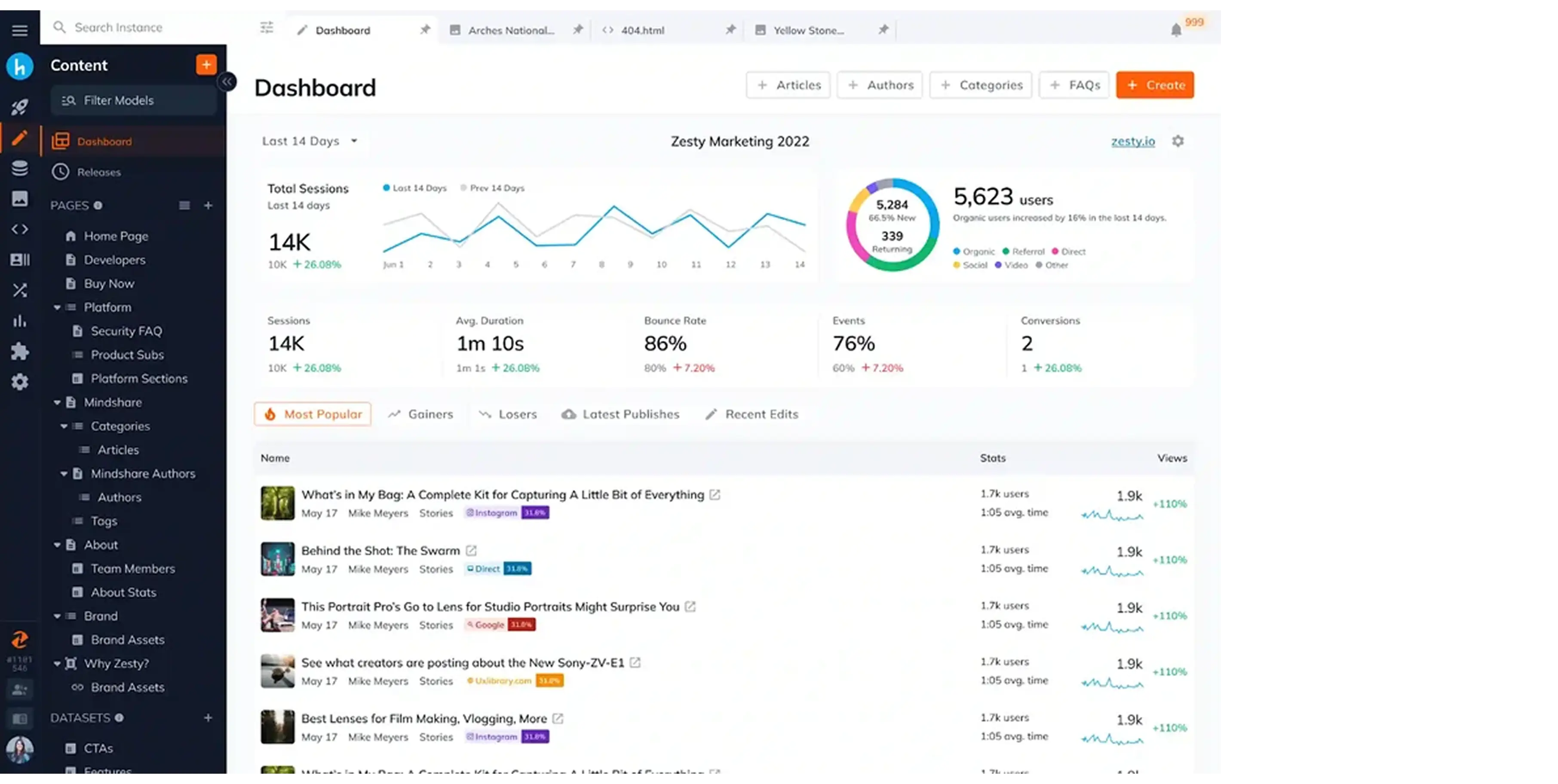
Useful for teams looking to automate rightsizing and commitment usage so idle capacity does not quietly drain the budget.
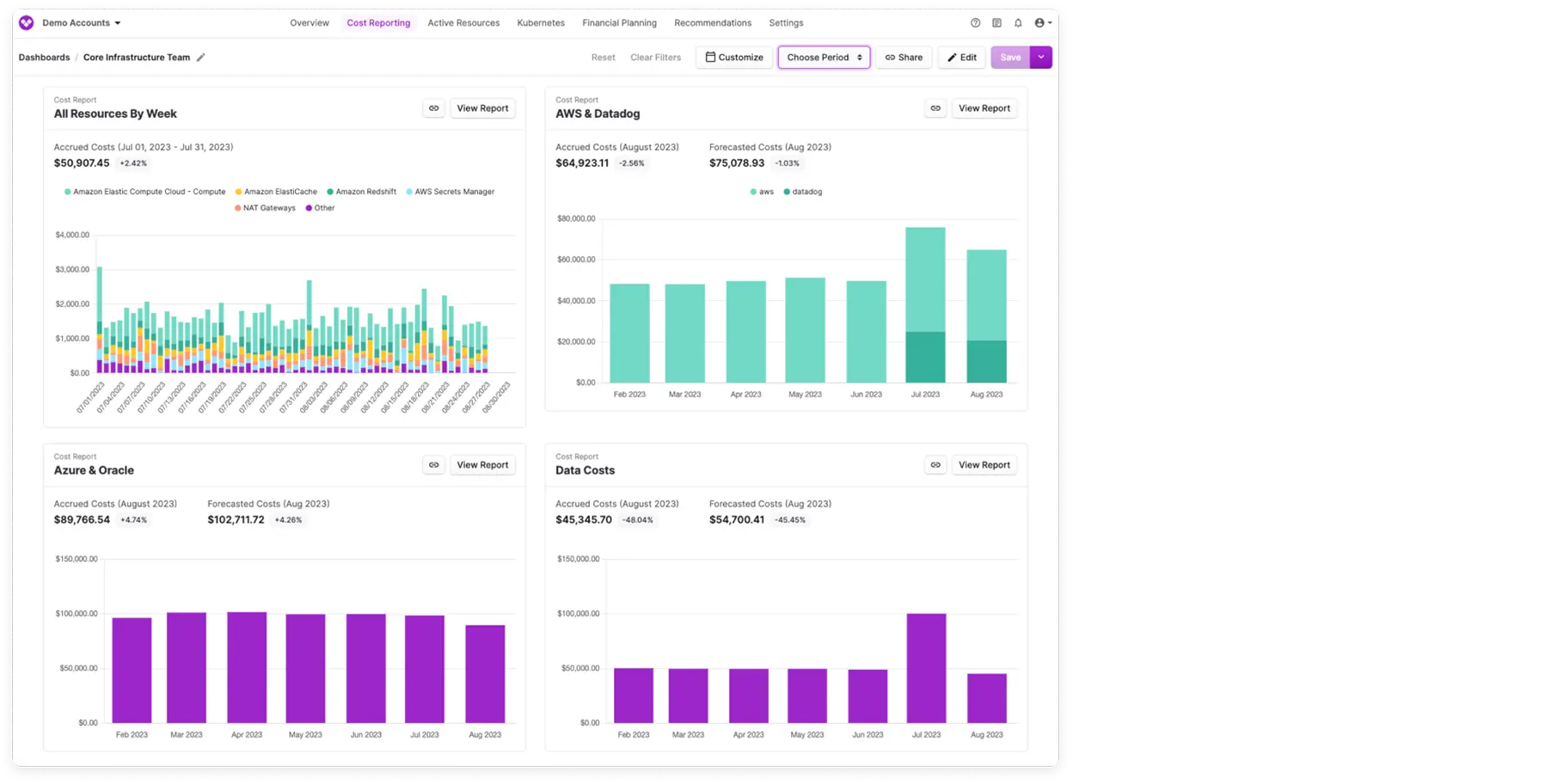
A practical choice for cost visibility, team-level allocation, and simple reporting across accounts and environments.
You have many options. You must choose the tool that fits your specific business needs. Picking the wrong tool wastes time and money. Look at the real problems you face today. Answer the following questions to find your exact solution.
Do you want a dashboard, or do you want an automated worker that does the job?
If your team has plenty of time, a manual visibility tool works well. You log in, read the charts, and manually turn off servers.
However, engineering teams are usually very busy, which is why many organizations adopt cloud cost automation platforms. They do not have time to monitor billing charts daily. In this case, you need automation. You need a platform that actively resizes servers and parks idle resources without human intervention. This ensures the savings actually happen.
Committed use discounts make sense when your workload is stable enough to forecast with confidence. If you run the same baseline of VMs, databases, or GKE nodes every month, a well-planned commitment can lower your bill without forcing you into constant manual optimization.
The key is to avoid buying too much headroom. Review historical usage, separate steady-state demand from burst traffic, and decide which services are safe to commit, this is explained in detail in our GCP cost management guide. For a deeper breakdown, see our Committed use discounts guide. If your usage changes often, keep some workloads on on-demand pricing and use automation to find waste elsewhere. That balance usually delivers better savings than overcommitting and paying for unused capacity.
Do you only use Google Cloud? If you operate 100% inside Google Cloud, the native tools might be enough for you. You can export data to BigQuery and build your own dashboards.
Many businesses use AWS for some applications and Google Cloud for others, which makes multi-cloud cost management essential. If you use multiple providers, native tools create a problem.
You have to check three different websites to understand your costs. You need a third-party platform that unifies AWS, Azure, and Google Cloud data into one single screen.
Are you running modern, containerized applications? If you use Google Kubernetes Engine (GKE) heavily, standard billing tools fail. They only show you the cost of the underlying hardware. They cannot see inside the cluster. You will remain unaware of which specific software service is draining your budget.
If this is your situation, you must select a tool built specifically for Kubernetes. You need pod-level visibility and automated node rightsizing to stop the waste.
Unchecked cloud spending destroys your profit margins. You start with a small Google Cloud deployment. You add more servers. You add more storage. Soon, you are paying a massive monthly bill for resources you do not even use. You lose money that should fund your business growth.
You have a clear path forward. You must gain visibility. You must assign costs to the right teams. You must remove the waste.
Costimizer gives you the exact control you need. It does not just show you complicated charts. It acts as an automated agent. It finds oversized servers, identifies idle environments, and applies fixes directly. You stop paying for empty cloud space. You regain control of your budget.
Start cutting your cloud bill today. Try 14 Days Free trial of Costimizer and observe guarantee savings.
No. Reputable FinOps platforms operate using strict read-only access or highly limited IAM (Identity and Access Management) roles. You retain complete control over your environment, and tools like Costimizer are SOC 2 compliant, ensuring your infrastructure remains entirely secure.
Google’s native Recommender provides suggestions that your engineers must manually review and execute, which often leads to delayed savings. Costimizer’s Agentic AI acts as an autopilot, safely and automatically resizing or parking idle resources based on custom rules you define.
It also offers clear options based on your risk tolerance, such as saving 20% with 0% risk versus saving 40% with 5% performance risk. You can choose the setting.
Yes. While native tools require perfect labeling for accurate billing reports, modern platforms use AI and virtual tagging to categorize unallocated spend. Costimizer helps you allocate costs accurately without forcing your developers to spend hours manually fixing historical tags.
Absolutely not. Automated platforms allow you to set strict, policy-driven guardrails, meaning you can lock and exclude production environments entirely. The AI only executes actions, such as auto-parking, in non-critical development or staging environments during specifically approved off-hours.
Most organizations identify immediate cloud waste, such as unattached disks or forgotten test environments, within the first 24 hours of integration. With an automated execution platform like Costimizer, you can typically see a 15% to 30% drop in your very next monthly billing cycle.
Pricing models vary; many legacy tools charge a percentage of your total cloud spend, which quietly penalizes you as your company scales. Costimizer offers a transparent, predictable pricing model that aligns with your business growth rather than taxing your overall cloud expansion.
Costimizer provides unified, multi-cloud visibility and automated optimization for AWS, Google Cloud, and Azure, all from a single dashboard. You will not need to juggle multiple platforms or force your team to learn three different native console tools.
No. Costimizer acts as an automated FinOps engineer for you, handling the heavy lifting of waste detection and resource management. This empowers lean engineering and finance teams to achieve enterprise-level cost control without making additional expensive headcount hires.
•
CTO•
Articles