Are your Google Cloud bills eating into your profit margins faster than you can track them?
You are not alone. More than 80% of business leaders cite managing cloud spend as their top organizational challenge, estimating that nearly a third of their spending is completely wasted. Every dollar spent on idle servers, oversized databases, and unoptimized storage is a dollar taken directly from your bottom line.
The right GCP cost optimization tools stops this financial leak. By combining the right pricing models, automated alerts, and specific FinOps practices, you can restore total visibility and control over your infrastructure. This guide will show you exactly how to optimize your Google Cloud deployments and ensure you only pay for what your business actually uses.
Key takeaways:
What to look for: Focus on automation (auto-remediation), the right pricing levers, and FinOps practices that align with engineering and finance.
Core problem: Cloud sprawl and idle/over-provisioned resources waste around 20-40% of spend.
Pick the right discounts: Use SUDs for long-running flexible VMs, CUDs (1–3yr) for predictable baselines, and Spot VMs for fault-tolerant batch work.
Quick technical wins: Right-size instances, delete orphaned disks/static IPs, and shut idle GKE clusters; these are the fastest, highest-impact savings.
Operational controls: Enable aggressive autoscaling, set GCP budget alerts + hard quotas, export billing to BigQuery for SQL analytics, and enforce strict tagging/labels.
If you want automation: Use a platform like Costimizer that executes fixes (rightsizing, idle cleanup, discount buys) so savings appear within weeks.
GCP Cost Management is the strategic process of monitoring, controlling, and optimizing expenses in Google Cloud Platform. It matters because cloud pricing is inherently variable; you are billed for exact consumption rather than fixed hardware. Without active management, these variable costs compound rapidly.
Cloud sprawl occurs when teams deploy new servers, databases, and containers without shutting down the old ones.
It is a massive source of wasted capital. Internal research from Google reveals that among over-provisioned workloads, 40% have provisioned 30 times the resources they actually use. Even worse, 11% of workloads are provisioned with more than 100 times the required resources.
When you leave resources running unnoticed, you pay full price for zero business return.
In Kubernetes environments, up to one in ten clusters across the entire Google Kubernetes Engine (GKE) fleet runs completely idle at any given time. By implementing strict GKE cost optimization, simply shutting down these forgotten clusters prevents thousands of dollars from vanishing each month.
A Reddit user shared that poor bin-packing and low node utilization in GKE kept nodes under 40% utilization, while auto-provisioning created excess capacity, leaving them paying for significant idle resources each month.
What is the Role of FinOps in Google Cloud?
FinOps (Financial Operations) is a management framework that aligns engineering, finance, and business leadership to maximize the financial return on your cloud investments. It bridges the gap between the engineers who spin up resources and the finance teams who pay the invoice.
The FinOps framework uses a maturity model with three phases: Crawl, Walk, and Run.
By adopting Cloud FinOps practices, companies like OpenX reduced their per-unit cloud costs by more than 60% in just nine months.
Google Cloud offers several billing methods, and choosing the right pricing model is a critical part of effective GCP Cost management.
Pay-As-You-Go is the default billing model. You pay strictly for the compute cycles, storage bytes, and network bandwidth you consume, billed down to the second.
This model matters because it requires zero upfront capital. It works best for short-term testing, unpredictable traffic spikes, or entirely new applications where you lack baseline data.
Google also offers a Free Tier, providing limited use of specific products (like 1 e2-micro VM instance per month) at no charge. While helpful for basic prototyping, the Free Tier cannot support production business workloads.
If the project is an unpredictable experiment, use Pay-As-You-Go. You pay a premium, but you carry zero risk.
How it saves you: You carry zero financial risk as you aren't locked into paying for capacity if the project is scrapped, scaled down, or traffic vanishes tomorrow.
Sustained Use Discounts (SUDs) are automatic, usage-based discounts applied to Compute Engine resources. They matter because they reward you for running workloads consistently without requiring any upfront contractual lock-in.
SUDs are triggered automatically when a resource runs for more than 25% of a billing month. As the resource continues to run, the discount increases in tiers. Depending on the machine type, you can achieve a maximum discount of 20% or 30% if the resource runs for the entire month. SUDs are excellent for workloads that might be temporary but run longer than expected, providing a safety net of savings.
If a server is temporary but might accidentally run all month, Rely on Sustained Use Discounts (SUDs) to automatically catch the bill.
How it saves you: It acts as an automatic safety net. If a "temporary" server runs all month, Google automatically cuts the compute bill by up to 30%. You get the discount without signing a contract.
Committed Use Discounts (CUDs) offer massive price drops in exchange for a binding 1-year or 3-year contract. They matter because they provide the deepest possible savings for predictable, baseline workloads.
Google offers two types of CUDs:
If the workload runs 24/7 and will not change for a year, buy a Committed Use Discount (CUD). Leaving this on default pricing is throwing money away.
How it saves you: You trade predictability for up to 70% off. If you know your application requires a strict baseline of servers running constantly for the next 1 to 3 years, paying standard rates is a waste of money. Lock in the baseline and instantly slash your monthly invoice.
Spot VMs (Preemptible Instances) for Fault-Tolerant Workloads
Spot VMs are deeply discounted compute instances, often 60% to 91% cheaper than standard Pay-As-You-Go rates. They matter because they allow you to run heavy batch jobs or data processing tasks for pennies on the dollar.
The catch is that Google can terminate (preempt) these instances at any time if the data center needs the capacity back. Spot VMs only work for fault-tolerant workloads, tasks that can pause and resume without losing data, such as background rendering, stateless web servers, or non-urgent data transformations.
If the task can be interrupted without breaking the business, use GCP Spot VMs. Crunch massive data sets overnight for a fraction of the cost.
How it saves you: You get enterprise-grade compute power for up to 91% off. You are buying Google’s leftover capacity for pennies. Use it to crunch massive datasets or run background tasks without worrying about an unexpected server reboot.
Your cloud bills are likely inflated by forgotten servers and poor configuration. We have identified the seven exact steps you must take to gain control over your infrastructure.
Right-sizing involves matching your server sizes (vCPU and RAM) to your application's actual demands. It matters because running a massive server for a lightweight application is pure waste.
Analyze your historical CPU and memory metrics. If a server rarely peaks above 15% CPU utilization, downgrade it to a smaller instance type. Conversely, packing too many small 1vCPU nodes into a Kubernetes cluster can increase your overhead costs, as each node requires baseline resources just to run the Kubernetes management software (kubelet).
Moving to medium-sized nodes often reduces resource fragmentation and improves overall cluster efficiency.
When you delete a virtual machine, the attached storage disks and static IP addresses are not automatically deleted. These orphaned resources continue to generate charges every hour.
You must routinely audit your environment. Look for unattached persistent disks, unused static IPs, and forgotten snapshots. Shutting down idle GKE clusters that have no pods running or have lacked API interaction for weeks is a simple, high-impact fix.
Storing data indefinitely on expensive, high-performance storage tiers ruins budgets. Optimizing storage matters because not all data requires millisecond retrieval times.
Implement automated data lifecycle policies. These rules automatically move files from high-cost "Standard" storage to cheaper "Nearline," "Coldline," or "Archive" storage after a specific number of days.
For effective BigQuery Cost Optimization, switching from logical storage billing to physical storage billing can sometimes reduce your storage bill by up to 80% if your data compresses well.
Autoscaling automatically adds servers when traffic spikes and removes them when traffic drops. It matters because you only pay for peak capacity exactly when you need it.
In GKE, the cluster autoscaler automatically manages your node pools. By switching your autoscaler profile from the default setting to the optimize-utilization profile, the system will scale down unneeded nodes much more aggressively. Data shows that activating this single profile can reduce unallocated vCPU and memory waste by 20% on average.
Budget alerts notify your team when your spending crosses specific thresholds (e.g., 50%, 90%, and 100% of your monthly budget). They matter because they prevent end-of-month invoice shock.
While alerts send warnings, hard quotas actually stop the spending. You can set maximum API request limits or cap the number of bytes a specific user can query in BigQuery. This prevents a single poorly written SQL query from racking up massive charges overnight.
The standard Google Cloud console provides basic cost views, but serious cost management requires raw data. Exporting your billing data matters because it unlocks custom analytics.
Set up an automatic export of your detailed billing data to a BigQuery dataset. Once the data is in BigQuery, you can write SQL queries to track costs down to the individual user, team, or specific software tool. This allows you to generate weekly cost reports, pinpoint exactly who is driving up the bill, and hold them accountable.
Tags and labels are key-value pairs attached to your cloud resources (e.g., "Environment: Production" or "Team: Marketing"). They matter because you cannot optimize what you cannot measure.
Without labels, your invoice is just a massive list of server charges. With strict labeling policies, you can segment your bill to see exactly how much the Marketing team spent on staging servers last Tuesday. Google Cloud Tags offer reliable governance and reporting features, ensuring that all deployed resources are properly categorized before they go live.
Google provides several built-in utilities to help you track and control your monthly spending. If you operate entirely inside Google Cloud, these native tools offer an excellent starting point.
Simply put, it's a built-in visual dashboard that displays your current and historical cloud spending. The Cost Table is a highly detailed, line-by-line breakdown of your monthly invoice.
You need a fast way to see where your money goes. The reports show spending trends over time so you can spot spikes immediately. The Cost Table shows exactly how Google applied your Sustained Use Discounts (SUDs) and other credits to your final bill, keeping the math transparent.
How does it work? You open the Google Cloud Console and navigate to the Billing section. You can filter the graphs by specific projects, services, or the resource labels your team created. This lets you quickly see whether a specific department caused a sudden jump in database costs.
A free digital calculator that estimates the future cost of your cloud architecture before you actually build it.
Launching new servers blindly leads to massive budget overruns. The calculator prevents invoice shock by showing you the exact financial impact of a new project before you commit.
How does it work? Your engineering team enters their planned usage into the web form. They select specific virtual machine types, storage tiers, and expected network traffic.
The calculator processes these details and generates an accurate monthly cost estimate. It automatically factors in baseline discounts, so you see the true effective rate you will pay.
Google Cloud Recommender Hub is an automated system that scans your live infrastructure and suggests specific changes to lower your bill.
Finding wasted resources manually takes hours of engineering time. The Recommender does this work for you instantly, spotting inefficiencies that human audits often miss.
How does it work? The tool uses machine learning to analyze your usage over the past 30 days. It automatically flags virtual machines that are larger than necessary and identifies idle IP addresses. It also suggests the exact Committed Use Discounts (CUDs) you should buy to maximize your savings.
While Google’s native tools work perfectly for single-cloud setups, large enterprises eventually hit scale limits. When you run infrastructure across AWS, Azure, and GCP simultaneously, native tools cannot provide a unified view. Relying on engineers to manually pull and merge billing data from three different providers is a slow, expensive process.
A FinOps manager on Reddit noted that maintaining a 12-person FinOps team relying entirely on manual data stitching and legacy tools can cost upwards of $2.8M annually in headcount and software licenses. This massive overhead easily outweighs the actual cloud savings the team generates.
To stop this administrative waste, modern companies use automated third-party FinOps platforms.
Costimizer is a full-stack FinOps and automation platform built natively for multi-cloud environments, covering AWS, Azure, GCP, Alibaba Cloud, and Kubernetes.
Most billing tools just report your past costs and stop there. Costimizer actively predicts future anomalies and automatically drives the actual execution steps to fix the waste.
How does it work? Costimizer pulls data across all your clouds and combines native cloud recommendations with its own machine-learning models.
It normalizes this data into one clean, prioritized list of actions. Instead of waiting for a cost spike, its predictive models use trend-based, workload-aware data to warn you of anomalies before they affect your invoice.
It handles rightsizing, discount optimization, and resource lifecycle automation across your entire setup.
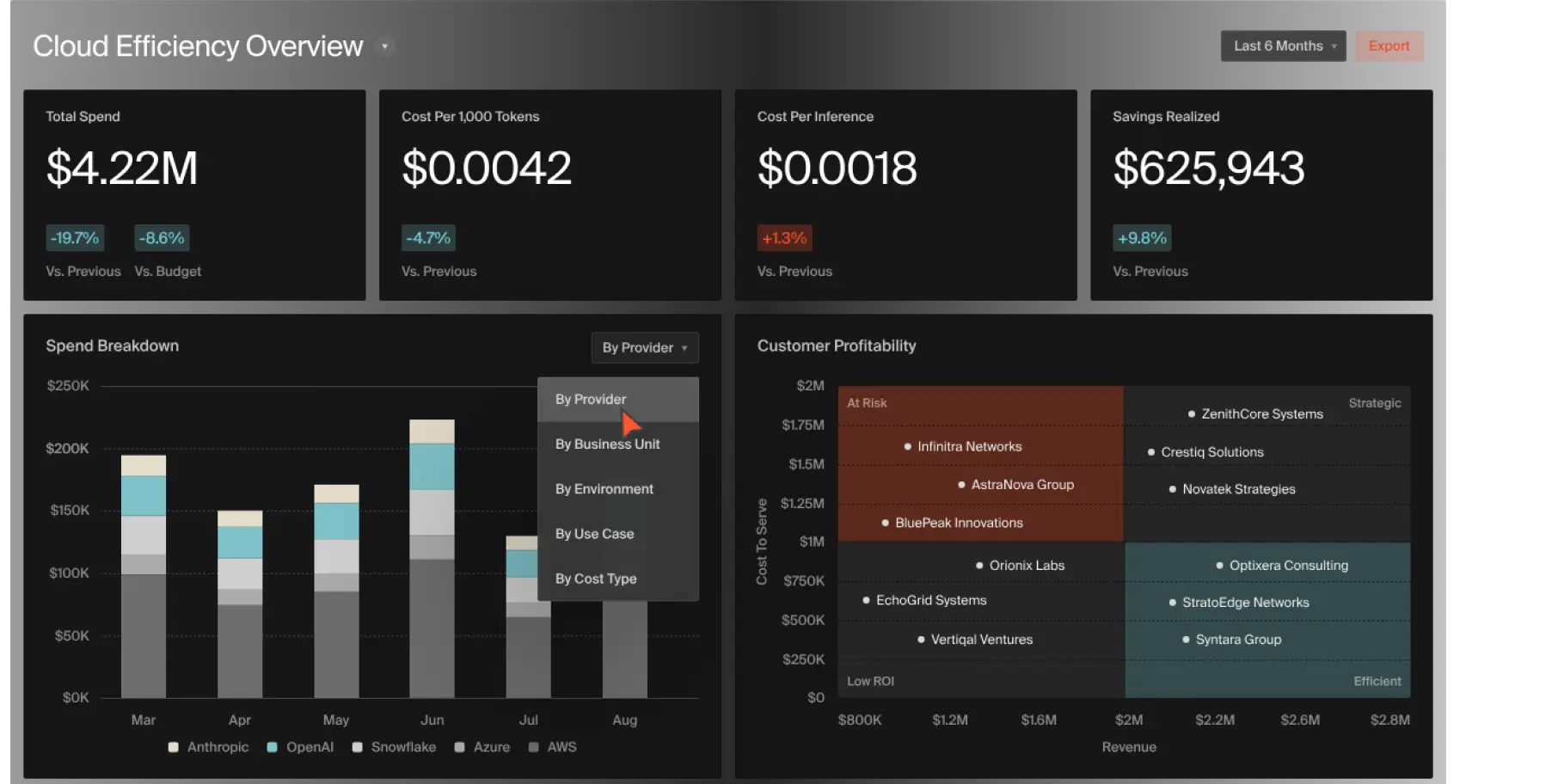
A cloud cost platform that focuses heavily on unit economics and engineering accountability.
It translates raw server costs into actual business metrics. Instead of showing you how much you spent on Compute Engine, it shows you how much you spent to support "Customer X" or "Feature Y."
How does it work? CloudZero connects your billing data to your application's telemetry data. It groups costs by specific product features or engineering teams. This bridges the communication gap between finance and engineering, allowing developers to see the direct financial impact of the code they write and deploy.
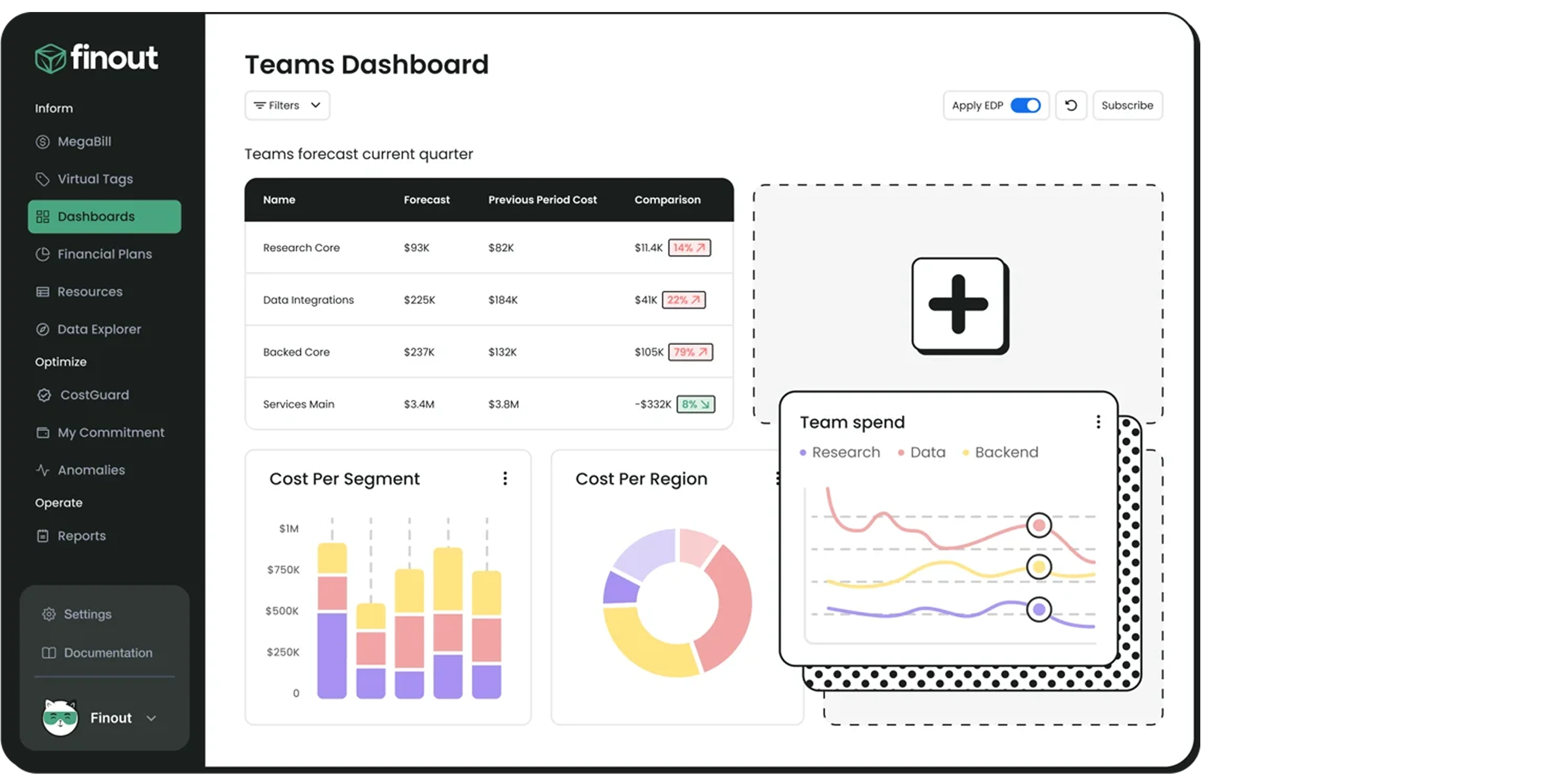
A FinOps tool that aggregates billing data from major cloud providers and third-party software tools into a single invoice called a "MegaBill."
It gives you total cost visibility across your entire technology stack, including external tools like Datadog and Snowflake, without forcing engineers to spend weeks manually tagging every resource.
How does it work? Finout pulls data via APIs and applies Virtual Tags. This allows your finance team to group and allocate costs to specific business units directly within the Finout dashboard. Your engineering team does not have to change their actual infrastructure code to make the financial reporting work.
Want to learn more? Check out- 13 GCP Cost Optimization Tools
Costimizer’s full-stack FinOps platform can transform how your team manages cloud expenses. Whether you are rightsizing compute instances or eliminating idle resources, Costimizer goes beyond basic visibility to actively identify, prioritize, and drive remediation.
It natively supports multi-cloud environments, integrates smoothly with your existing tools such as Jira and Slack, and leverages predictive machine learning to detect GCP cost anomalies before they affect your invoice.
Ready to cut down on manual audits and eliminate unexpected overruns? Try Costimizer to see how your team can manage the cloud smarter, save more, and focus on building great products.
The best method is to enable detailed billing exports to BigQuery and apply strict labels to your Vertex AI or Gemini API calls. This allows your finance team to write specific SQL queries that track costs down to exact GPU hours or token usage.
Splitting a shared Kubernetes bill requires mapping pod-level telemetry data back to your invoice using Kubernetes labels. Advanced FinOps tools automate this process by creating virtual tags that allocate precise CPU and memory costs to specific business units without changing your code.
Shift from showing engineers raw infrastructure bills to showing them unit economics, such as the cost to support one specific customer. You can use Costimizer to integrate automated cost alerts directly into the tools they already use, like Jira and Slack.
You might be paying early deletion fees or funding orphaned persistent disks. If you move or delete files from cold storage tiers (like Nearline or Coldline) before their minimum required storage duration ends, Google still charges you for the full duration.
You can start seeing savings immediately after setup. Within the first week, our platform identifies quick wins such as unattached disks, group-buying opportunities, and automated tagging fixes, often reducing bills by up to 20%.
Unlike basic reporting tools that just send an email, Costimizer actively drives remediation. It can automatically execute rightsizing, shut down idle resources on a set schedule, and create detailed Jira tickets for your engineers to approve.
Yes. Costimizer supports direct data exports to your data warehouse and to popular BI tools such as Power BI and Tableau. This allows your finance team to build custom, boardroom-ready reports using clean, normalized multi-cloud data.
Absolutely. Costimizer relies on strict Role-Based Access Control (RBAC), so team members only see the specific data relevant to their exact role. The platform is secure by design and built to align with major compliance standards like SOC 2, ISO 27001, and GDPR.
•
CFO•
Articles