


Before you buy expensive third-party software, you need to know if the free tools provided by your cloud host can stop this financial leak. Amazon Web Services (AWS) offers AWS Cost Explorer. Microsoft provides Azure Cost Management and Billing. Both promise to show you where your money goes.
But which tool actually helps you cut costs?
In this blog we break down the exact differences, the hidden fees they expose, and the limits that frustrate engineering teams. We will help you choose the right system for your business.
Key Takeaways:
AWS and Azure built their billing tools with completely different mindsets. Understanding this difference will help you figure out which tool matches your company's management style.
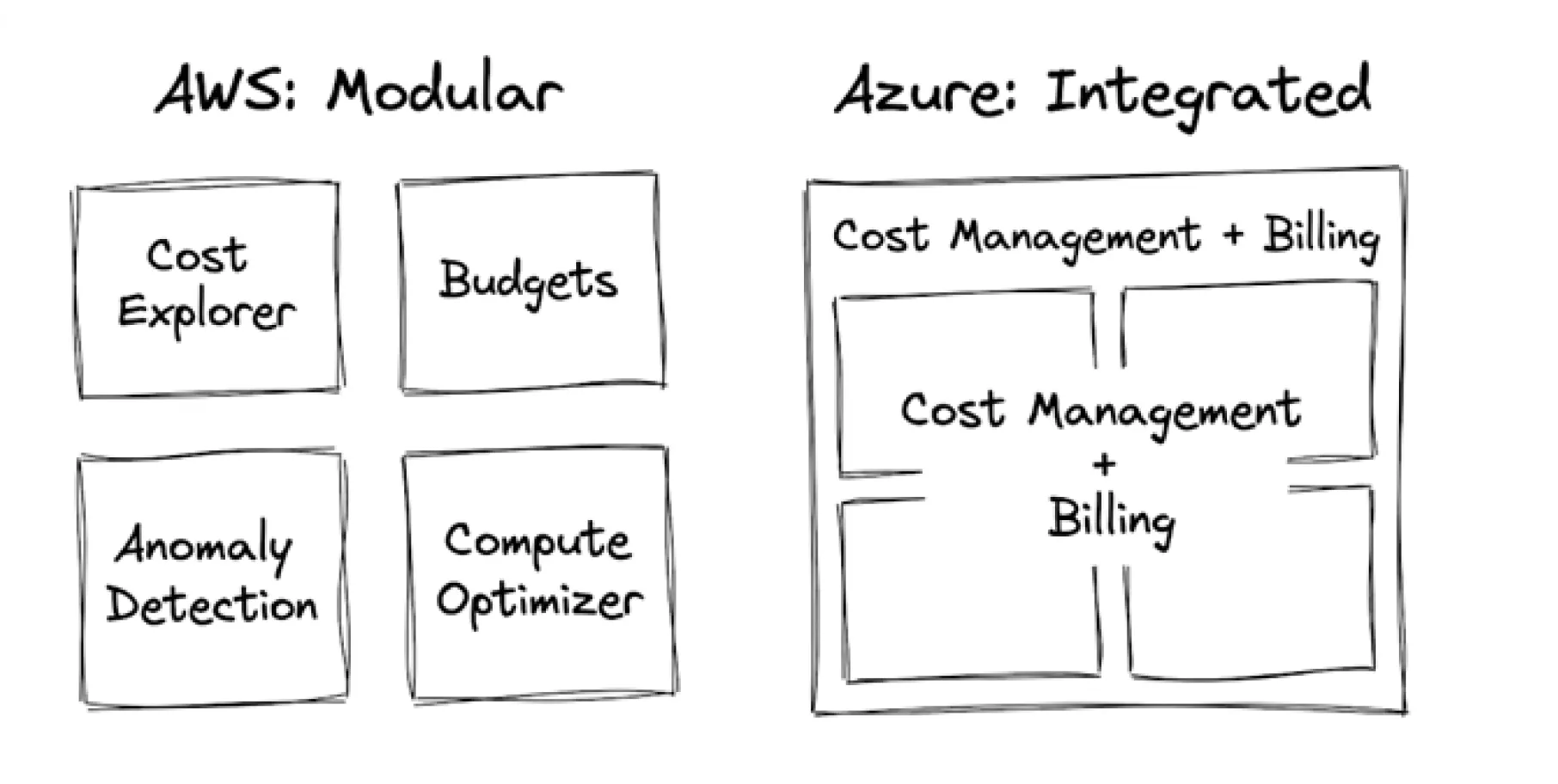
AWS treats cost management like a toolbox. Instead of giving you one massive dashboard, they give you separate, specialised tools for different jobs.
This modular setup gives you highly specific tools. The downside is that your team has to jump between different screens to get a complete picture of your finances.
Microsoft took the opposite approach. Azure Cost Management + Billing is designed as a single, unified control panel. You can view your invoice, check your resource usage, set up budget alerts, and see optimization recommendations all in one place.
For CXOs who want a quick summary without clicking through five different menus, Azure’s single pane of glass is much easier to navigate.
The way these providers calculate your bill also affects how these tools report data. AWS relies heavily on hyper-granular, per-second billing for services like Amazon EC2.
This is excellent if your software creates hundreds of short-lived tasks that run for a few seconds and then shut down.
Azure traditionally leaned on per-minute billing, though they have expanded per-second billing to compete.
AWS generally provides more precise fractional-second data natively, which heavily technical teams prefer for micro-optimizations.
To decide which tool is better for your business, we need to compare how they perform on the tasks that actually save you money.
Here is how the core capabilities compare for enterprise decision-makers:
Decision Factor | AWS Cost Explorer & Budgets | Azure Cost Management & Billing |
Data Granularity | Per-second billing. Highly precise for micro-workloads. | Per-minute billing natively. |
Historical Data | Up to 14 months of history natively. | Highly customizable retention depending on storage. |
Business Integration | Requires custom data pipelines (Amazon Athena + QuickSight). | Native, seamless integration with Power BI. |
Automated Actions | Strong execution. Can automatically shut down resources via scripts. | Strong governance. Granular budget alerts via Resource Groups. |
Spike Detection | Standard ML models analyzing daily usage patterns. | "WaveNet" deep learning algorithm utilizing a 60-day window. |
CXOs need to see the cost per customer. This requires merging cloud bills with revenue data.
AWS Cost Explorer: AWS provides up to 14 months of historical data. It relies entirely on "Cost Allocation Tags" applied by your engineers. If an engineer forgets to tag a server, that cost becomes invisible in your reports.
Furthermore, to merge AWS costs with your sales data, you must build a custom pipeline exporting Cost and Usage Reports (CUR) into Amazon Athena and visualizing it in Amazon QuickSight.
Azure Cost Management: Azure holds a massive advantage for finance teams: native Power BI integration. You can directly import your daily sales numbers from your accounting software and line them up next to your Azure hosting costs.
This allows a CFO to instantly calculate the exact cost per transaction without asking engineers to build custom databases.
Knowing you overspent after the fact is useless. You need active controls that stop the bleeding immediately.
AWS Budgets: AWS excels at automated execution. You can set a strict rule: "If the testing team spends more than $500 this month, automatically trigger a script that shuts down all their servers."
This hard enforcement is highly effective at stopping runaway bills caused by abandoned test environments.
Azure Cost Management: Azure focuses heavily on organizational alignment and structure. It allows you to assign highly specific budgets directly to "Resource Groups" (logical containers for related services).
This makes it very simple to hand a distinct $2,000 monthly budget to a specific department head and track their adherence perfectly, matching the way traditional corporate finance operates.
Catching a billing error can save thousands of dollars. Both platforms use machine learning to predict costs, but their methods differ.
AWS Anomaly Detection: AWS monitors your daily usage patterns. If a developer accidentally launches ten massive database servers, the system flags the unusual spending and sends an email or Slack alert.
Azure Anomaly Detection: Azure is highly precise in this area. It leverages a specific deep learning algorithm called "WaveNet". This algorithm analyzes a 60-day usage window to establish your normal business cycles. It is exceptionally accurate at telling the difference between a normal seasonal traffic spike (like an end-of-month reporting run) and a genuine configuration error that will cost you money.
Both providers offer steep discounts if you commit to using their services long-term. Choosing the right discount plan is the fastest way to cut your bill.
AWS Savings Plans and Reserved Instances (RIs): If you know you will need a certain amount of computing power for the next one to three years, AWS offers Reserved Instances (RIs) and Savings Plans. By committing upfront, you can save up to 72% compared to normal, pay-as-you-go prices
AWS also offers Amazon EC2 Spot Instances. These are spare servers AWS rents out at a 90% discount, but AWS can turn them off with a two-minute warning. They are perfect for background tasks that can handle interruptions.
Azure Reservations and Spot VMs: Azure offers similar 1-year and 3-year Reservations. They also offer Azure Spot VMs for temporary, fault-tolerant work. Functionally, the standard discount models between the two providers are very similar.
Here is where Azure often wins the pricing war for established businesses. If your company already pays for Microsoft software licenses in your physical office, Azure rewards you heavily.
This is called the Azure Hybrid Benefit (AHB). It uses a Bring Your Own License (BYOL) model. If you have an existing Enterprise Agreement for Windows Server or SQL Server, you can apply those licenses to your Azure cloud servers.
Hosting a Windows Server on AWS means paying for the server plus the Microsoft license fee. Hosting that same server on Azure using AHB removes the license fee entirely.
This single benefit can drastically reduce your Azure costs compared to migrating those exact same workloads to AWS, sometimes saving companies up to 85%.
Cloud providers advertise cheap storage and cheap servers. They rarely advertise the hidden fees that can double your bill. A good cost management tool must help you find these three specific leaks.
Also Read: Azure Cosmos DB Pricing
Uploading data to the cloud is usually free. Taking data out of the cloud to the public internet is incredibly expensive. These are called Data Egress Fees. Both AWS and Azure charge roughly $0.08 to $0.09 per gigabyte for outbound data.
If your application streams video or serves large image files to customers, egress fees will shock you. Native tools track this, but you must know how to filter your reports specifically for "Data Transfer Out" to see the actual damage.
Modern software is built across different physical data centres (Availability Zones, or AZs) so that if one building loses power, the software stays online. However, cloud providers charge you every time data moves between these buildings.
If your database is in Zone A and your web server is in Zone B, they constantly talk to each other. This silent, internal chatter racks up massive networking bills.
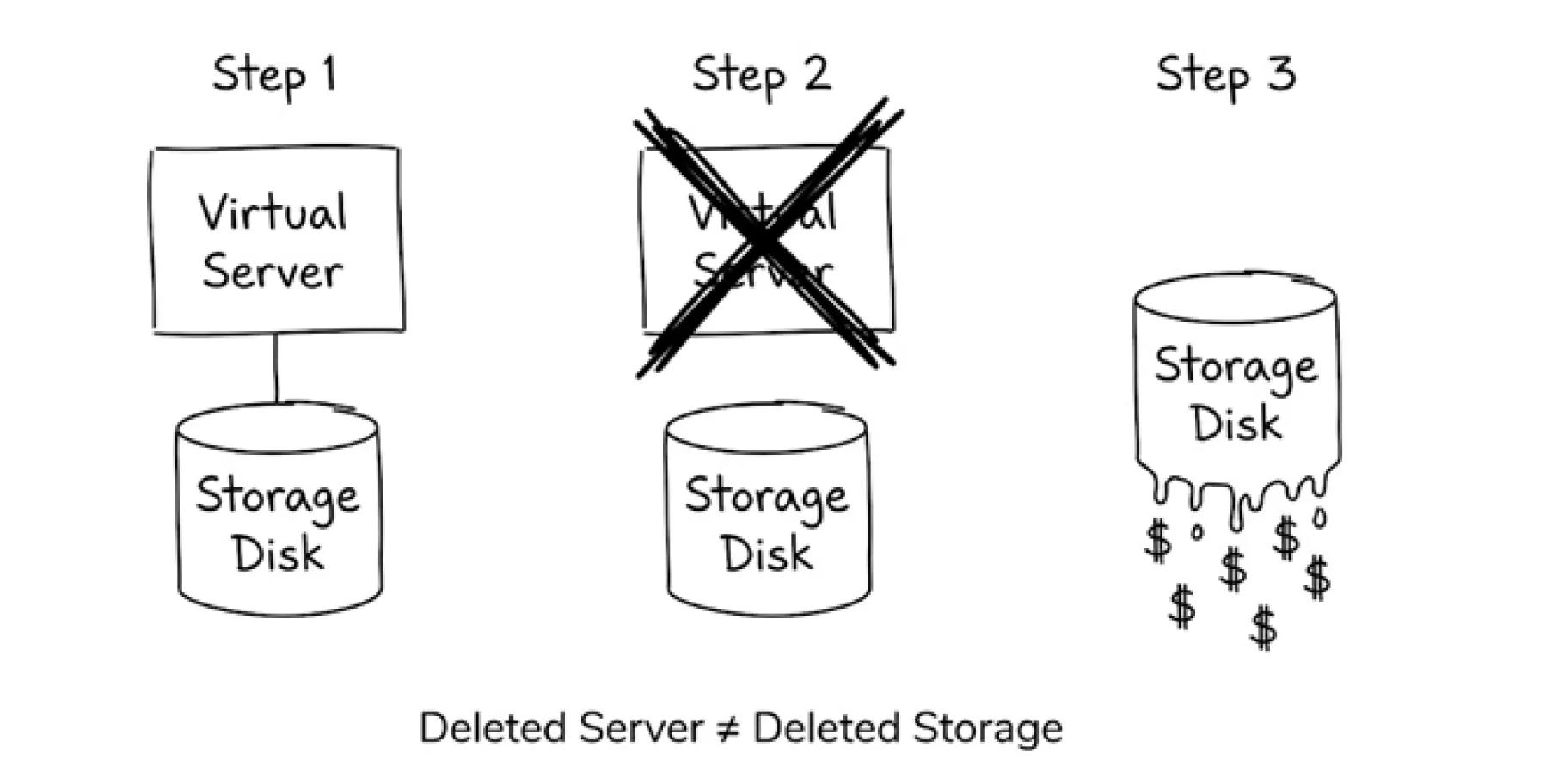
A common mistake is deleting a virtual server but forgetting to delete the hard drive attached to it. AWS calls these unattached Amazon EBS volumes; Azure calls them unattached Managed Disks. You continue paying monthly for these phantom disks.
Another trap is the NAT Gateway, a networking tool that charges you an hourly fee plus a fee for every gigabyte of data processed. Many companies leave these running in empty testing environments.
Official documentation makes native tools sound perfect. Those engineers working on this tell a different story. These are the complaints about the limitations of both AWS Cost Explorer and Azure Cost Management.
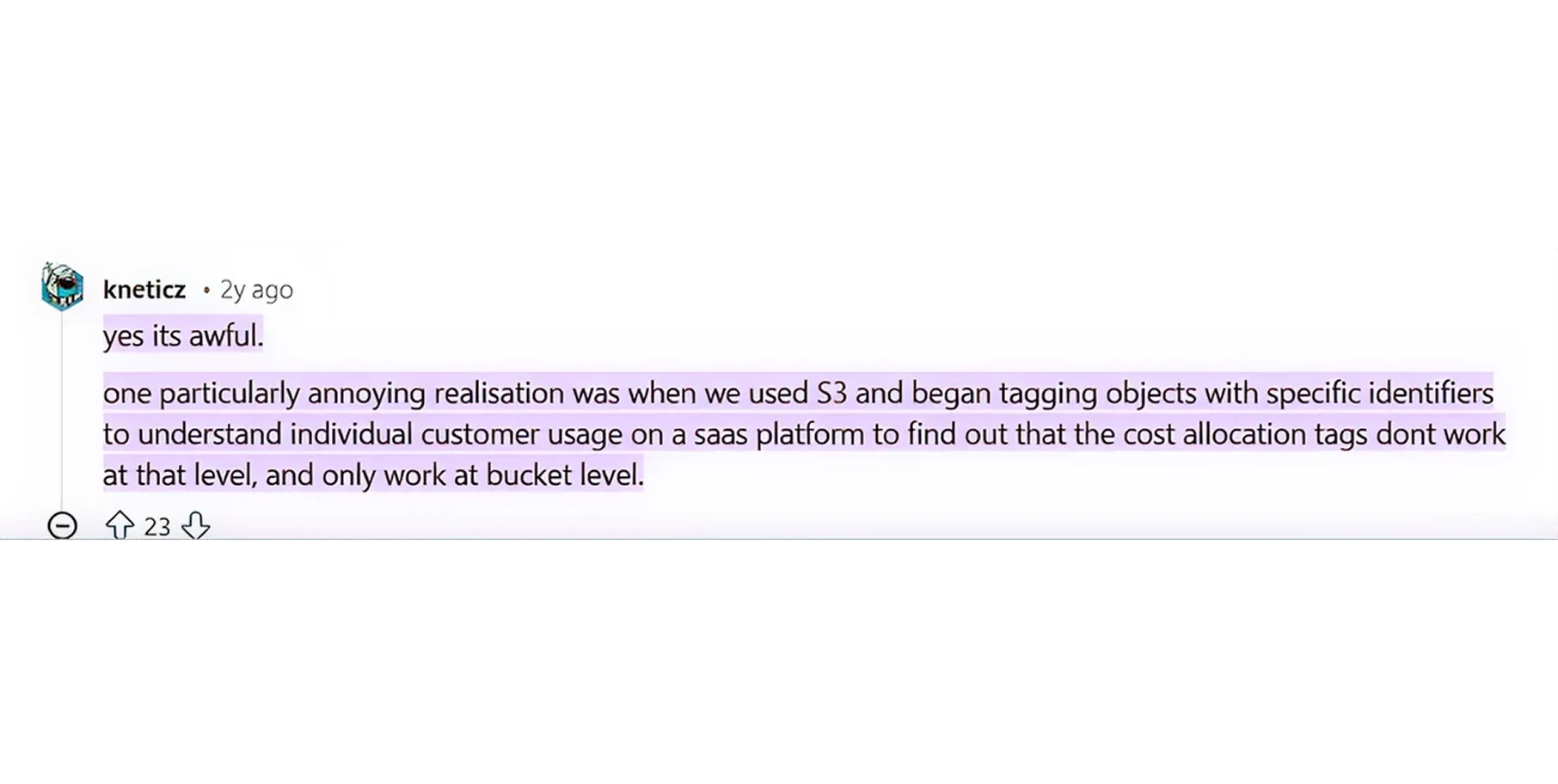
Amazon S3 is the main storage service in AWS. Engineers try to use Cost Allocation Tags to see exactly which files are costing the most money. However, AWS Cost Explorer only allows you to tag the main storage "bucket".
You cannot tag the individual files (objects) inside the bucket. If one specific file is driving up your costs, AWS Cost Explorer cannot easily tell you which one it is.
CXOs constantly need to compare spending between two specific dates. Historically, the user experience in AWS Cost Explorer makes this difficult. Comparing custom time ranges for specific tags often requires tedious manual work or exporting data to spreadsheets.
Because native dashboards have limits, technical teams build workarounds. FinOps practitioners often bypass the AWS user interface completely.
They export raw, massive billing files called AWS Cost and Usage Reports (CUR).
They send these files to Amazon S3, search through them using a tool called Amazon Athena, and build their own custom charts using the open-source Cost Intelligence Dashboards (CUDOS).
This requires heavy technical effort just to see basic billing facts.
Very few companies use just one cloud today. You might have your main website on AWS, but use Azure because of your Microsoft Office integration.
Multi-Cloud Reality: If you use both, AWS Cost Explorer and Azure Cost Management become highly frustrating. AWS wants to show you AWS data. Azure wants to show you Azure data. You are forced to download spreadsheets from both systems and manually combine them to figure out your total company IT spend.
Chargeback Problem: CXOs want to practice "Chargeback", the ability to send an exact IT bill to the Marketing department and a separate exact bill to the Sales department.
When workloads spread across multiple cloud providers, calculating accurate unit economics using native, single-platform tools is nearly impossible.
Native tools are free and provide an excellent starting point. However, your company will eventually outgrow them.
You will reach a breaking point when:
When this happens, it is time to invest in dedicated azure cost optimization tools and FinOps platforms.
Top Alternatives to Consider:
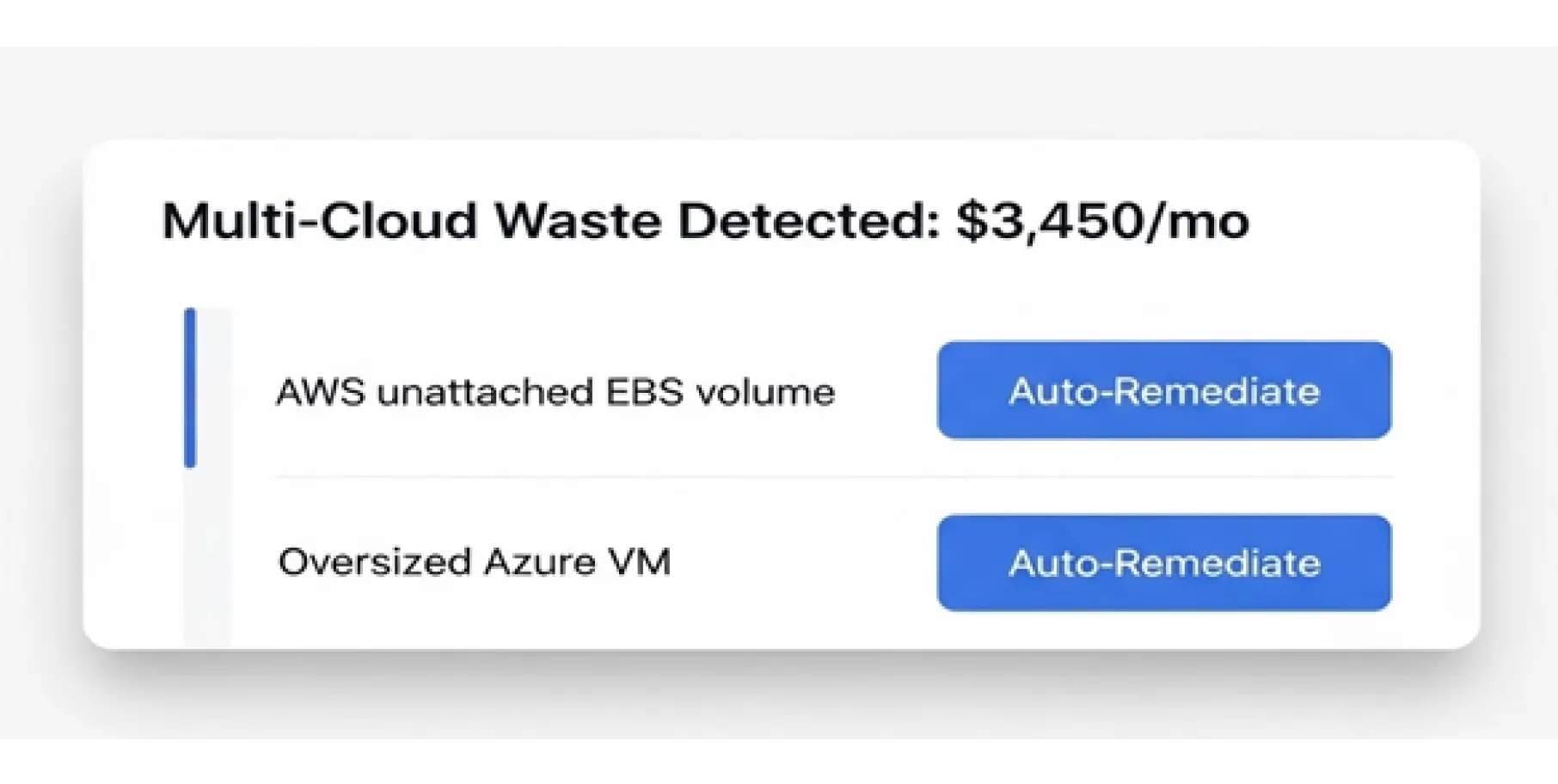
There is no single winner; it depends entirely on your current setup.
If your business relies heavily on Microsoft products, runs Windows Servers, and uses Power BI for business reporting, Azure Cost Management is the clear winner. The Azure Hybrid Benefit will save you massive amounts of money.
If your team builds highly customized, fast-moving applications and needs hyper-granular data to trigger automated shutdown scripts, AWS Cost Explorer (combined with AWS Budgets) is the superior choice.
However, if you want to stop staring at charts and start automatically reducing your cloud bill, native tools are not enough.
Take the next step today. Connect your cloud accounts with Costimizer in 60 seconds and let Agentic AI automatically find and fix your most expensive cloud leaks.
While native tools are free, they require significant manual effort to configure, maintain tagging rules, and build custom dashboards. Without a dedicated cloud finance expert, most companies only use these tools reactively after their bill has already spiked.
Free native tools ultimately cost you expensive engineering hours and result in missed savings due to human delay. Costimizer pays for itself by catching real-time spending anomalies and executing automated infrastructure cleanups that cut the average enterprise cloud bill by up to 30%.
No, native cloud provider tools act strictly as passive advisors that offer recommendations based on your historical usage. Your engineering team must still manually review the data, schedule the necessary downtime, and execute the server resizing themselves.
Because the platform uses AI to scan your entire AWS, Azure, and GCP footprint simultaneously, it identifies major architectural waste within minutes of connecting via read-only access. Most companies execute cleanups and see a tangible reduction in their daily run rate in under 48 hours.
Third-party platforms must pull your billing data via cloud provider APIs, which carries a microscopic data transfer cost. However, the 20% to 30% reduction in overall cloud waste vastly outweighs these fractions of a cent, delivering an immediate net-positive return on investment.
Native tools only bill you for the underlying virtual machine, ignoring the individual pods or namespaces sharing that server. To get accurate unit economics for containerized applications, you must use a specialized tracking platform that intercepts metrics directly at the cluster level.
Unlike native tools that simply generate a list of suggestions for your engineers to handle, Costimizer acts as an autonomous FinOps engineer. It actively executes rightsizing, safely parks idle testing resources, and cleans up unattached storage on your behalf.
Absolutely. You retain complete authority by defining strict operational guardrails. You can start the platform in "recommendation-only" mode and progressively allow it to automate low-risk tasks, like turning off development servers on weekends, as you build trust.
•
DevOps Engineer•
Articles

















