Industry data shows that 82% of companies report their cloud bills are higher than expected. You review your monthly expenses, and the Microsoft Azure bill stands out. It is massive, unpredictable, and full of line items that no one in your office can clearly explain. You are losing money on servers that sit idle, databases that are too large, and discounts you forgot to claim.
You need a way to stop this financial leak. An Azure cost optimization tool acts as a financial guardrail. It shows you exactly who is spending your money and automatically turns off the waste. In this blog, we break down the 13 best native and third-party tools to help you turn your cloud bill into a predictable, controlled expense.
60-Second Summary:-
Azure Cost Management is the process of tracking your cloud spending to see which projects or departments are using your budget. However, tracking your spend is very different from optimizing it. Cost management gives you visibility. Cost optimization takes action to actually reduce the bill, such as resizing servers or shutting down idle test environments.
Why You Need a Dedicated Tool: You cannot effectively control Azure costs using spreadsheets or manual reviews. A dedicated tool is required for three specific reasons:
Before you buy software, you must know what actually drives financial return. What should you look for?
Tool Name | Best For (Persona) | Multi-Cloud Support | Key Differentiator | Pricing Model |
Costimizer.ai | CTOs & Finance Leaders | Yes (AWS, Azure, GCP and more) | Agentic AI that automatically executes fixes. | Flat SaaS (No Vendor Trap) |
Turbo360 | Managed Service Providers | No (Azure Only) | Deep native Azure integration and business tracking. | Flat Tiered Pricing |
ProsperOps | CloudOps Teams | Yes | Autonomous discount and Reserved Instance management. | Percentage of Savings |
CloudZero | Engineering & Product | Yes | Deep unit economics and cost-per-feature tracking. | Custom SaaS |
CAST AI | Kubernetes Teams | Yes | Automated pod scaling and node rightsizing. | Savings Percentage |
Ternary | Multi-Cloud FinOps | Yes | High collaboration and FOCUS standard compliance. | Tiered SaaS |
Sedai | SREs & DevOps | Yes | Self-driving performance and scaling automation. | Usage/Custom |
CloudHealth | Legacy Enterprises | Yes | Strict, heavy-duty corporate governance and auditing. | Percentage of Spend |
Native tools are a great start, but scaling businesses need third-party platforms to automate the heavy lifting. Here is the breakdown.
Most platforms just report your waste. Costimizer is an Agentic AI platform that actually fixes it.
It integrates perfectly with the Azure Resource Manager (ARM). It features real-time anomaly detection to catch spikes instantly. Instead of giving your engineers a list of chores, Costimizer uses automated rightsizing to shrink oversized servers safely. It also helps you maximize the Azure Hybrid Benefit.
Benefit for You: You stop paying for cloud waste. Your engineers spend time building products, not manually turning off servers. Furthermore, Costimizer avoids the "vendor trap", they do not take a cut of your savings.
Limitation: Being a new, high-tech platform, it may not support some advanced use cases yet. However, it offers a free trial, dedicated onboarding support, and quickly adds advanced features as needed.
Best For: CXOs, CloudOps, and Finance teams who want automatic execution, not just passive charts.
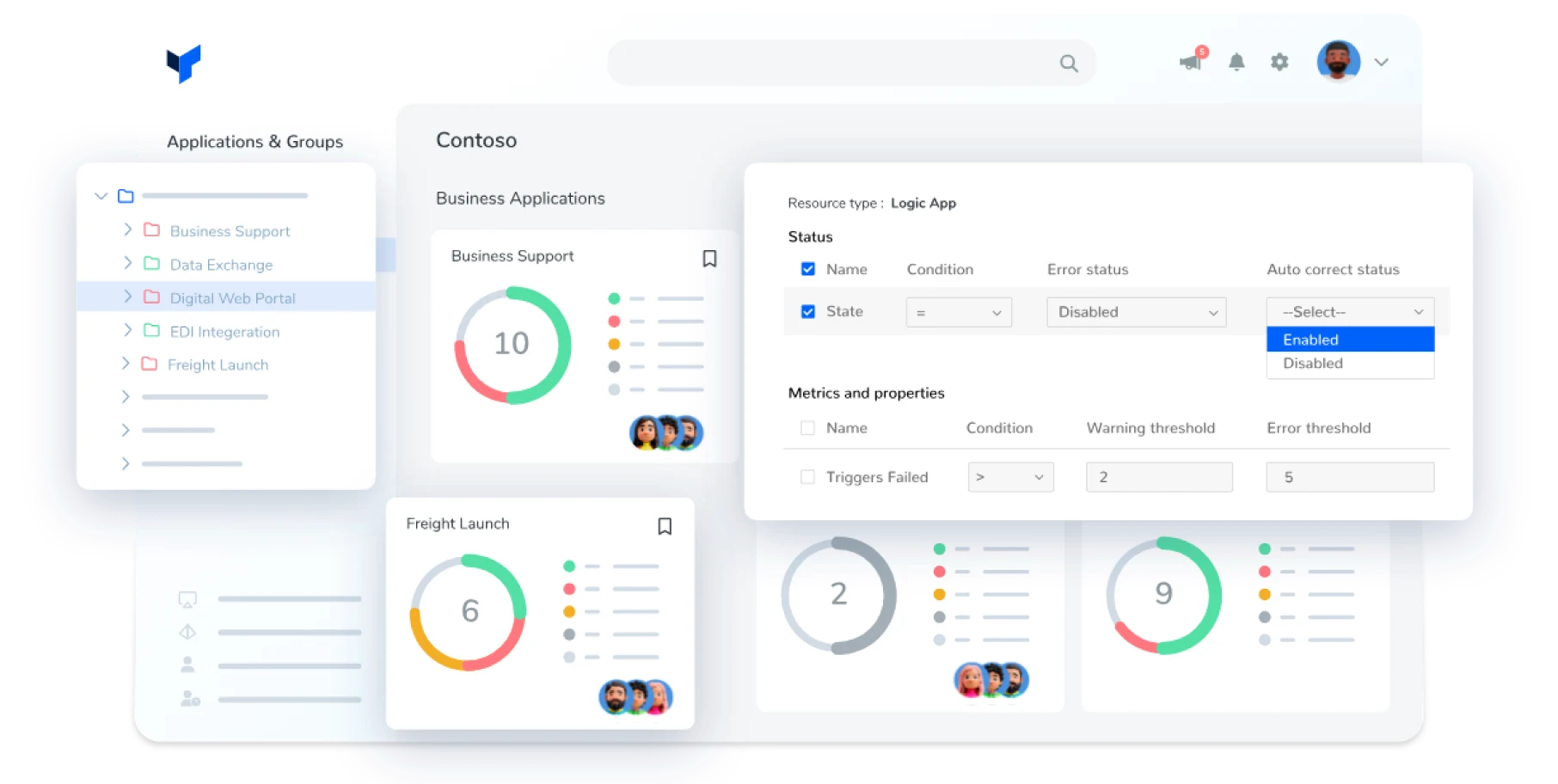
If your entire business runs exclusively on Microsoft, Turbo360 is a strong contender. It offers deep, native integration specifically built for Azure. It excels at grouping resources by business unit and provides excellent technical documentation features.
Benefit for You: It tracks critical workflows effortlessly. If a specific process breaks or costs spike, you know exactly which department is responsible.
Limitation: It does not support multi-cloud environments (like AWS or Google Cloud).
Best For: Managed Service Providers (MSPs) and businesses strictly using Azure.
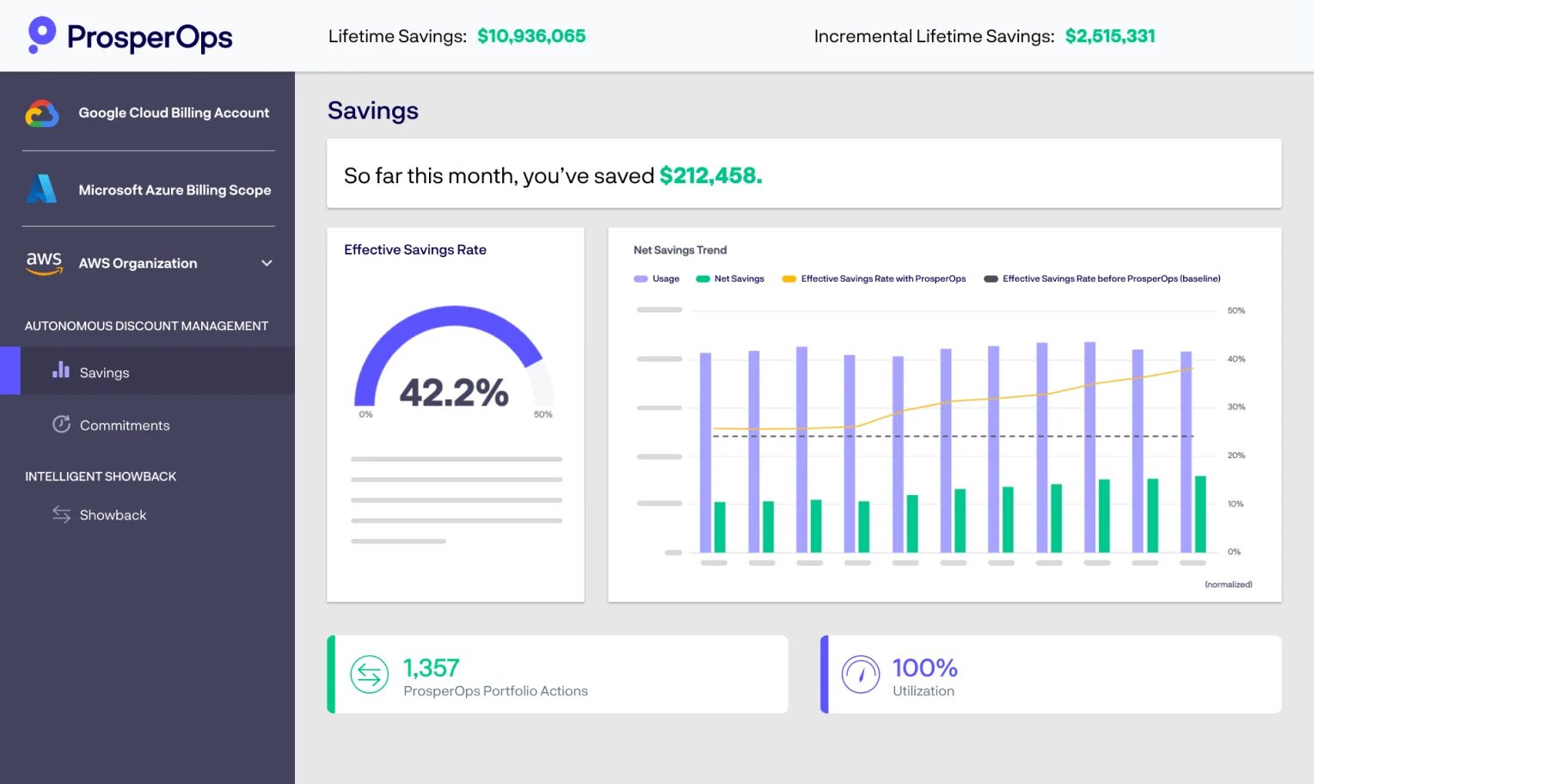
ProsperOps focuses purely on the financial engineering of cloud discounts. It manages Reserved Instances (RIs) and Savings Plans automatically. It tracks your Effective Savings Rate (ESR) and ensures your Commitment Lock-In Risk stays low
Benefit for You: You get the highest possible discount from Microsoft without fearing that you are locked into a 3-year contract for servers you might not need next year.
Limitation: It focuses heavily on rate optimization (discounts) rather than turning off idle infrastructure.
Best For: Finance teams managing massive baseline cloud usage.
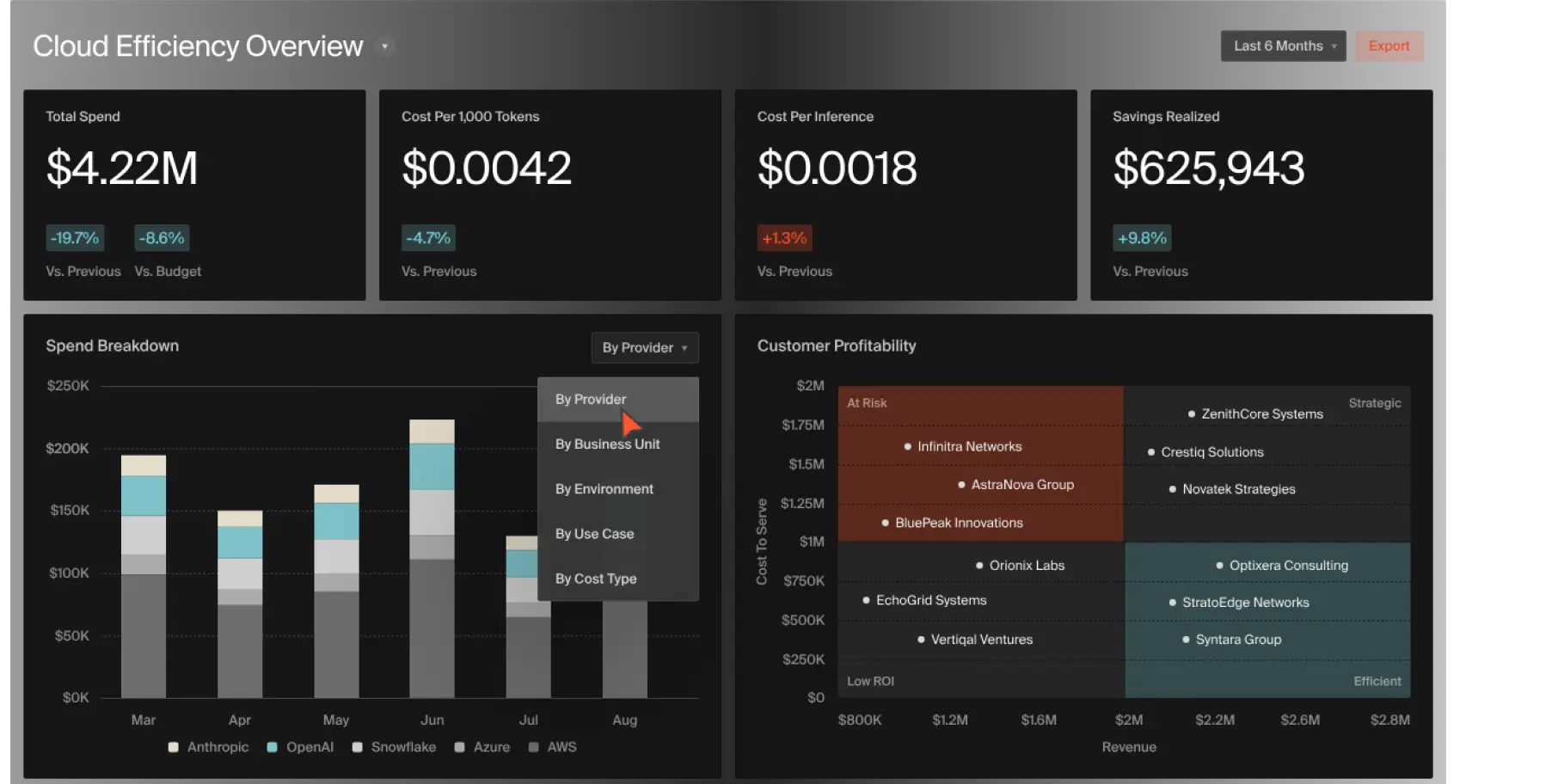
CloudZero connects engineering decisions to business outcomes. It tracks Unit Economics. It can tell you the exact cost of a specific software feature, or how much you spend to support one specific client.
Benefit for You: You can align your engineering team with your finance team so both can understand what’s going on so they speak the same language.
Limitation: The setup requires deep integration into your application data to get accurate unit metrics.
Best For: Product managers and SaaS companies needing precise margin tracking.

Kubernetes is a complex system for managing applications, and it is notoriously hard to budget. CAST AI specializes here. It automates containerized workloads. It scales pods up and down instantly and resizes nodes automatically based on actual traffic.
Benefit for You: If your traffic spikes, the system scales up so your site does not crash. When traffic drops, it scales down instantly so you do not pay for empty space.
Limitation: It is highly specialized for Kubernetes. If you use standard Virtual Machines, this is not the right tool.
Best For: Advanced engineering teams running heavy container workloads on AKS.
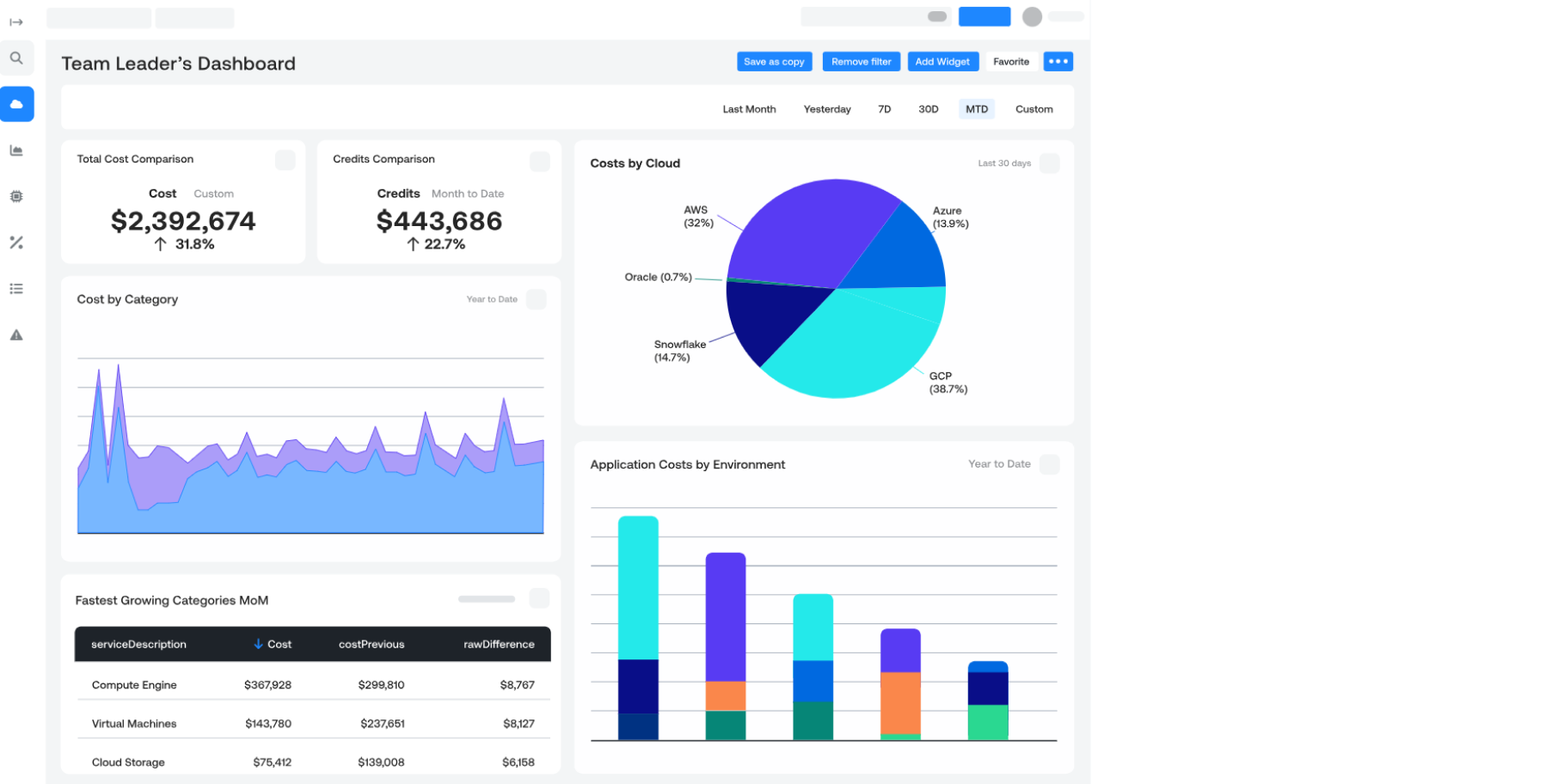
Ternary is built specifically for the FinOps (Financial Operations) framework. It offers strong collaboration features for multi-cloud setups. It introduces concepts like Gamification to engage engineers and GreenOps to track carbon output alongside costs.
Benefit for You: It brings your finance and engineering teams into one shared space, making cost control a team effort rather than a finance mandate.
Limitation: Can be overwhelming for smaller teams that just want a simple cost breakdown.
Best For: Global enterprises with dedicated FinOps teams managing AWS, Azure, and GCP simultaneously.
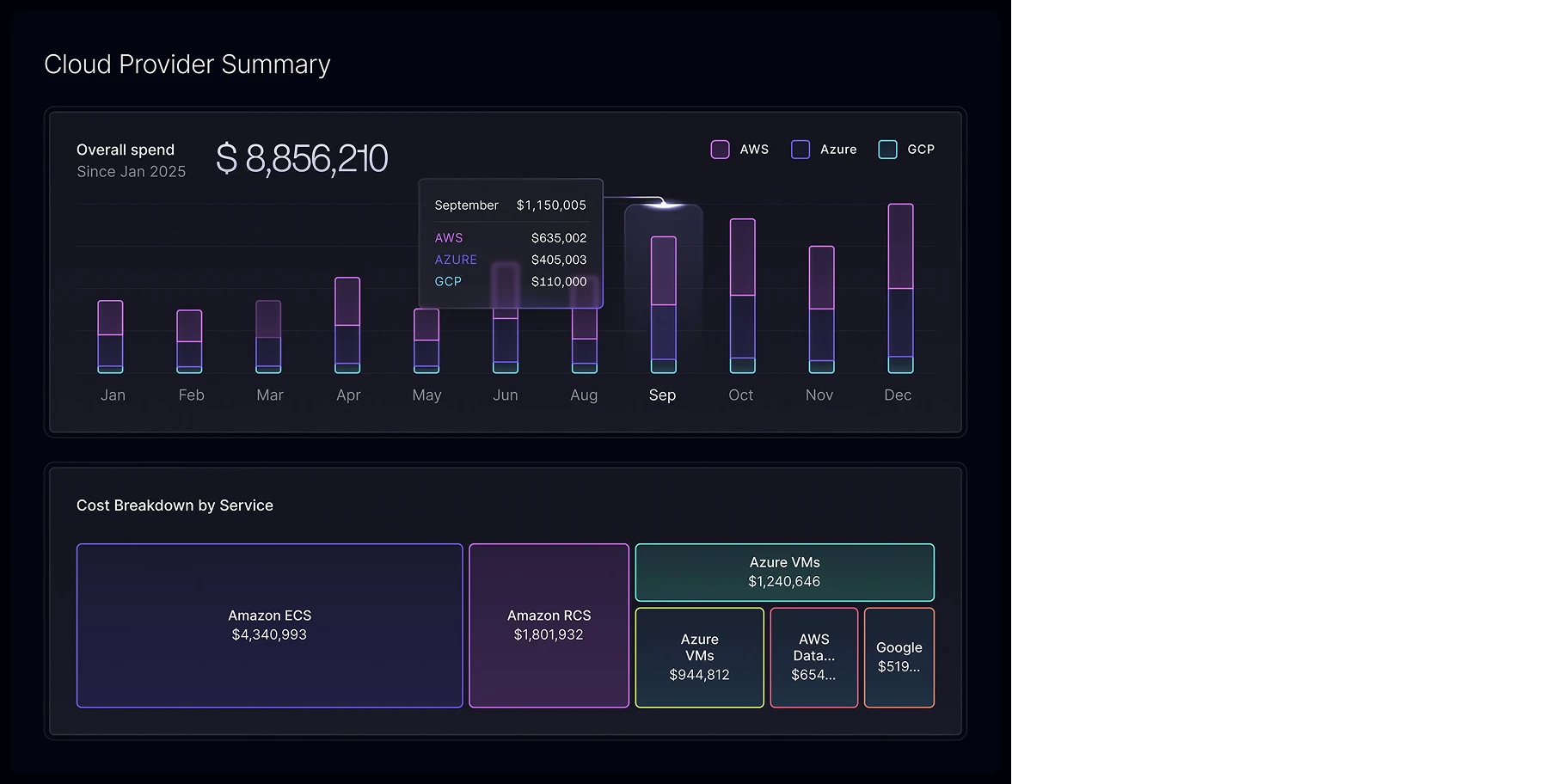
Sedai pushes heavily into AI-driven, hands-free management. It is an autonomous cloud platform that optimizes performance and cost in real-time. It monitors application health and safely adjusts resource limits without human intervention.
Benefit for You: You get a self-driving cloud. The AI handles the daily adjustments, ensuring you never over-provision your servers just to feel safe.
Limitation: Handing total control over to an AI black box can make compliance and security teams nervous.
Best For: SREs (Site Reliability Engineers) looking to automate scaling tasks entirely.
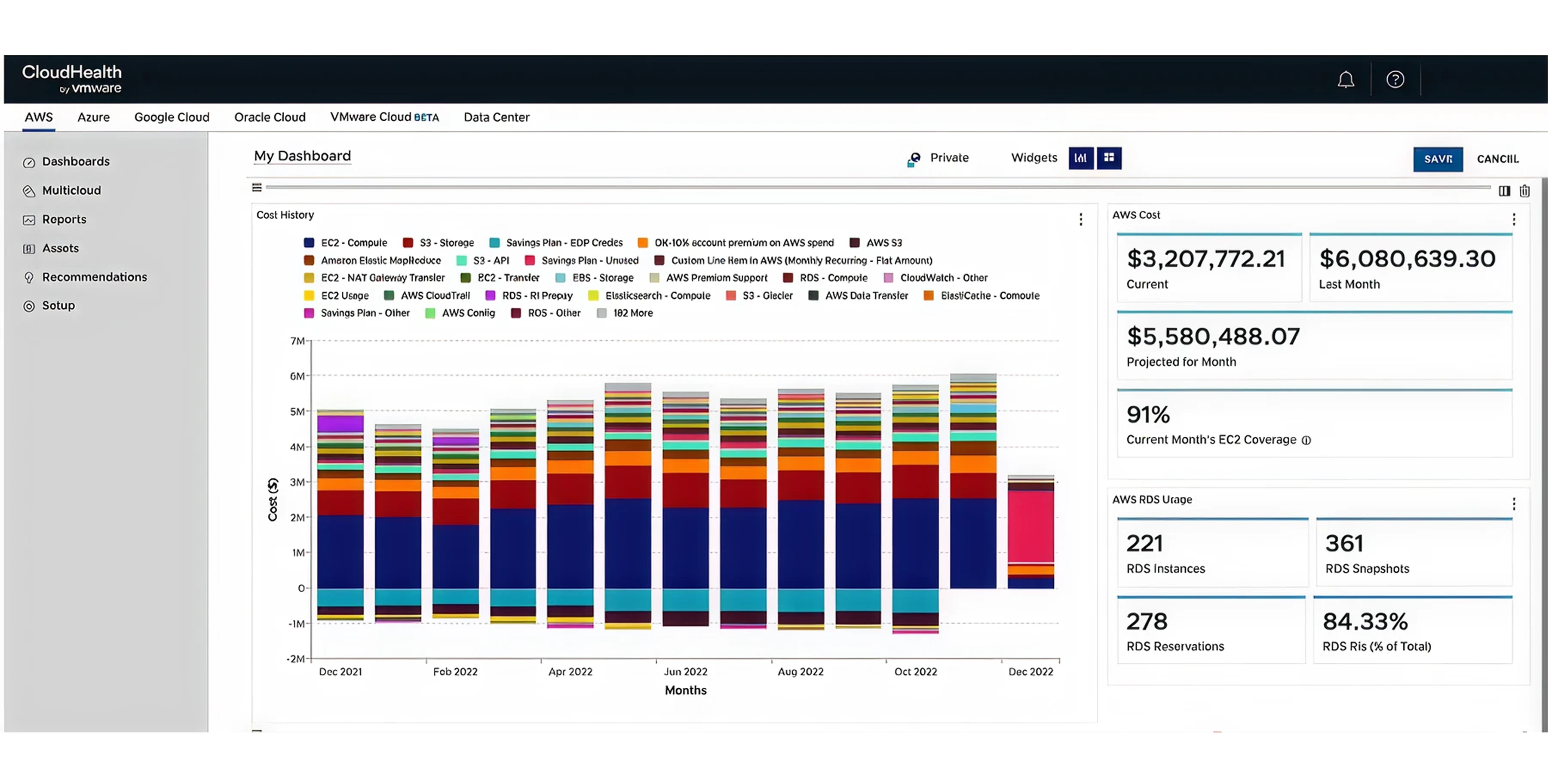
CloudHealth is the traditional, heavy-duty giant of the industry. It offers strict cost allocation, deep compliance tracking, and massive enterprise reporting structures.
Benefit for You: If you are a massive, slow-moving corporation with hundreds of departments, this tool enforces strict budgets and governance policies across the board.
Limitation: The user interface feels dated, and it is generally slow to implement.
Best For: Fortune 500 companies with legacy compliance requirements.
Before paying for external software, you should understand the free tools Microsoft already gives you.
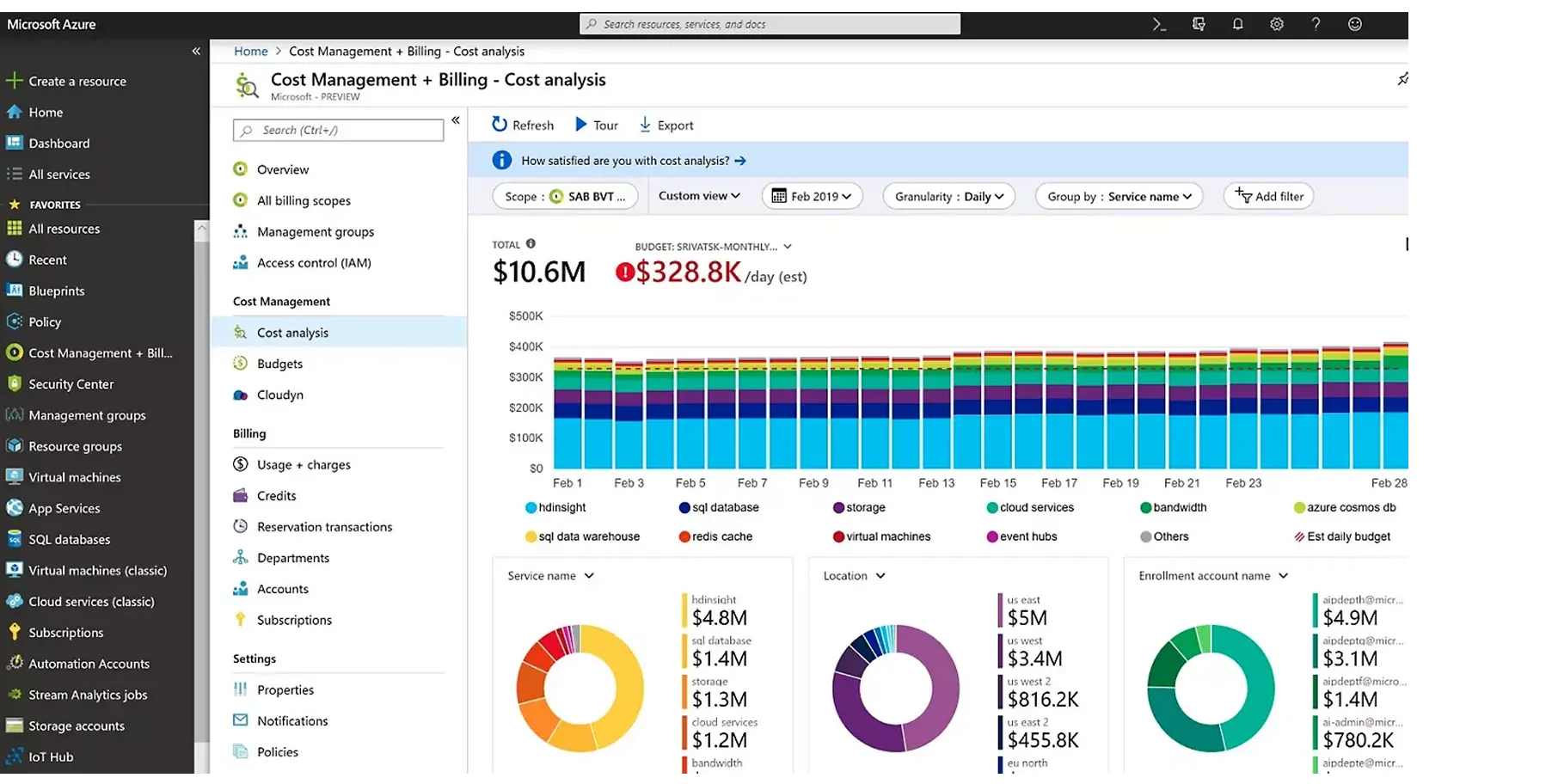
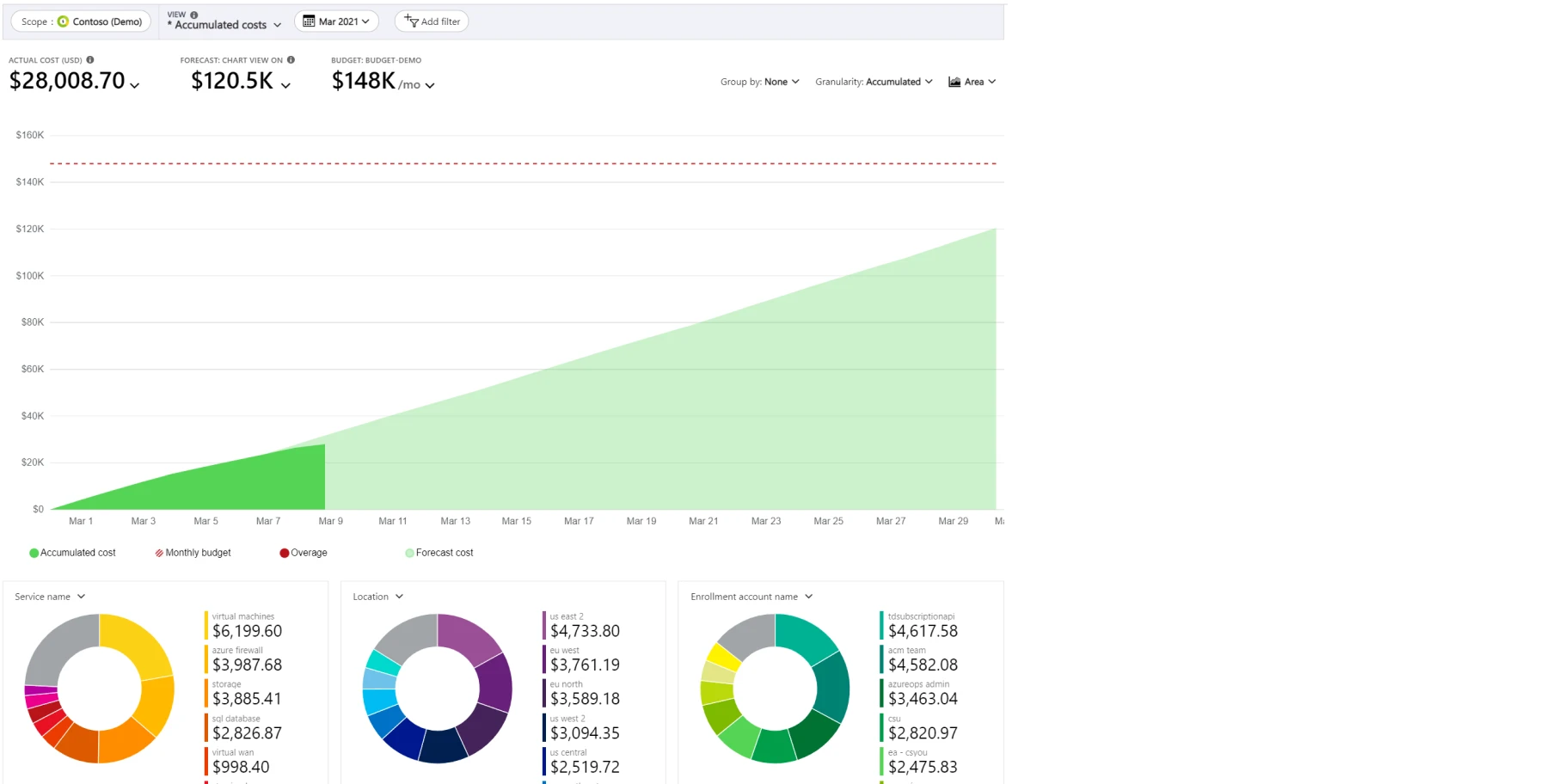
This is the foundational suite. It tracks spend across your Subscriptions and Management Groups, showing a basic breakdown of your monthly invoice.
Benefit for You: It gives you a high-level view of your bill at no extra cost.
Limitation: It is like a rearview mirror. It shows what you spent last month, but rarely helps you act in real-time.
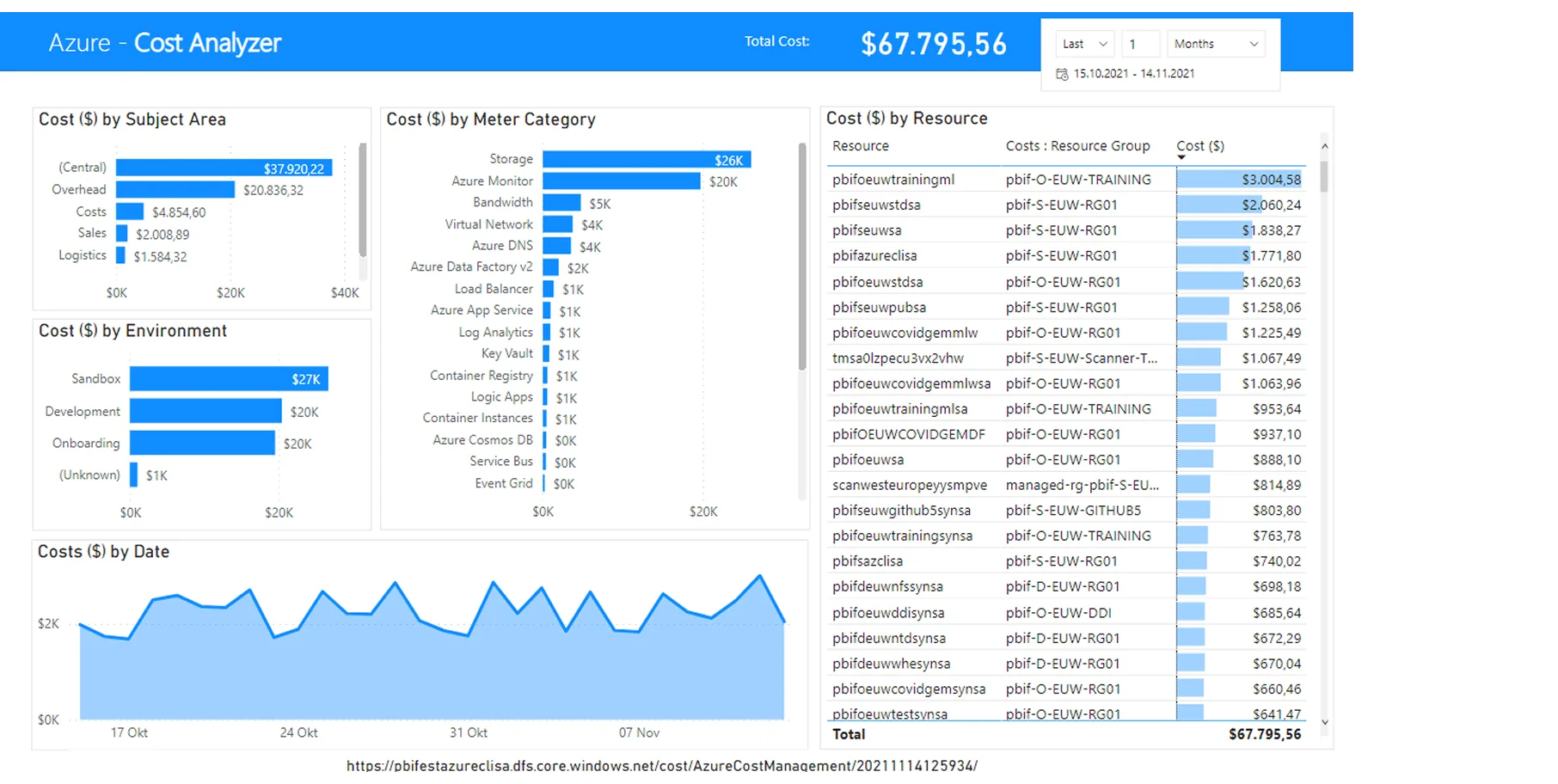
For teams that love data modeling. It allows granular slicing of your billing data using Tags and dimensions. You can export this data into Power BI to build custom dashboards.
Benefit for You: Your finance team can build exact reports tailored to your company's specific needs.
Limitation: It requires a dedicated data analyst to build and maintain the Power BI dashboards.
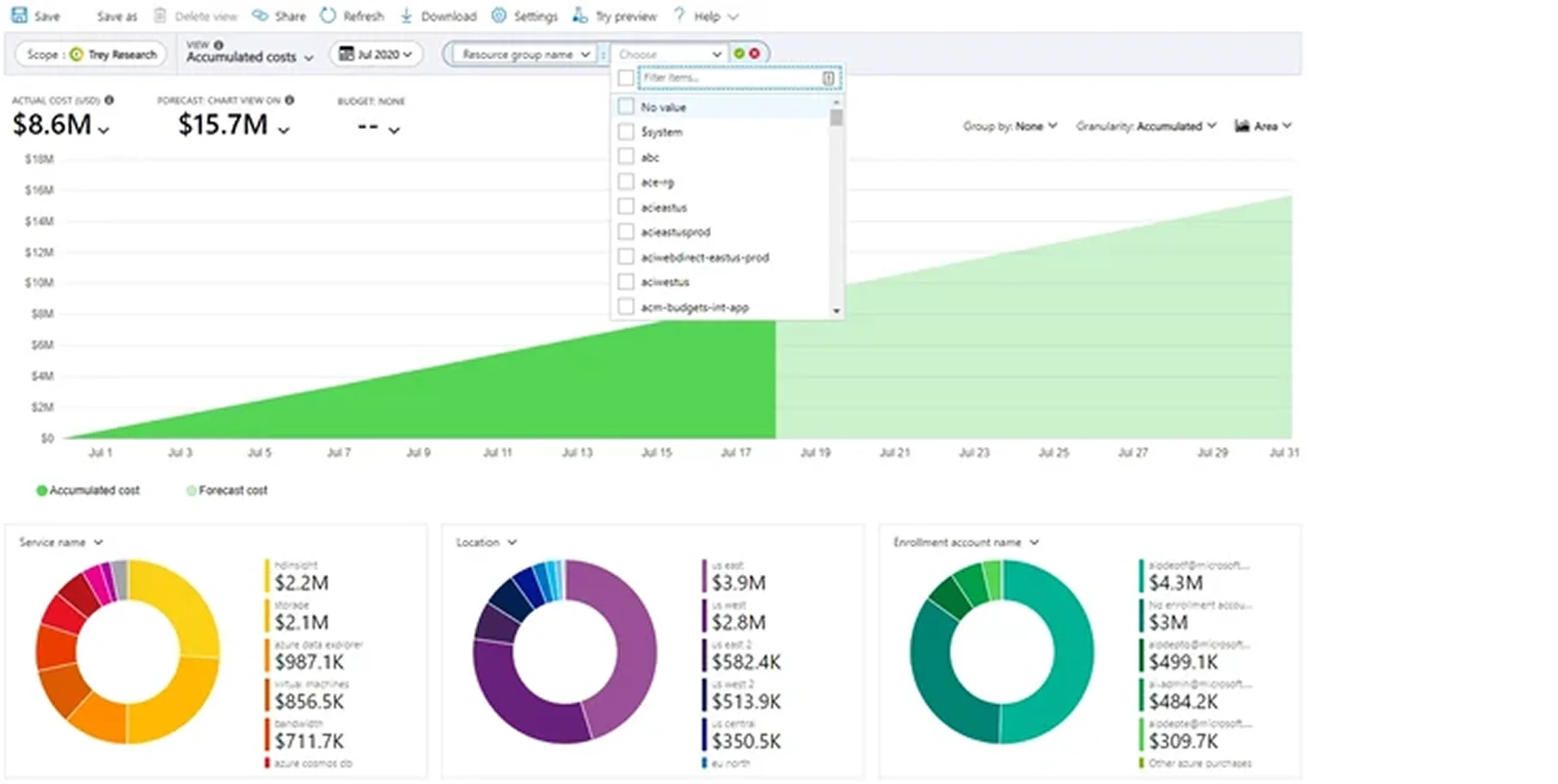
You set strict spending thresholds. If a department hits 80% of its budget by the 15th of the month, the system sends an email alert.
Benefit for You: You catch mistakes before they turn into a $10,000 billing error.
Limitation: It sends an alert, but it does not automatically stop the bleeding. A human still has to log in and fix the issue.
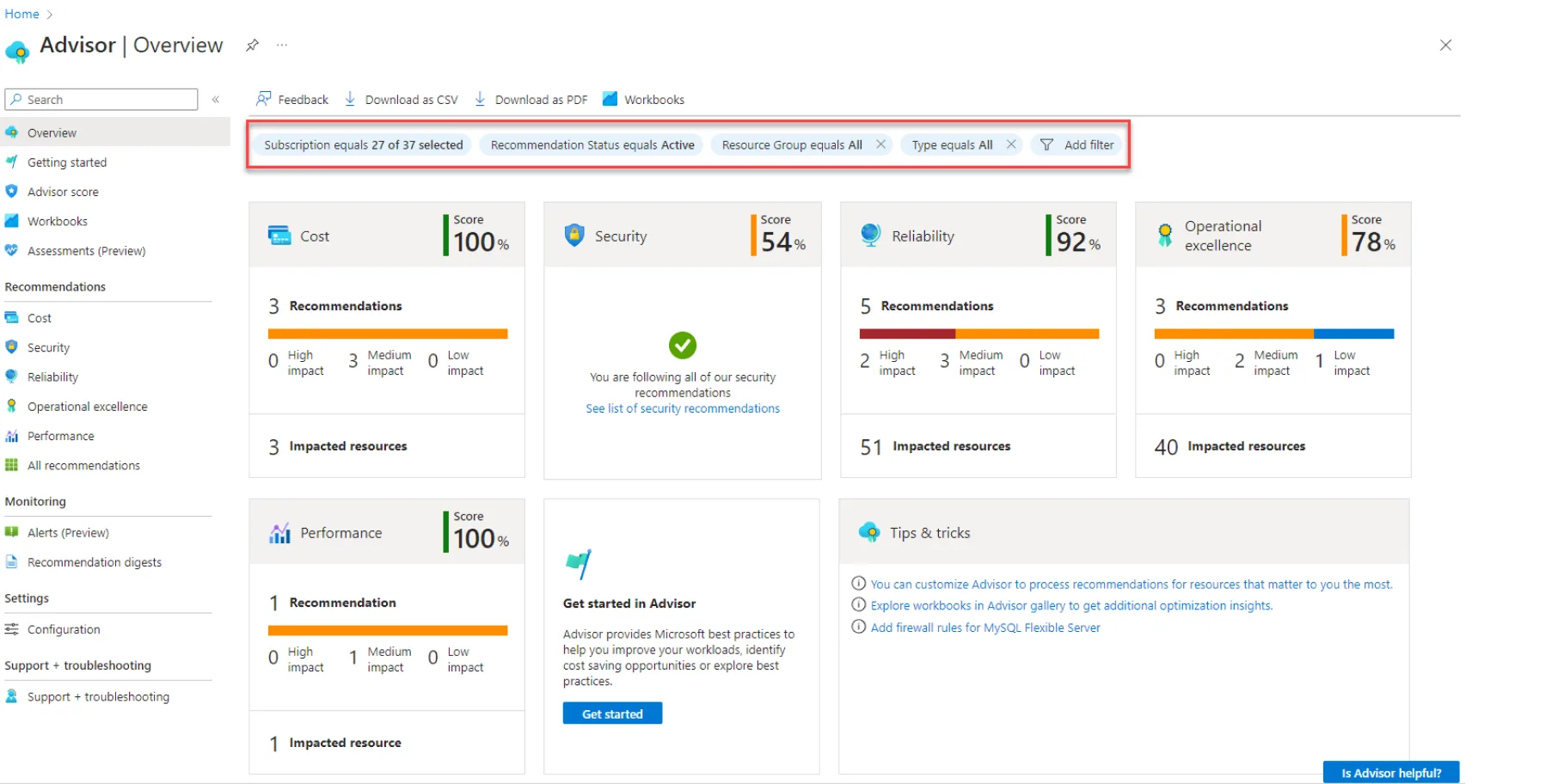
Microsoft's native recommendation engine scans your environment and suggests rightsizing for underused servers. It also reminds you to use the Azure Hybrid Benefit.
How does Azure Hybrid Benefit work to reduce costs? If you bought Windows Server or SQL Server licenses for your physical office years ago, Microsoft lets you reuse those licenses in the cloud. This simple check can reduce your virtual machine costs by up to 72%
Benefit for You: Free, automated advice on how to configure your setup cheaper.
Limitation: It generates a massive list of recommendations, which engineers often ignore because they lack the time to implement them.
Tools for planning ahead. Azure Copilot uses AI to provide conversational cost summaries. The Pricing Calculator lets you forecast the cost of a new project before you build it.
Benefit for You: You can accurately estimate the budget for a new software launch before writing any code.
Limitation: The calculator assumes perfect usage. Real-world usage is always messier and more expensive.
If Microsoft gives you free tools, why pay for another one? This is a common question among business leaders. The answer lies in your size and speed.
We often get asked ‘Can Azure's native cost management tools suffice for my business?’
Yes, if you are a smaller organization. If your cloud spend is under $500K a year, and you operate solely in Azure, the native tools are likely enough.
Power BI Workaround: As noted by cloud architects on forums, a skilled Power BI data setup combined with native Azure tools can serve a small-to-medium business perfectly. You can build your own chargeback reports for free.
image.png
UX Complaint: However, there is a clear pain point: User Experience. Azure’s native portal is highly technical and built for engineers. Business owners and finance teams find it deeply frustrating. Third-party tools win simply by translating complex cloud data into clean, readable financial dashboards.
True Value of 3rd Party: You should buy a third-party tool when you hit scale. If you are comparing azure vs aws cost visibility in a multi-cloud environment, Microsoft’s native tools cannot show you the full picture. You need third-party tools for advanced Chargeback (billing internal departments) and, most importantly, automated remediation, such as Costimizer automatically turning off idle servers at midnight.
Vendor Trap (Warning): Be highly cautious of pricing models. Many third-party tools charge a percentage of your total cloud spend, or a percentage of the savings they find. This locks your company into 12 to 36-month contracts that can end up costing you more than the waste you saved. Always look for flat-fee or transparent SaaS pricing.
You do not need to be an engineer to mandate a good financial process. Give this 5-step plan to your IT team.
Step 1: Define a Strict Tagging Taxonomy: A tag is a digital label. Demand that every single Resource Group and asset has a mandatory tag (e.g., "Owner: John", "Project: MobileApp"). If it is not tagged, it should be deleted. This ensures accurate Cost Allocation.
Step 2: Establish Hierarchy: Do not put all your servers in one bucket. Organize them using Management Groups and Subscriptions to separate production data from testing data.
Step 3: Set Up Budgets & Alerts: Configure native Azure Budgets immediately. Set an alert for 75%, 90%, and 100% of your expected monthly spend. This prevents bill shock.
Step 4: Activate Azure Hybrid Benefit & RIs: Have your team audit your existing on-premise software licenses. Apply the Azure Hybrid Benefit and purchase Reserved Instances for servers you know will run 24/7 for the next year.
Step 5: Integrate a Third-Party Tool: Connect a platform like Costimizer. Let the AI handle the daily automated rightsizing and multi-cloud monitoring so your team can focus on growing the business.
To determine if your cost management tools are actually delivering value, you need clear Key Performance Indicators (KPIs) in place. However, you should avoid overwhelming your team with dozens of complex metrics. Focus on these four core metrics to ensure your cloud environment is driving profitable growth:
The cloud is an incredible tool for business growth, but it is unforgiving to messy finances. Native Azure tools give you a good starting point to see your expenses, but as you scale, relying solely on manual dashboards will guarantee that you lose money to hidden waste. You need a system that acts, not just reports.
Stop paying for cloud waste that delivers zero value to your customers. Take control of your margins today. Connect your Azure environment to Costimizer for a free, real-time audit. Let our Agentic AI uncover automated savings in your system within 60 seconds, and turn your cloud bill back into a competitive advantage.
Most companies see their first measurable cost reductions within 30 days of implementation. Tools that use active automation to shut down idle resources can often deliver a positive ROI in the very first billing cycle.
Reputable tools only require read-only access to your billing and resource metadata, meaning they cannot view your actual customer data. If you enable automation features, they require strict, limited permissions solely to resize or pause infrastructure.
Costimizer uses an AI agent to analyze your historical traffic patterns and identify exact periods of low usage. It then schedules the resizing during these safe windows and uses Azure's native availability features to ensure smooth, uninterrupted transitions.
Azure Kubernetes Service groups multiple small applications together on large shared servers, making it difficult to see which specific project incurred the costs. You need a specialized tool that measures resource consumption down to the individual container level to accurately bill internal departments.
No, Costimizer uses a predictable, flat-fee pricing model. We believe you should keep 100% of the savings our platform generates for your business, without worrying about surprise software bills at the end of the month.
You can connect your Azure subscriptions to our platform in about 60 seconds using a secure, standard setup process. The AI agent will begin scanning your infrastructure and highlighting exact areas of waste immediately.
Yes, Costimizer provides a single, unified dashboard for Azure, Amazon Web Services (AWS), and Google Cloud Platform (GCP). You can track your entire multi-cloud budget and apply cost-saving rules across all providers from one location.
•
CFO•
Articles